
Metric slices in tables
A metric slice is an extra column that shows a metric for a filtered part of your data. For example, next to the Spend column you can add a Facebook Spend column that only counts spend where Channel is Facebook, without filtering the rest of the table.
Note: metric slices are not enabled for every account. If you don't see Slice Column in the column menu of a metric, contact your account manager to enable it.
Creating a slice
In a table widget, click the arrow on the header of the metric you want to slice and choose Slice Column.
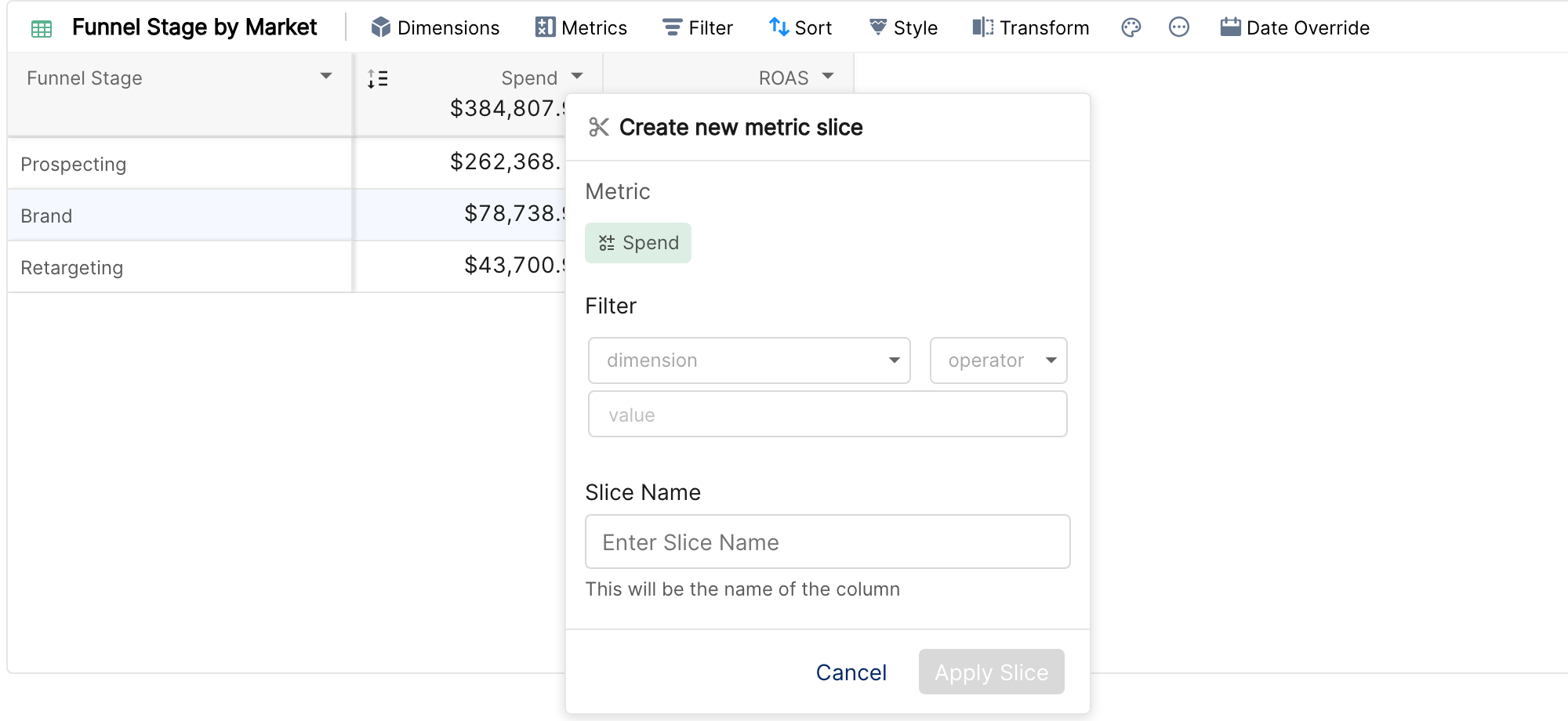
In Create new metric slice, set the Filter: pick a dimension, an operator and a value. The operators are the same as in widget filters, including the regex operators.
Enter a Slice Name. This is the name of the new column, so make it descriptive, for example "Spend - Brand campaigns".
Click Apply Slice.
The new column appears in the table and behaves like any other metric column: you can sort by it, add trends, use it in conditional formatting and see its column aggregate.
Editing, duplicating and deleting a slice
Click the arrow on the header of a slice column:
Edit Slice Definition changes the filter or the name.
Duplicate Slice creates a copy that you can change, for example to make "Spend - Generic campaigns" from "Spend - Brand campaigns".
Delete Slice removes the column.
Examples
Brand vs non-brand: two slices of Conversions, one with Campaign contains "Brand" and one with Campaign does not contain "Brand".
Key market: a slice of Revenue with Market is "DE", next to total Revenue.
Naming conventions: a slice of Spend with Campaign contains (regex)
_RET_to show retargeting spend.
Things to know
Each slice has one filter condition on a dimension. Time dimensions can't be used, and conditions can't be combined with OR.
Slice names must be unique within the table.
A table can have metric slices or metric breakdowns, not both. While the table has a metric breakdown, Slice Column is disabled.
Widget and tab filters still apply to slice columns. The slice filter is added on top of them.
Metric slices are available in the table widget only, and are removed if the widget is transformed into another type.