
Regex filters
You can use regular expressions (regex) in these filters:
Tab filters
Widget filters, in every widget type that has a Filter button
Metric slice filters in tables
To use regex, pick the contains (regex) or does not contain (regex) operator for a dimension in the filter.
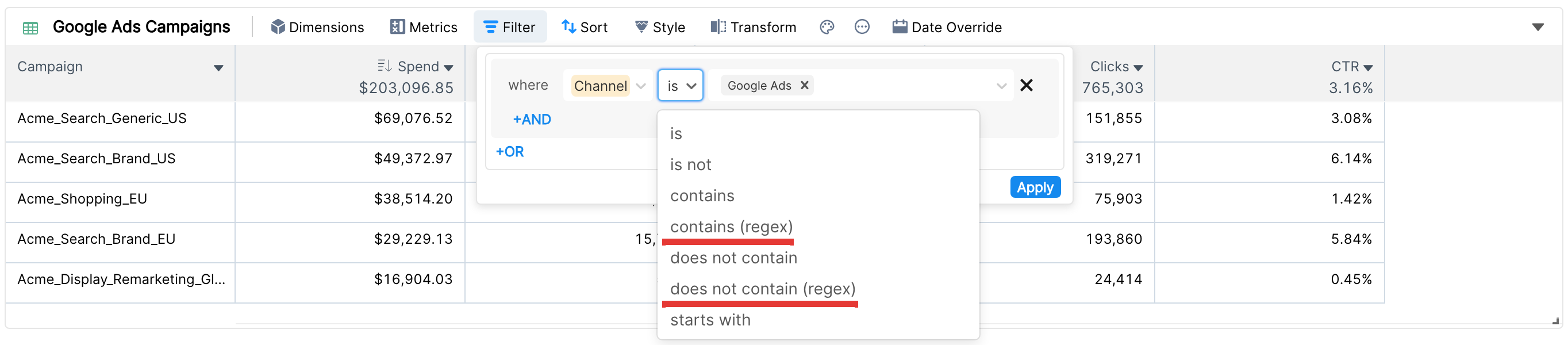
Clarisights follows the RE2 regex syntax. You can test your expressions on regex101 (choose the Golang flavor, which also uses RE2).
Sample campaign names
The examples below use these sample campaign names:

The campaign naming structure they follow is:
<Campaign ID>_<Campaign Platform>_<Campaign Category>_<Campaign Targeting>_<Campaign Channel>
1. Apply OR conditions in a single filter
Campaign contains (regex) AND|BRA
This finds all campaigns with either AND or BRA in the name. For the sample campaigns, it returns 132312412_AND_Chamku Shoes_RET_Facebook and ALL_Relaxo Jeans_BRA_Google Ads.
2. Match several attributes in a fixed order
To find campaigns whose platform is AND and whose targeting is RET:
Campaign contains (regex) _AND_.*_RET_
A plain contains filter can only look for one piece of text, so this needs regex.
3. Check that campaigns follow the naming convention
Campaign does not contain (regex) ^[0-9]+_(AND|WEB|IOS|ALL)_[a-zA-Z ]+_(RET|UA|BRA)_(Facebook|Google Ads|Apple)$
This returns every campaign that doesn't match the expected structure, so you can fix names that break your reporting.
Things to know
A regex filter takes a single pattern. To match several alternatives, combine them with
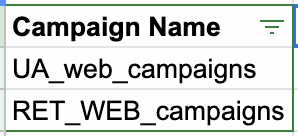
|as in the first example.Filters are case insensitive, with and without regex. With these sample campaigns:
the filter
Campaign contains webreturns both campaigns.Named capture groups such as
(?P<name>...)are not supported.A normal contains filter is faster than a regex filter, so use it where you can to keep your reports fast.
For more about filters, see Adding filters to your widget. If you need help with a regex filter, contact Clarisights support.