
Intro to SKAdNetwork (SKAN) reporting on Clarisights
The introduction of iOS 14.5 had a significant impact on the marketing world. With these updates, Apple prioritised user privacy by requiring explicit user consent for app tracking and limiting the amount of data third-party advertisers can collect.
SKAdNetwork (SKAN) is a privacy-centric mobile attribution framework developed by Apple. It lets mobile app advertisers track and measure the success of their ad campaigns while protecting user privacy.
SKAN gives advertisers aggregated data, for example about app installs, instead of individual user data, which reduces the risk of exposing personal information. Advertisers can use this data to optimise their campaigns and understand the performance of different advertising channels without relying on third-party cookies or user-level data.
This shift towards aggregated measurement has significant implications for the mobile advertising industry. This article covers how it affects reporting on Clarisights.
How SKAN tracks Conversion Events
To understand the performance of your marketing efforts, you will want to compare revenue generated from customer purchases versus the ad spend required to get the user to make that purchase, better known as Return On Ad Spend (ROAS). Linking marketing activities back to user behaviour is key.
To help you understand your buyers' behaviour after they engage with your ad, ad networks report a wide array of conversion events. To track these conversions, ad networks rely on third-party cookies and app tracking links. This is where Apple’s App Tracking Transparency (ATT) breaks the tracking process.
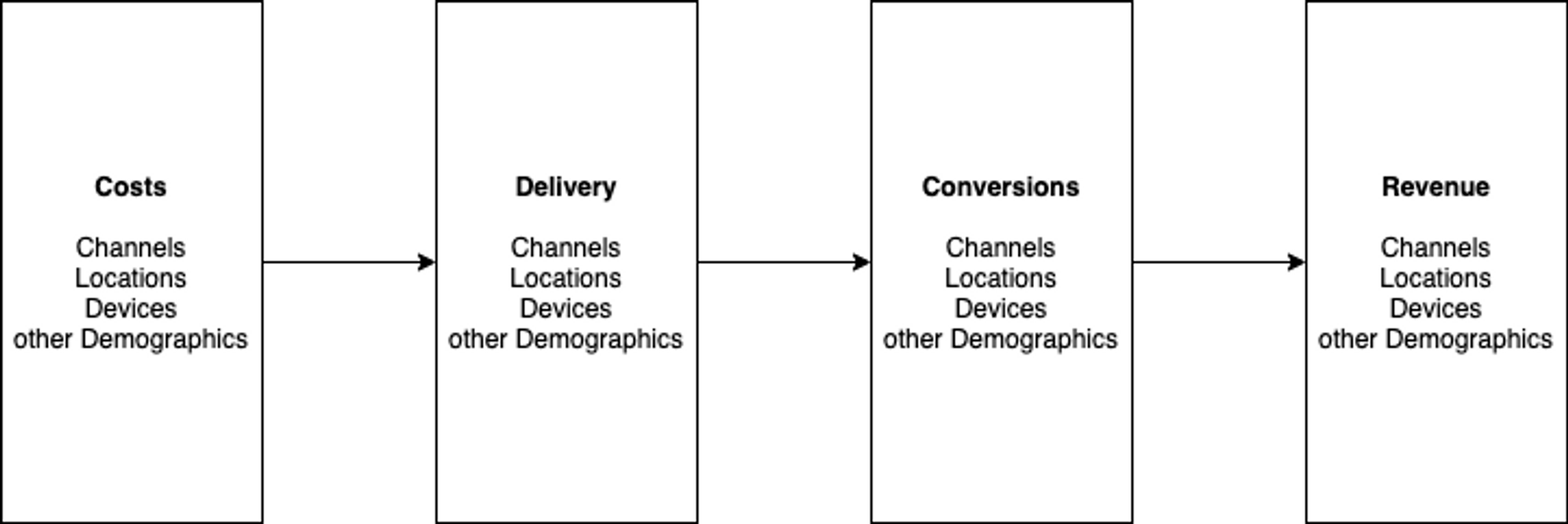
Users of iOS14.5 are prompted to explicitly consent to ad tracking when signing into a new app. Users who decline consent are off the radar for ad networks like Facebook and Snapchat, or Mobile Measurement Partners (MMPs) like Adjust and Branch.
With more than 95% of Apple devices running on iOS 15 and above, marketers effectively don't have any reliable visibility into any conversions for the spends they make on campaigns targeting iOS devices, which leads to worse results and unexpectedly high acquisition cost.
SKAdNetwork is Apple's proposed remedy to this problem. It reports conversions on iOS devices back to the ad networks without revealing the underlying user data to them. As a result:
Ad networks report conversions from SKAN separately from their self-tracked conversions.
Conversion events reported through SKAN give less granular insight into the timing of the conversion.
For a self-tracked conversion, ad networks can identify who converted and report when it happened. With SKAN, they can only report that a conversion happened.
How Clarisights reports conversion events
Clarisights aims to put all relevant marketing metrics at your fingertips, so it surfaces conversion events at the highest granularity possible. As explained in the previous section, the granularity we can provide for conversion events depends on whether they were tracked through SKAN or the ad network itself.
Some of the most typical conversion events include:
Mobile App Installs
Add to Cart
Purchases
Take Mobile App Installs as a case study for how Facebook and other ad networks report conversions. Facebook's self-tracked app installs show in the metric FB: Mobile App Installs. The installs in this metric are tied to the attribution settings configured in your report on Clarisights.
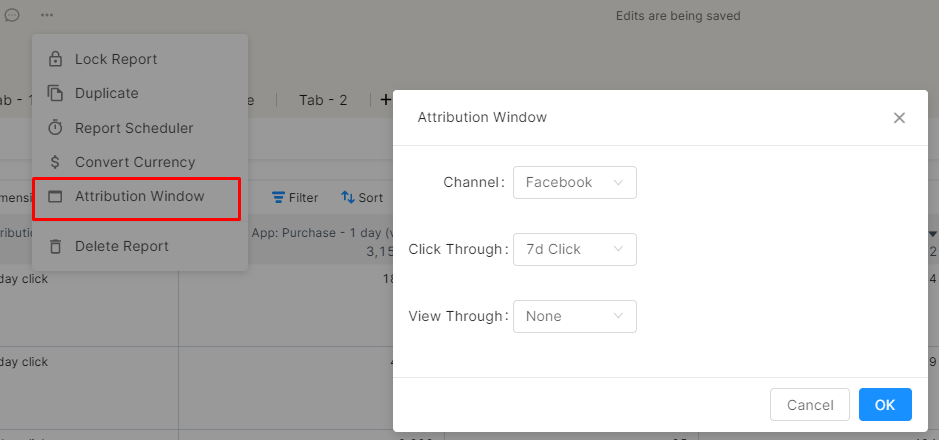
Clarisights also has the attributed conversions for three attribution windows and two modes of attribution (click and view). Each is reported as a separate metric:
FB: Mobile App Installs - 1 day (view)FB: Mobile App Installs - 1 day (click)FB: Mobile App Installs - 7 days (view)FB: Mobile App Installs - 7 days (click)FB: Mobile App Installs - 28 days (view)FB: Mobile App Installs - 28 days (click)
Here, (click) means the user clicked your ad, and (view) means they only saw it without clicking.
Facebook can give such granular attribution because it tracks these conversions with its own technology. For conversions reported through SKAN, Facebook only receives the aggregated number of conversions. SKAN-reported metrics appear as separate metrics in Clarisights and have no attribution window:
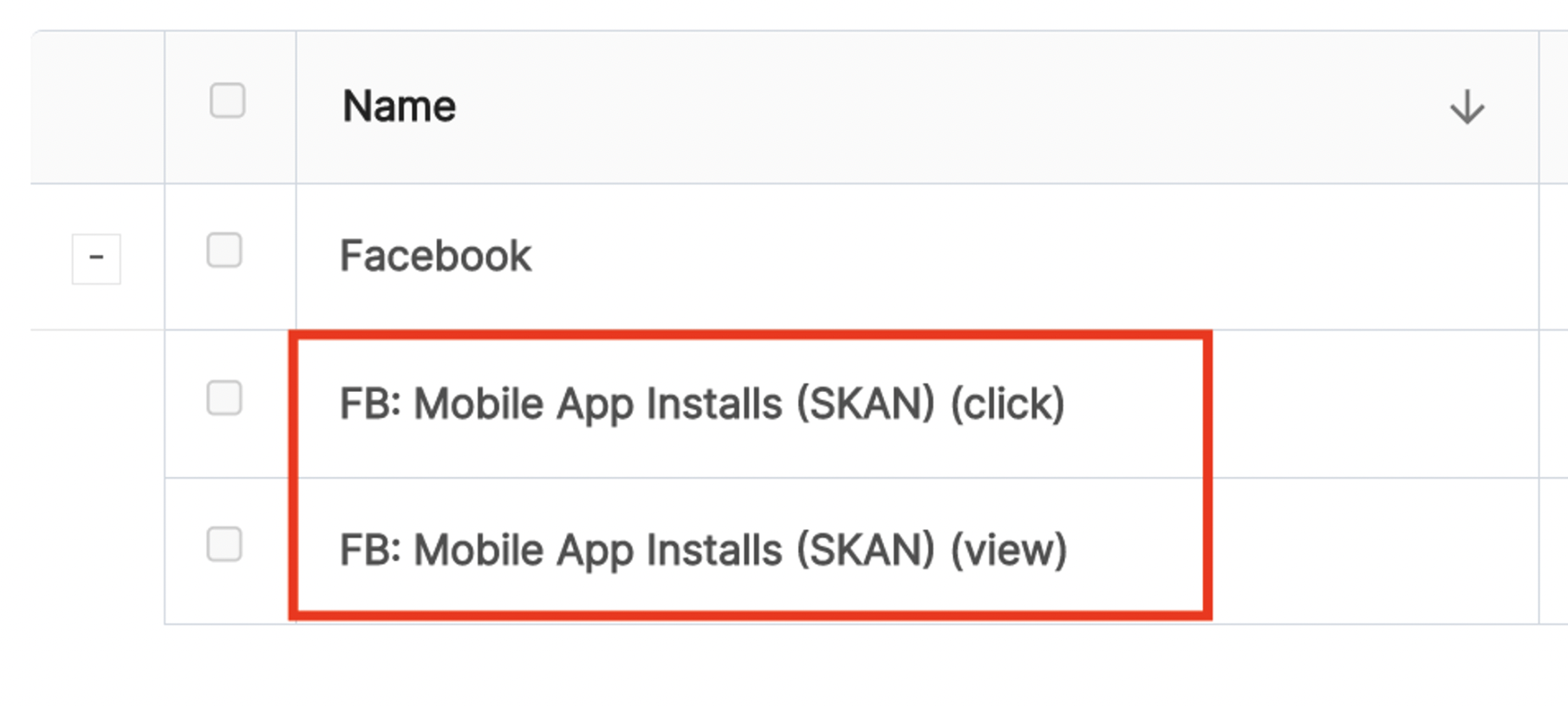
FB: Mobile App Installs (SKAN) (click)FB: Mobile App Installs (SKAN) (view)
As above, (click) means the user clicked your ad, and (view) means they only saw it without clicking.
In your report, this looks as follows:
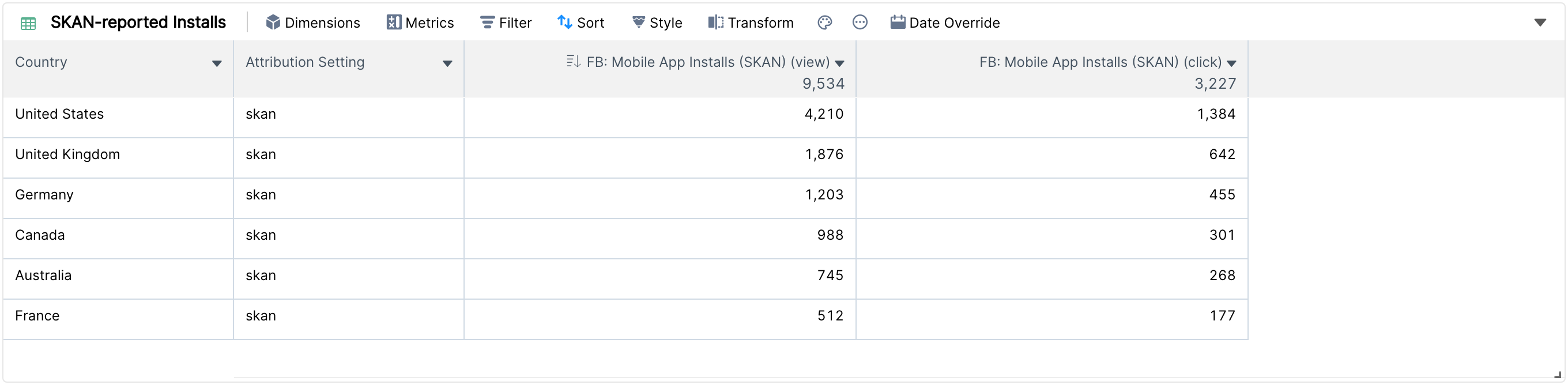
So one conversion event (Mobile App Installs) is reported through 9 different metrics. This preserves as much granularity as possible, but adds complexity to reporting. If you report conversions from multiple channels, you quickly have 40 to 50 potential metrics to choose from.
The next section shows how to put it all back together and reduce that complexity.
Leverage Clarisights' Custom Metrics to get the complete picture
There are lots of metrics to choose from, and Facebook reports SKAN and self-attributed metrics separately. Custom Metrics help you aggregate metrics quickly, so you can use them to pick and combine only the conversion metrics you are interested in.
Say you want to count app installs from Facebook that occurred within seven days after seeing an ad, or one day after viewing it. You also want to count installs reported through SKAN for campaigns targeting devices running iOS 14.5 or above.
Here is how to implement this in Clarisights with Custom Metrics:
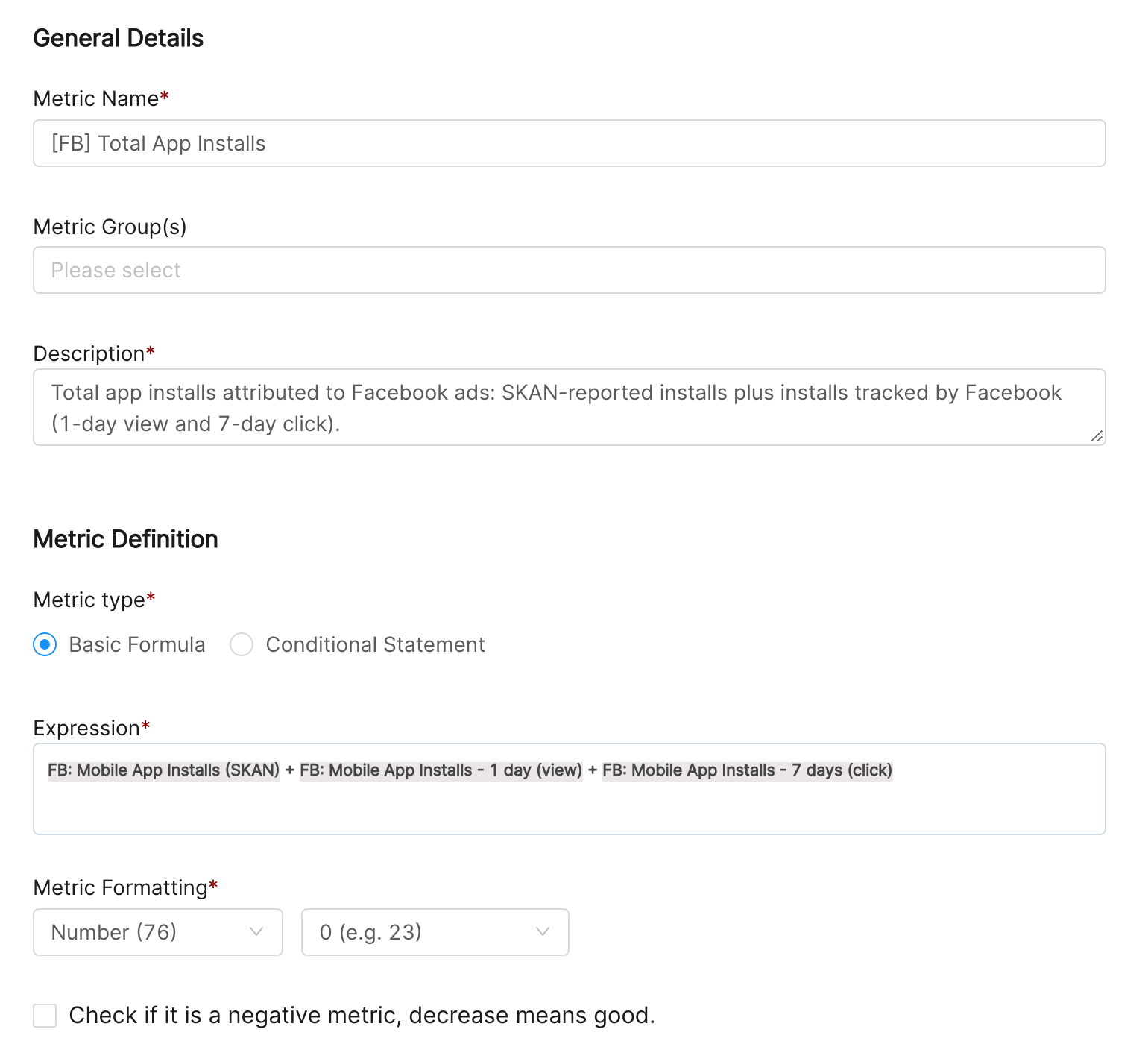
Learn more in Data Harmonization and Classification: Custom Metrics.
Alternatively, if you don't want to rely on conversions reported by the ad networks, you can integrate a Mobile Measurement Partner (MMP) like Adjust or Branch with Clarisights. Clarisights matches their reported conversions to the data from your marketing channels, so you get all your relevant data in one view.
SKAN-supported channels on Clarisights
The following channels currently support SKAN conversion reporting on Clarisights.
Advertising data sources
Facebook Ads: SKAN-reported metrics have the suffix
(SKAN),(SKAN) (click)or(SKAN) (view).
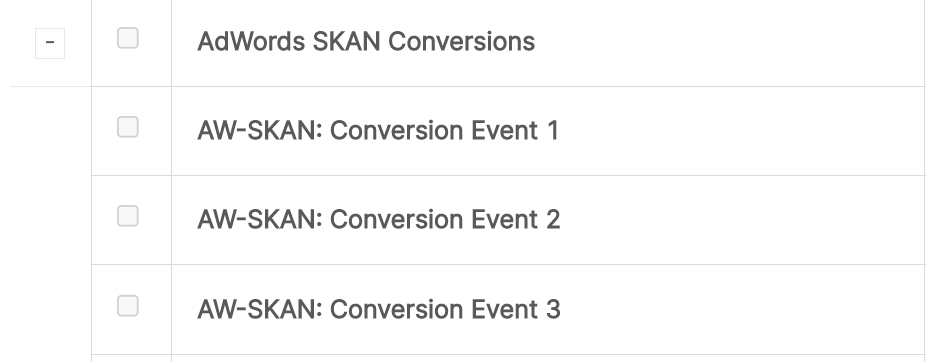
Google Ads: SKAN-reported metrics have the prefix
AW-SKAN:.
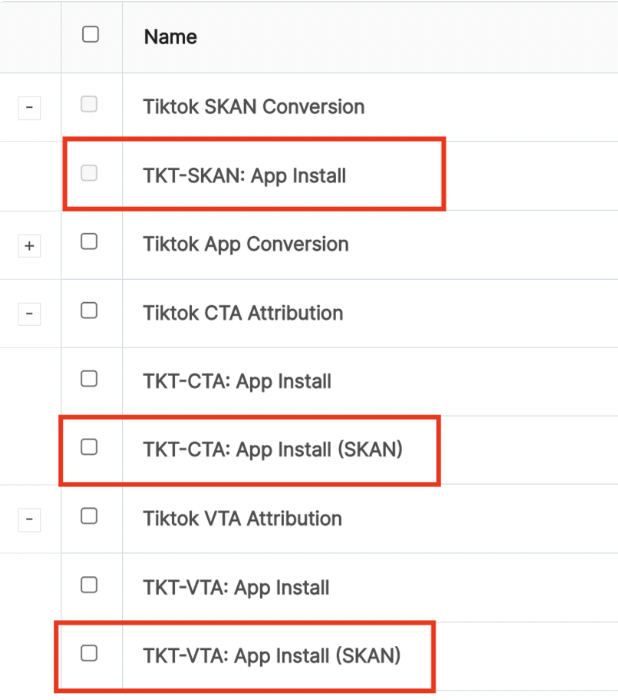
TikTok Ads: SKAN-reported metrics either have the prefix
TKT-SKAN:or, for CTA and VTA attributed conversions (TKT-CTA:andTKT-VTA:metrics), the suffix(SKAN).
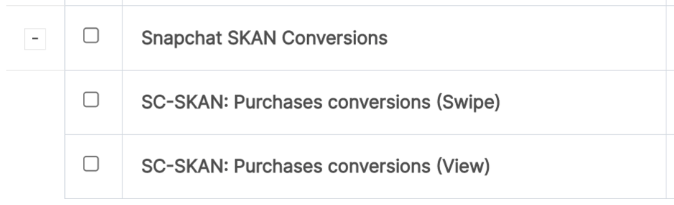
Snapchat Ads: SKAN-reported metrics have the prefix
SC-SKAN:.
Analytics data sources (MMP)
Adjust: SKAN-reported metrics have the prefix
AJ-SKAN.
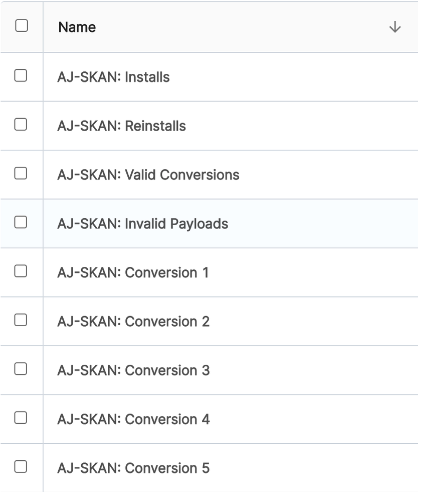
Note: for analytics sources like Adjust, review and update the tracker to channel mappings so the Adjust data is joined to the right ad channels. See the Adjust help article.
For details on the naming conventions for SKAN-reported metrics in each channel, see that channel's Dimensions and Metrics overview.
As SKAdNetwork evolves, we expect further updates and new metrics. This article will be updated accordingly.