
Data Harmonization & Classification 2: Custom Metrics
In the last section you read how to classify data into custom groupings, creating new dimensions that add detail and normalize headers across datasets from different ad partners. Think of custom dimensions as groups of rows based on custom rules: when you use them in charts, Clarisights aggregates metrics on those dimensions.
In a similar way, custom metrics are column operations such as Column A + Column B. The default aggregation in Clarisights across rows is SUM.
Classifying custom metrics
A good way to approach custom metrics is with the question "what do we want to measure?"
Like custom dimensions, custom metrics are different for each organization. Broadly, there are a few ways to classify them:
Top Level Cross-Channel KPIs: these metrics are common across channels and are the base for the main KPIs the marketing team tracks.
Costs
Engagement (Impressions, Video Views, Clicks)
Conversions (Installs, SignUps, Acquisitions, Orders and so on)
Revenue
Budgets
Targets
Channel Specific metrics: these metrics may not be relevant for all channels, but are relevant for some.
Sales
Spots
Video Quartile 25%
A predictable naming convention that separates Cross Channel and Channel Specific KPIs keeps the workspace uncluttered and helps users find their metrics more easily.
Use Cases
If you want to track Cost per Activation across all your ad channels, you would set it up with custom metrics.
Aggregate Cost: platforms report advertising spend in various forms. Facebook calls it Spend, Google Ads calls it Cost, and Awin calls it Commission. To look at aggregate costs in one metric, create a custom metric (say Total Ad Spend) and define it as the sum of the different cost metrics.
Aggregate Activations: you may track Web Purchases on Facebook as "Activations", and a different metric on Google Ads for the conversions that count as "Activations" for your business. Create a custom metric that sums these metrics together.
Aggregate Cost per Activation: a new custom metric that takes the ratio of the two metrics above gives you your final aggregate CPA metric. From then on, you only need to update your Aggregate Cost and Activations custom metrics to include any new channels you integrate.
With custom metrics you can create many other calculated metrics, such as Cost per Conversion, Budget Pace, RoAS and Conversion vs Target %.
Managing custom metrics
For streamlined management of custom metrics, consider the following:
Avoid conditional rules with segment-level dimensions in cross-channel conditional metrics. Just as using the segment level in cross-channel custom dimensions is not recommended, using such custom dimensions in Conditional Custom Metrics is also not recommended.
This is because it forces the query to the lowest common level (segment, in this case), where some data may not be available. For example, Facebook doesn't report web conversions broken down by Country (Breakdown). If your Country custom dimension uses the segment from Facebook, you won't see conversions from Facebook when using this conditional custom metric.
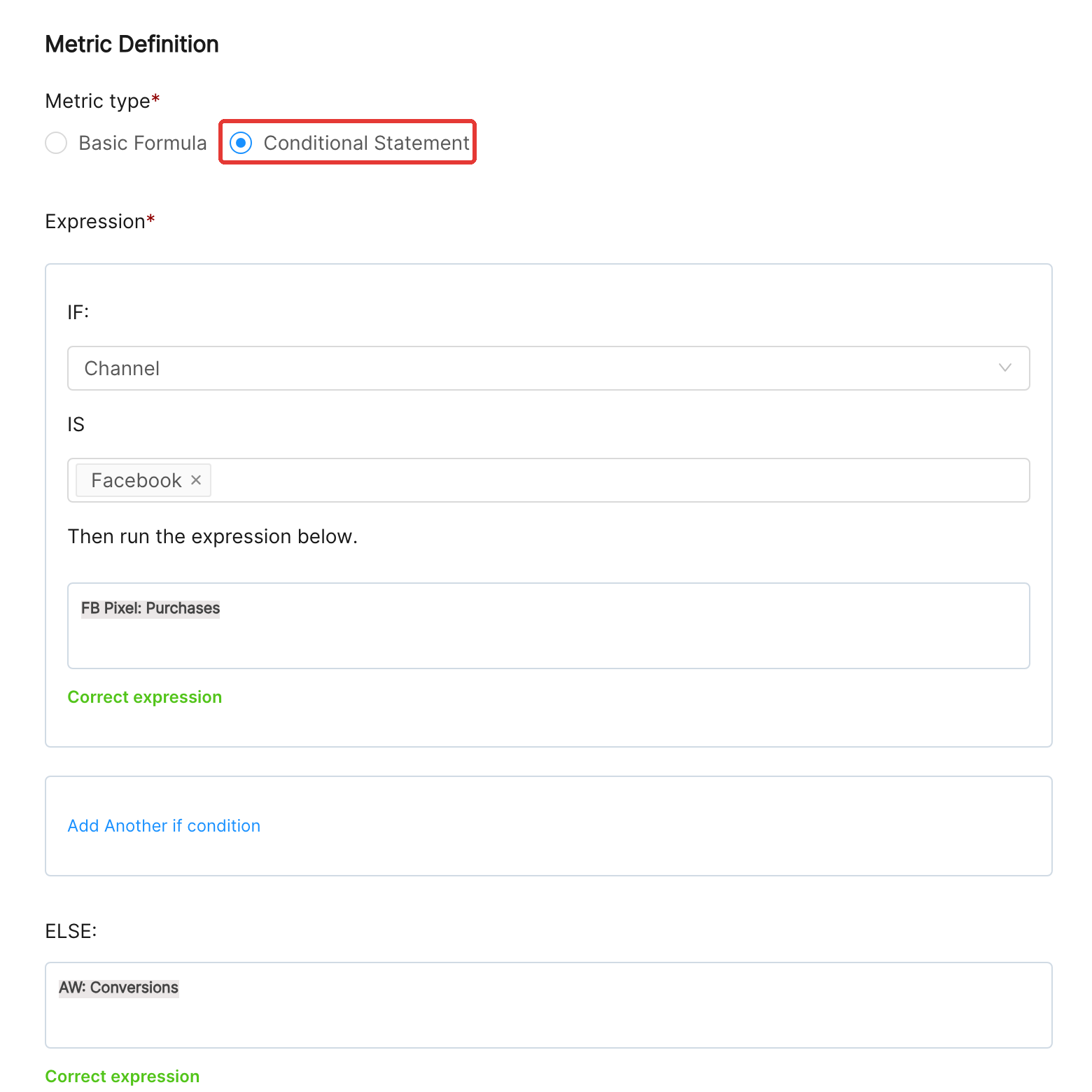
Keep a clean framework, so that over time teams can manage their own KPIs and the top KPIs always reflect the latest changes. Use this cheat sheet to set up your structure: