
Data Governance on Clarisights
Deciding who should have access to which data is a common problem for large enterprise teams that work across functions. Your marketing function may work on multiple brands across different countries, or you may be a single brand with teams for multiple channels or regions.
There are multiple ways to manage data and its access on Clarisights. Planning ahead with a clear framework keeps access clean and predictable, and makes it easier for end users to get to the insights they want from the data they have access to.
These features let you manage marketing data at a few broad levels:
Data Groups
These are the broadest way to classify your data and are part of access control (Preferences, Data Groups tab). Data groups are always groups of accounts only: you choose the accounts with account-level filters.
Teams
These are groups of users who can be granted access to one or multiple data groups (Preferences, Teams tab).
For example, if you are a single-brand organisation with multiple marketing functions such as SEO, Retention & CRM, Brand and App, you may want to put users in separate teams on Clarisights and give each team access to one or more data groups. You can also control external users' access to data groups in conjunction with access roles.

Note: if all users should have access to all the data by default, you may not need to create data groups at all.
Report Segments
Report segments (Preferences, Report Segments tab) let you create groups of different channels with more granular filters. This lets you slice your data into smaller, more consumable data sources.
For example, say your APAC SEM team creates most of their reports using a few data sources:
Google Ads
Bing
Yahoo APAC
Internal Budgets & Targets Sources
Other manual input costs
Conversions in Internal Attribution models
Not all the data in these channels is relevant for their reports. Maybe they only look at the performance of Search campaigns running in their region. You can create a report segment that includes those data sources, filtered for:
Marketing Channel is
SEMRegion is
APAC

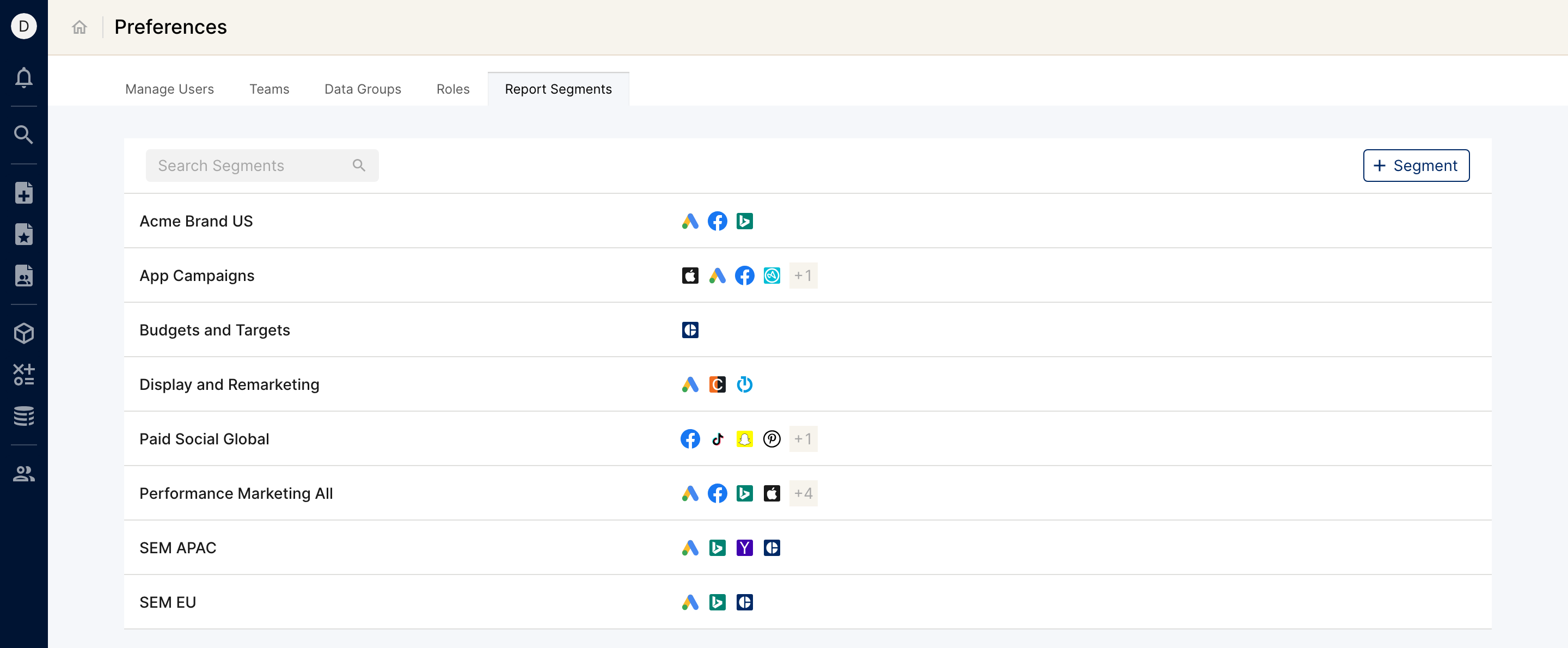
How they work together
With these features you can manage the different sections of data and who can access them, make report building more familiar with predefined report segments, and quickly give different sets of users access to different data sets. This view shows how data groups, teams and report segments filter the data users can access.

Note: regardless of the channels and accounts included in a report segment, users can only view the data they have access to through the team (or teams) they are part of.
Some example structures you can refer to:


The framework you decide on at the beginning doesn't need to be set in stone. As the organization evolves and marketing efforts converge in different ways, you can create new data groups and report segments.
Roles
Workspace members can be granted roles based on their access requirements. Most users in the organization need access to only parts of the dataset and can be given the Team Member role. Other members can have different access levels. See Overview of User Access Control.