
Connecting NetCore on Clarisights
NetCore (formerly Smartech, now Netcore Cloud) is a customer engagement and email marketing platform. Connecting NetCore to Clarisights brings your email broadcast performance (sends, deliveries, opens, clicks, unsubscribes) into your reporting alongside paid and analytics channels, so you can compare email-driven engagement to spend-driven channels in a single view.
At a glance
| Authentication | Report emails. Clarisights gives each account a unique email address and you schedule NetCore to email its broadcast reports to it. Your NetCore password is used to open the password-protected report files. |
| Permissions needed | Permission inside NetCore to schedule broadcast reports and send them to an external email address |
| Account discovery | Manual: you create one Clarisights account per NetCore account / login |
| Data freshness | Tied to your NetCore report schedule: data is imported when each report email arrives |
| Lookback window | Driven by the date range of the reports you schedule in NetCore; Clarisights ingests whatever rows arrive in the email |
| Backfill on connect | Schedule a one-off historical report in NetCore for the date range you want; it goes to the same Clarisights address and Clarisights ingests it |
| Timezone | Configured per NetCore account in Clarisights; Sent Date in the report is interpreted in this timezone |
| Currency | Configured per account in Clarisights (NetCore reports do not include currency) |
| Levels supported | Account · Campaign (Broadcast) |
| Limited rollout | No |
Prerequisites
An active NetCore (Smartech / Netcore Cloud) account
The NetCore account password, used to open the password-protected ZIP files NetCore sends in the report email (you share it with Clarisights support, see Step 3)
Permission inside NetCore to schedule broadcast reports and send them to an external email address
Knowledge of the timezone and currency you want this account to roll up to in Clarisights
Steps to Connect
Step 1: Add NetCore in Clarisights
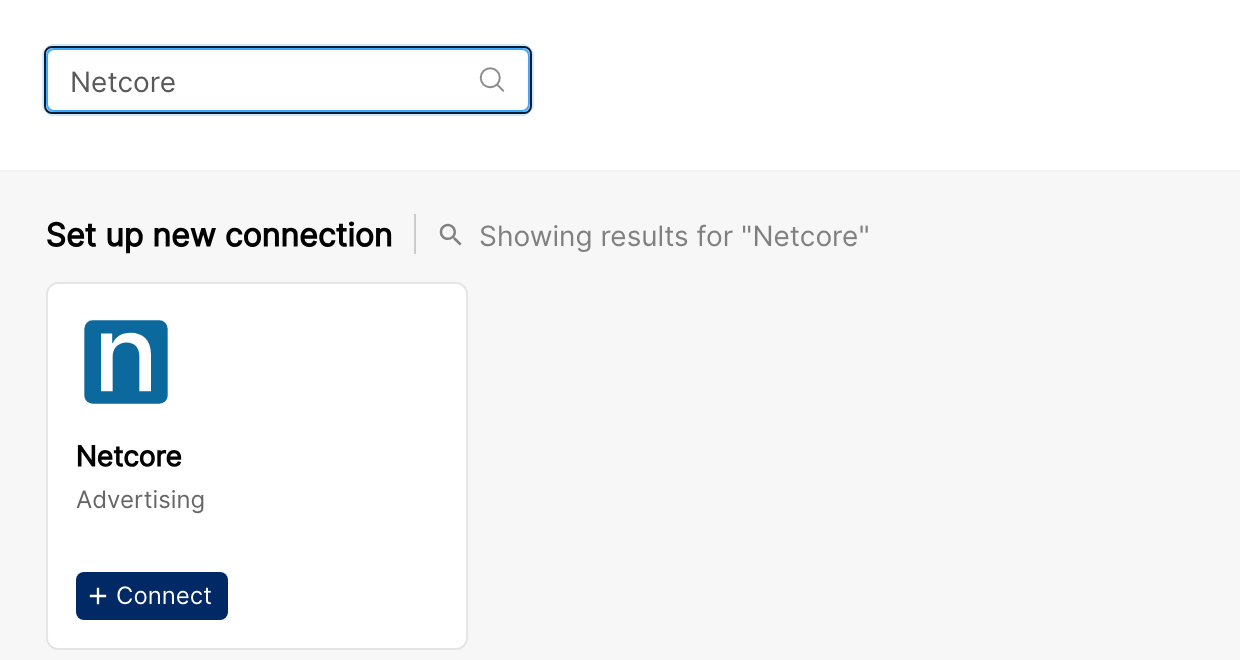
In Clarisights, open Integrations from the left sidebar, search for Netcore under Set up new connection, and click + Connect.
Step 2: Provide account details
In the Connect a Netcore Source form, fill in:
Email: the NetCore login email; this is also shown as the Account ID in Clarisights
Name: a friendly label for the account
Currency: reporting currency to associate with this account
Timezone: timezone for interpreting Sent Date in the broadcast report
Click Connect Source. Clarisights creates the account and a unique email address for its reports.
Step 3: Share your NetCore password and copy the report address
The form does not ask for your NetCore password, but Clarisights needs it to open the password-protected reports. Contact support from the in-app messenger (or your Clarisights account manager) to have it added to the account, and share it only through the secure channel they provide.
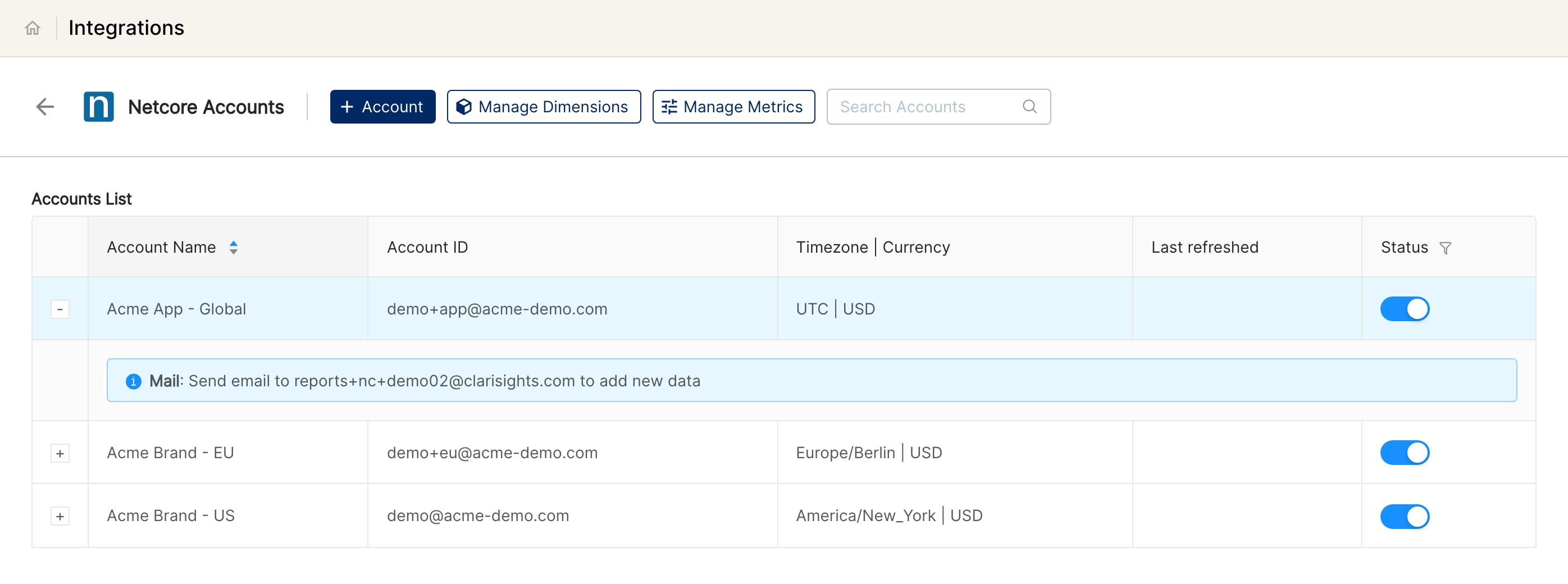
Then click + next to the new account in the Netcore Accounts list. The expanded row shows Mail: Send email to <address> to add new data. Copy that address: it is where NetCore will email the reports.
Step 4: Schedule the broadcast report in NetCore
In NetCore (Smartech), go to Reports → Broadcast Report and schedule a recurring export with these settings:
Format: password-protected ZIP containing a CSV (NetCore's default secured-report format)
Password: your NetCore account password
Recipient: the Clarisights address from Step 3
Required columns: Broadcast Name, Message ID, From Field, Subject, Lists Names, Segments Names, Sent, Delivered, Bounce Count, Total Opens, Total Clicks, Unique Open, Unique Clicked, Unsub, Abuse, Forward, Sent Date
Cadence: daily is recommended; the report's date range determines the lookback
⚠ NetCore must password-protect the ZIP using the account password. Clarisights opens it with the password you shared in Step 3; an unprotected ZIP, a different password, or a non-ZIP attachment will fail decryption silently and produce no rows.
Step 5: Wait for the first report email
Once NetCore sends the first scheduled report, Clarisights follows the download link in the email, opens the ZIP with your password, and imports the broadcast rows.
⚠ No data after the first scheduled run → Likely cause is the report email did not include a recognisable download link, or the ZIP password did not match. Verify the report email contains a download link (NetCore wraps it in the word "here"), and that the ZIP password matches the password you shared with Clarisights. Re-send the report after fixing.
Verify the connection
Go to Integrations → NetCore. The connected account should be listed with its status switched on; expand it to see its report address.
First broadcast data appears after the first scheduled NetCore report email arrives and is processed.
Quick start: create a new report, add NetCore as the data source, and add Account · Campaign · NC: Sent · NC: Total Opens · NC: Total Clicks · NC: Unsubscribe.
Data available
Hierarchy
How NetCore's native objects map to the standard Clarisights levels:
Native object (NetCore) | Clarisights level |
Account / Login | Account |
Broadcast (one Message ID per send) | Campaign. NetCore's broadcast is the analogue of Clarisights' Campaign. There is no Ad Group or Ad level for NetCore. |
Dimensions
Dimension | Level | Description |
Account | Account | NetCore account name you entered at connect time (the Account ID is the login email) |
Channel | Account | The data source (Netcore) |
Campaign | Campaign | Broadcast Name from the NetCore report |
Metrics
Metric | Description |
NC: Sent | Total emails sent for the broadcast |
NC: Delivered | Successfully delivered emails |
NC: Bounce Count | Total bounces (hard + soft) |
NC: Total Opens | Total open events (counts repeats) |
NC: Total Clicks | Total click events (counts repeats) |
NC: Unique Opens | Distinct recipients who opened |
NC: Unique Clicks | Distinct recipients who clicked |
NC: Unsubscribe | Unsubscribe events from the broadcast |
NC: Abuse | Spam / abuse complaint events |
NC: Forwards | Forward events |
NC: Total Open Percentage | Total Opens ÷ Sent |
NC: Total Click Percentage | Total Clicks ÷ Sent |
NC: Unique Open Percentage | Unique Opens ÷ Sent |
NC: Unique Click Percentage | Unique Clicks ÷ Sent |
NC: Click-Open Percentage | Unique Clicks ÷ Unique Opens |
Limitations & known constraints
Mail-based ingestion: NetCore is integrated through scheduled emailed reports, not via API. Data freshness is bounded by your NetCore report schedule.
No Ad / Ad Group level: NetCore exposes broadcasts (campaigns) only. Treat the Broadcast as the Campaign-equivalent.
No spend / cost: NetCore reports do not include cost. Email-channel cost is typically modelled outside NetCore (e.g., as a custom metric in Clarisights).
Password-protected ZIP only: Clarisights expects NetCore's secured-report format (password-protected ZIP containing a CSV). Plain CSV attachments are not supported.
Strict CSV column expectations: column names must match the standard NetCore broadcast report (Broadcast Name, Message ID, Sent, Delivered, Total Opens, Total Clicks, etc.). Custom or renamed columns are not picked up.
Failures are silent at the email level: a malformed email or wrong password causes the email to be dropped. The Clarisights UI does not surface ingestion errors today, so contact support if data stops arriving.
Operating notes
Refresh schedule: data is imported whenever NetCore sends a scheduled report email.
Lookback: bounded by the date range of the NetCore report you schedule. To backfill history, run a one-off NetCore export covering the desired range and send it to the same Clarisights address.
Multi-account: each NetCore login is one Clarisights account with its own report address. To onboard multiple NetCore accounts, repeat the flow for each.
Currency conversion: NetCore reports are unitless on cost; the currency you pick at connect time is metadata only.
Credential rotation: if you rotate your NetCore password, share the new password with Clarisights support immediately (it cannot be edited from the Integrations page). ZIPs sent with the old password will fail to decrypt and produce no rows.
Need help?
When contacting support from the in-app messenger, please include:
The NetCore account name and its report email address (Integrations → Netcore)
Whether the report email was sent to the Clarisights report address (forward a sample email if possible)
The exact error message or screenshot
The step where the issue occurred
When the issue started and the cadence of the NetCore report