
Connecting Beslist on Clarisights
Beslist.nl is the largest online shopping mall in the Netherlands, aggregating products from thousands of online shops. Connecting Beslist to Clarisights brings your daily shop-stats (clicks and click costs by product category and brand) into your performance reporting alongside other paid channels.
At a glance
| Authentication | OAuth2 client credentials (Client Key + Client Secret) issued by Beslist |
| Permissions needed | Beslist Statistics API access enabled by your Beslist account manager |
| Account discovery | Single shop per credential. One Beslist account is created automatically on connect |
| Data freshness | Daily |
| Lookback window | Last 7 days on every refresh |
| Backfill on connect | Last 7 days |
| Timezone | UTC (Beslist reports whole days) |
| Currency | EUR |
| Levels supported | Account · Campaign (per-product / per-category) |
| Limited rollout | Yes. Existing Beslist customers only; new accounts cannot be added self-serve. Contact Clarisights support to enable. |
Prerequisites
An active Beslist.nl shop
Statistics API access enabled by your Beslist account manager: email your account manager and request access to the Beslist Statistics API
A Beslist Client Key and Client Secret issued for your shop
Steps to Connect
Step 1: Request API credentials from Beslist
Contact your Beslist account manager and request access to the Statistics API. Beslist will issue you a Client Key and Client Secret scoped to your shop. Copy both values, as you will paste them into Clarisights in Step 3.
Treat your Client Secret like a password. It grants read access to your Beslist shop statistics.
Step 2: Open Beslist in Clarisights
In Clarisights, open Beslist under Manage connected channels on the Integrations page.
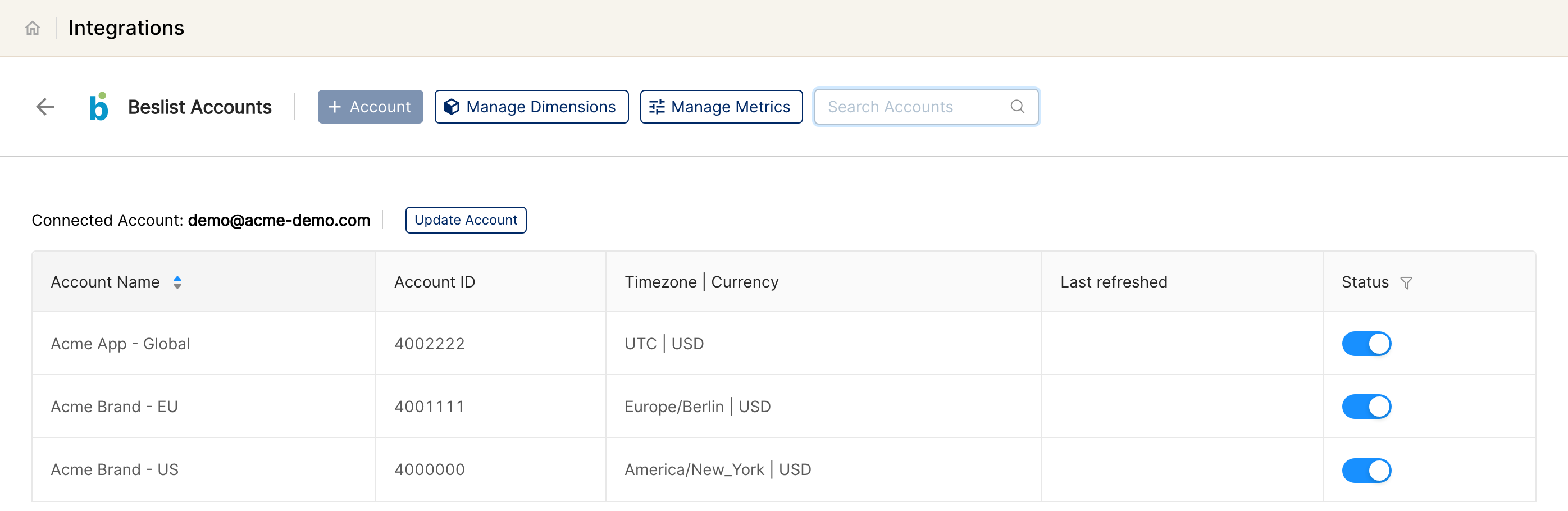
⚠ The "+ Account" button is disabled → New Beslist accounts cannot be added self-serve. If you are an existing Beslist customer migrating from another setup, contact Clarisights support to enable the connection on your behalf.
Step 3: Enter credentials
Paste your Client Key and Client Secret, then click Connect Source. Clarisights exchanges them with Beslist for an access token and creates the Beslist account automatically.
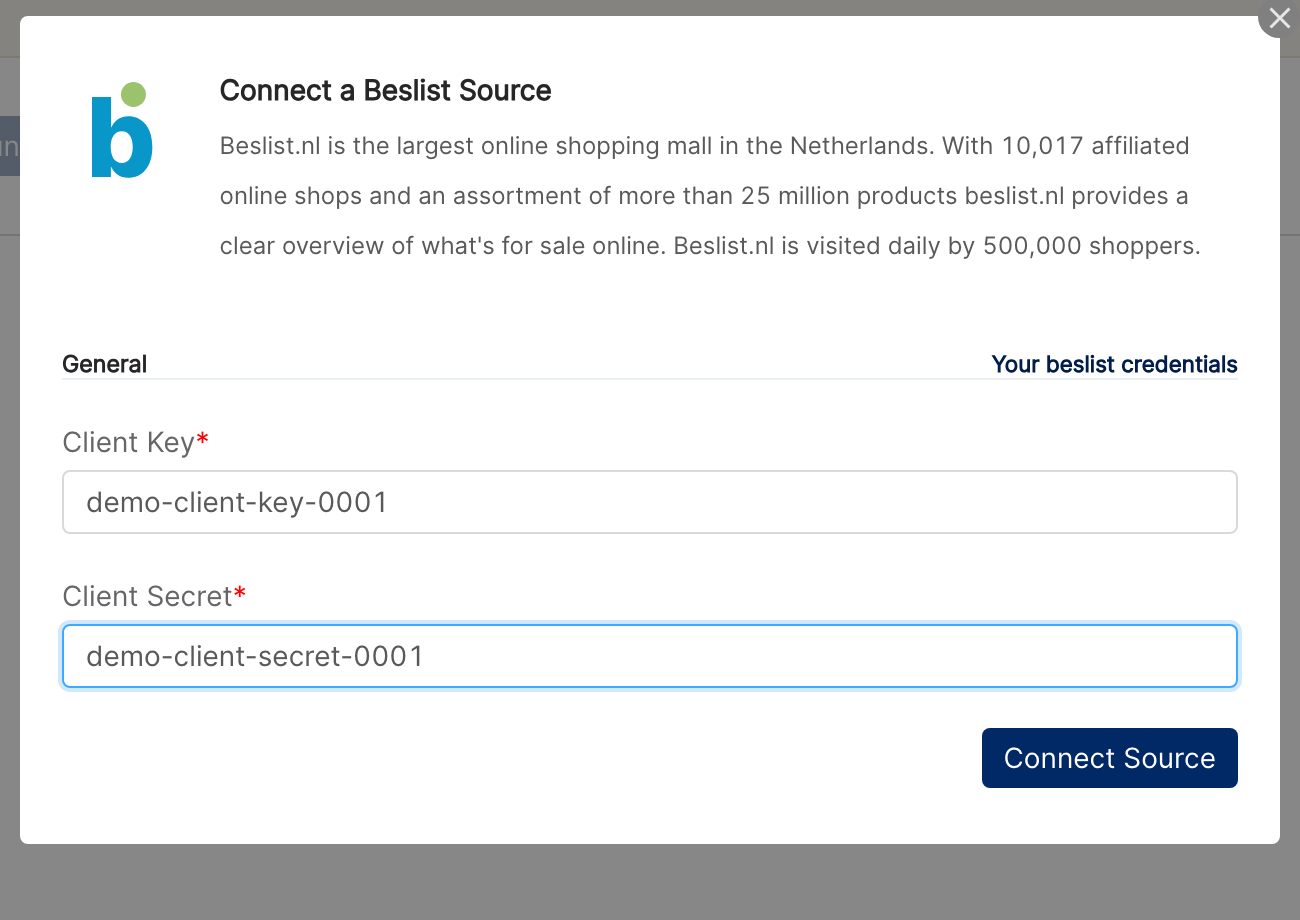
⚠ "Could not fetch token" / token error on submit → Double-check the Client Key and Client Secret. Beslist returns this when either value is wrong or when Statistics API access has not yet been enabled for your shop. Verify with your Beslist account manager that API access is provisioned, then retry.
Verify the connection
Open Beslist under Manage connected channels on the Integrations page. Your shop should be listed with its status switched on.
First data appears within about 24 hours (Beslist data syncs daily).
Quick start: create a new report, add Beslist as the data source, and add Account · Category Name · Clicks · Cost.
Data available
Hierarchy
Beslist has a flat data model: statistics are returned per shop, per day, broken down by product, category, and brand. There is no native concept of campaigns or ad groups. Clarisights normalizes this into the standard hierarchy as follows:
Native level (Beslist) | Clarisights level |
Shop | Account |
Product / Category / Brand row | Campaign (Beslist has no native Campaign / Ad Group / Ad, so rows are stored at the Campaign level with category and brand as attributes) |
Dimensions
Dimension | Level | Description |
Account | Account | Your Beslist account (named after your company in Clarisights) |
Category Name | Campaign | Beslist product category name |
Category ID | Campaign | Beslist product category ID |
Category Type | Campaign | Beslist category classification |
Brand Name | Campaign | Brand of the product as classified by Beslist |
Brand ID | Campaign | Beslist brand ID |
URL | Campaign | Destination URL Beslist sent traffic to |
Metrics
Metric | Description |
Clicks | Total clicks Beslist delivered to your shop |
Cost | Total CPC cost charged by Beslist, in EUR |
Limitations & known constraints
Existing accounts only: New Beslist integrations cannot be added self-serve from the Integrations page (the "+ Account" button is disabled). Existing Beslist connections continue to work normally; contact Clarisights support if you need to onboard a new Beslist shop.
Single shop per credential: A Client Key / Client Secret pair is scoped to one Beslist shop. To connect multiple shops you need separate credentials per shop.
No campaign / ad-group / ad level: Beslist does not expose a campaign concept. All performance data is per-product / per-category, stored at the Campaign level in Clarisights.
Two metrics only: Beslist's Statistics API exposes clicks and cost. Impressions, conversions, and revenue are not available.
Daily granularity: Beslist provides daily statistics, with no hourly breakdown.
EUR only: Cost is reported in EUR. Clarisights converts to your reporting currency on ingest.
7-day pull window: Each refresh pulls the last 7 days of data. Older data is not back-pulled automatically; contact support for longer historical backfills.
Operating notes
Refresh schedule: daily.
Lookback: last 7 days re-pulled on every refresh, so late-arriving Beslist updates are picked up automatically.
Multi-account: each Client Key / Client Secret connects exactly one Beslist shop. Connect additional shops with separate credentials.
Currency conversion: Beslist reports in EUR; Clarisights converts to your reporting currency on ingest.
Token rotation: access tokens are short-lived and refreshed automatically by Clarisights using your Client Key / Client Secret. No manual rotation is required.
Credential rotation: if you rotate your Client Secret in Beslist, update it from the Beslist page in Integrations with Update Account (enter the new values and click Update), or contact Clarisights support.
Need help?
When contacting support from the in-app messenger, please include:
The integration name and shop name (from the Beslist page in Integrations)
The exact error message or screenshot
The step where the issue occurred
When the issue started