
Connecting Billiger on Clarisights
Billiger.de is a German price-comparison platform run by solute GmbH that aggregates product listings across thousands of verified shops. Connecting Billiger to Clarisights brings every click Billiger drove to your shop (with the article you bid on and the cost you paid) into your performance reporting alongside other paid channels.
At a glance
| Authentication | Solute Partner Portal username and password |
| Permissions needed | Click Archive API access on your solute Partner Portal account |
| Account discovery | Automatic: every shop linked to your Partner Portal login is offered after credential validation |
| Data freshness | Daily |
| Lookback window | Last 7 days on every refresh |
| Backfill on connect | Last 7 days |
| Timezone | Europe/Berlin |
| Currency | EUR |
| Levels supported | Account · Campaign (per-article click rows) |
| Limited rollout | No |
Prerequisites
An active Billiger.de / solute Partner Portal account (see the solute Partner Portal)
Click Archive API access enabled for your shop. If you are not sure it is enabled, contact your solute / billiger.de account manager
Your Partner Portal username and password
Steps to Connect
Step 1: Confirm Partner Portal API access
Log in to the solute Partner Portal with your billiger.de credentials and confirm the account has access to the Click Archive export. If unsure, ask your solute / billiger.de account manager to enable the Click Archive API for your shop(s).
Step 2: Add Billiger in Clarisights
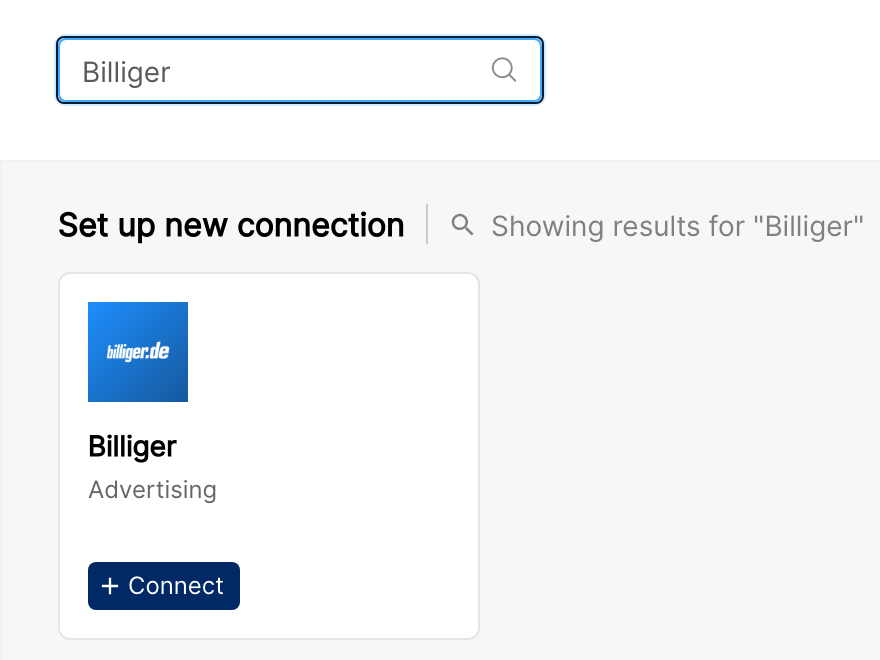
In Clarisights, open the Integrations page, search for Billiger under Set up new connection, and click + Connect on the Billiger card.
Step 3: Validate credentials
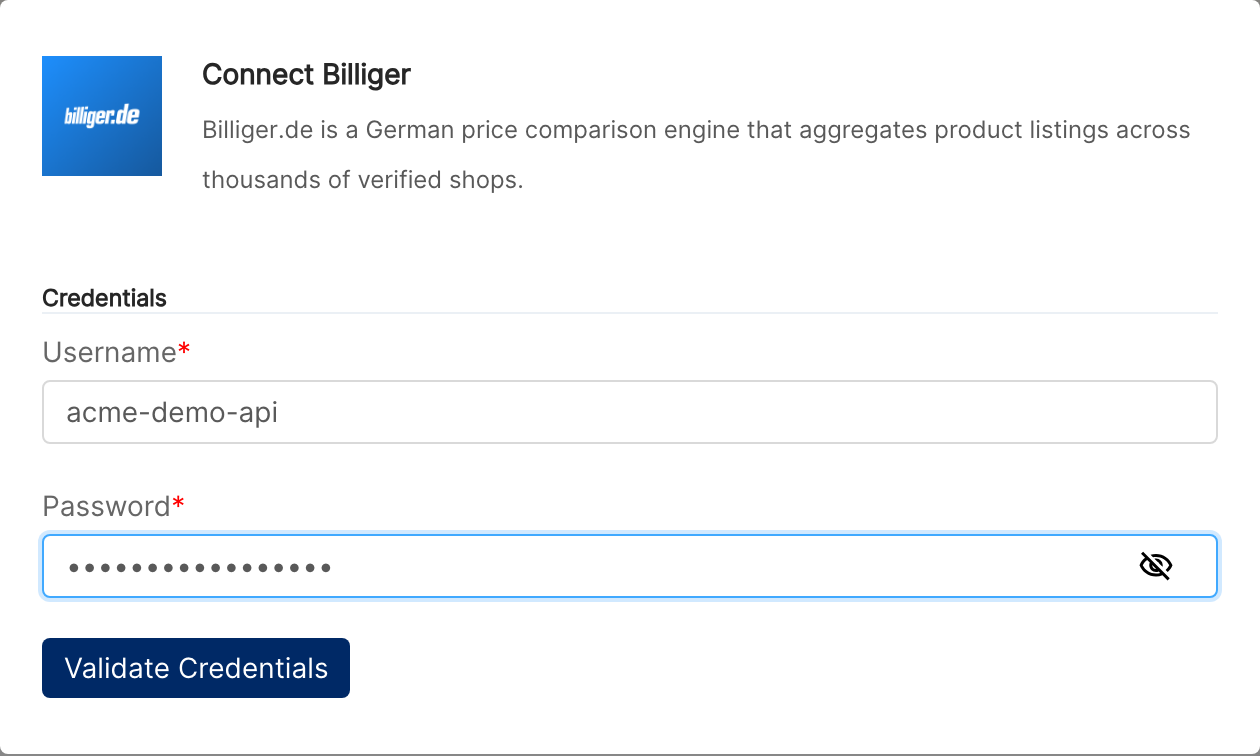
Enter your Partner Portal Username and Password, then click Validate Credentials.
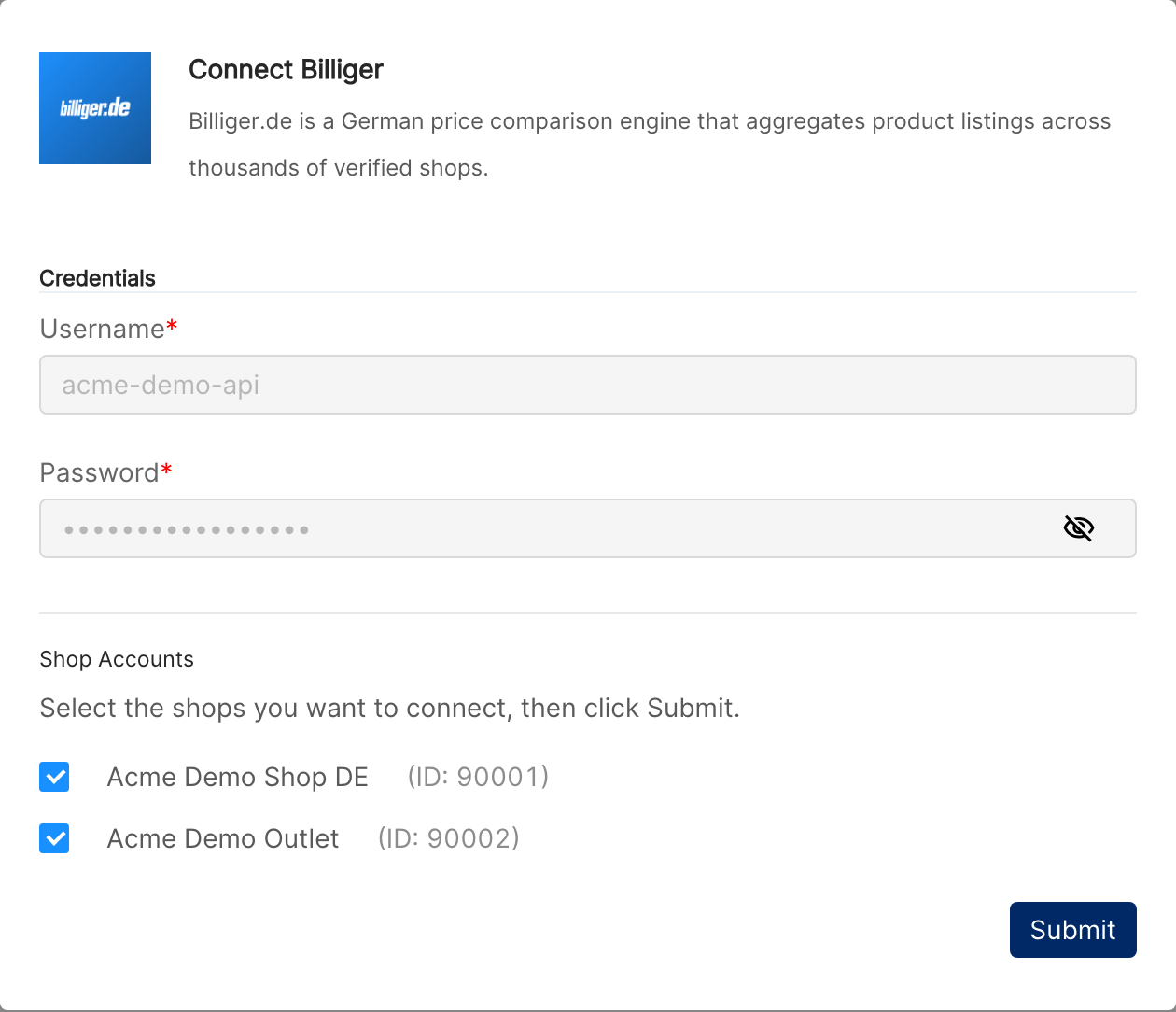
Clarisights signs in to the solute Partner API, retrieves the list of shops linked to your login, and presents them for selection.
⚠ "Invalid credentials. Please verify your username and password." → The username or password is wrong. Re-check both in the Partner Portal sign-in screen and retry. If sign-in to the Partner Portal works but Clarisights still fails, ask your account manager to confirm the Click Archive API is enabled for the account.
⚠ "No shops found with provided credentials." → The login is valid but no shops are linked to it on the API side. Ask your solute / billiger.de account manager to associate your shop(s) with this Partner Portal user.
Step 4: Select shops
Tick the shops you want to connect (shop names come directly from Billiger) and click Submit. Clarisights creates one ad account per selected shop.
Verify the connection
Open Billiger under Manage connected channels on the Integrations page. Each connected shop should be listed with its status switched on.
First data appears within about 24 hours (Billiger data syncs daily).
Quick start: create a new report, add Billiger as the data source, and add Account · Article ID · Clicks · Cost.
Data available
Hierarchy
Billiger's Click Archive returns one row per click (per article, per timestamp) with the price paid for that click. There is no native concept of campaigns or ad groups. Clarisights normalizes shops to Account and stores per-article click rows at the Campaign level.
Native level (Billiger) | Clarisights level |
Shop | Account |
Article (per-click row in the Click Archive) | Campaign (Billiger has no native Campaign / Ad Group / Ad) |
Dimensions
Dimension | Level | Description |
Account | Account | Billiger shop name and shop ID |
Article ID | Campaign | Identifier of the article that received the click |
Article Description | Campaign | Human-readable article name from Billiger |
PII fields exposed by the Click Archive (IP address, session ID, user agent) are dropped on ingest and are not available in Clarisights reports.
Metrics
Metric | Description |
Clicks | Total clicks Billiger delivered (one row per click in the source) |
Cost | Total click cost paid to Billiger (the sum of the cost per click of each click), in EUR |
Limitations & known constraints
No campaign / ad-group / ad level: Billiger does not expose a campaign concept. Per-click data is rolled up by article at the Campaign level in Clarisights.
Two metrics only: Billiger's Click Archive exposes clicks and click cost. Impressions, conversions, and revenue are not available.
EUR only: Cost is reported in EUR. Clarisights converts to your reporting currency on ingest.
Europe/Berlin timezone: Click timestamps are in Europe/Berlin and cannot be changed per shop.
PII removed on ingest: IP address, session ID, and user agent fields from the Click Archive are dropped before storage and are not queryable.
7-day pull window: Each refresh pulls the last 7 days of data. Older data is not back-pulled automatically; contact support for longer historical backfills.
Operating notes
Refresh schedule: daily.
Lookback: last 7 days re-pulled on every refresh, so late-arriving Billiger entries are picked up automatically.
Multi-account: a single Partner Portal login can connect every shop linked to it; pick which shops to onboard at the selection step. Use separate logins for shops that live under different solute Partner Portal users.
Currency conversion: Billiger reports in EUR; Clarisights converts to your reporting currency on ingest.
Token rotation: the short-lived API tokens Billiger issues are refreshed automatically by Clarisights from your stored username and password, so no manual rotation is required.
Credential rotation: when you change your Partner Portal password, update it in Clarisights from the Billiger page in Integrations with Edit Credentials, then click Update Credentials.
Need help?
When contacting support from the in-app messenger, please include:
The integration name and shop name (from the Billiger page in Integrations)
The exact error message or screenshot
The step where the issue occurred
When the issue started