
Connecting Idealo on Clarisights
Idealo is one of Europe's leading price-comparison platforms, particularly popular in Germany. By connecting your Idealo merchant account to Clarisights, you can pull in click report data and analyze it alongside your other advertising channels.
At a glance
| Authentication | OAuth 2.0 client credentials (Client ID + Client Secret) |
| Permissions needed | Idealo Business API access on the merchant account |
| Account discovery | Automatic on credential validation: the shop linked to the credentials is offered (one shop per Client ID / Client Secret) |
| Data freshness | Multiple times per day |
| Lookback window | 60 days |
| Backfill on connect | Last 60 days |
| Timezone | Europe/Berlin (fixed) |
| Currency | EUR (fixed) |
| Levels supported | Account · Campaign (Idealo has no Ad Group / Ad) |
| Limited rollout | No |
Prerequisites
An active Idealo Business account with API access
Your Idealo Business API Client ID and Client Secret (OAuth 2.0 credentials)
To obtain API credentials, contact your Idealo account manager or visit the Idealo Business portal under My idealo → Settings → API clients → idealo business API.
Steps to Connect
Step 1: Navigate to the Integrations page
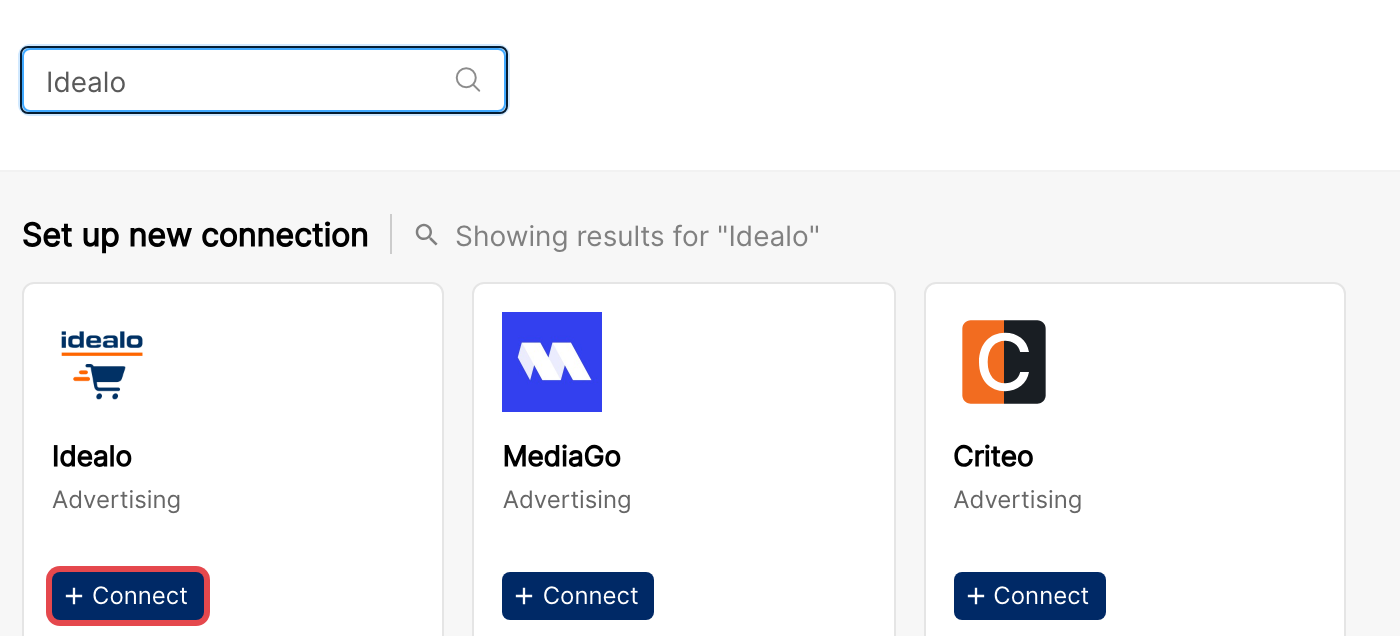
In Clarisights, open the Integrations page, search for Idealo under Set up new connection, and click + Connect on the Idealo card.
Step 2: Enter your API credentials
Enter your Client ID and Client Secret in the form fields and click Validate Credentials.
Clarisights authenticates with the Idealo Business API and automatically discovers the shop associated with your credentials.
⚠ "Invalid credentials. Please verify your Client ID and Client Secret." → Confirm the Client ID and Client Secret are copied exactly from the Idealo Business portal and have not been rotated. If you've recently regenerated either value, paste the new pair and retry.
Step 3: Name your shop and submit
After successful validation, the Shop Accounts section shows the shop ID linked to your credentials. Optionally enter a friendly name for the shop (otherwise it is named "Shop <ID>"), then click Submit to complete the setup.
Verify the connection
Open Idealo under Manage connected channels on the Integrations page. Your shop should be listed with its status switched on.
First data appears within a few hours of the next scheduled sync.
Quick start: create a new report, add Idealo as the data source, and add Account · Product Name · Clicks · Cost.
Data available
Idealo provides click report data at the product level.
Hierarchy
How Idealo's native levels map to the standard Clarisights levels:
Native level (Idealo) | Clarisights level |
Shop | Account |
Product (listing) | Campaign |
None (no native level) | Ad Group (not supported) |
None (no native level) | Ad (not supported) |
Dimensions
Dimension | Description |
Product Name | Name of the listed product |
Product ID | Idealo's internal product identifier |
Category | Product category on Idealo |
Click Type | Type of click (for example standard or preferred) |
Site Partner | The Idealo site or partner network |
SKU | Your product SKU |
EANs | European Article Numbers for the product |
Link | Product listing URL |
Metrics
Metric | Type | Description |
Clicks | Integer | Number of clicks on your product listing |
Cost | Currency | Cost of your clicks (clicks × the cost per click Idealo charged) |
Limitations & known constraints
No Ad Group / Ad level: Idealo's click report exposes only Shop and Product. Ad Group and Ad fields are unavailable.
Click reports only: only click reports are exposed via the Idealo Business API, with no impression, conversion, or revenue metrics.
Fixed timezone & currency: data is reported in Europe/Berlin and EUR. Currency is converted to your reporting currency by Clarisights.
60-day lookback: only the last 60 days of click data is retrievable.
PII excluded: Customer-IP and raw timestamps are intentionally dropped on ingest; only the click date is retained.
Operating notes
Refresh schedule: multiple times per day, with a 60-day rolling window.
Lookback: 60 days.
Multiple shops: each Client ID / Client Secret pair connects one shop. To add another shop, connect again with that shop's credentials.
Currency conversion: amounts are pulled in EUR and converted to your reporting currency by Clarisights.
Credential rotation: update the Client ID / Client Secret any time from the Idealo page in Integrations with Edit Credentials, then click Update Credentials.
Need help?
When contacting support from the in-app messenger, please include:
The integration name and shop ID (from the Idealo page in Integrations)
The exact error message or screenshot
The step where the issue occurred
When the issue started