
Connecting Kayzen on Clarisights
Kayzen is a mobile-first programmatic DSP for in-house user acquisition, retargeting, and brand campaigns. Connecting Kayzen to Clarisights lets you analyse impressions, clicks, wins, and spend across your campaigns and creatives alongside your other paid channels, and answer questions like "which creative type drives the most efficient spend?" or "how is video resume affecting delivery and spend?".
Note: Kayzen is set up by Clarisights. It is not shown on the Integrations page; onboarding happens through Clarisights support.
At a glance
| Authentication | Kayzen API username + password, plus a Kayzen API client ID and client secret |
| Permissions needed | A Kayzen API user with read access to the advertiser(s) you want to connect and permission to create reports |
| Account discovery | Manual: each advertiser ID you share is registered as a separate account |
| Data freshness | Daily |
| Lookback window | 30 days |
| Backfill on connect | Last 30 days |
| Timezone | The timezone set on the Kayzen report Clarisights creates for you |
| Currency | USD (Kayzen reports spend in USD) |
| Levels supported | Account · Campaign · Ad (no Ad Group) |
| Limited rollout | Yes. Not shown on the Integrations page; contact Clarisights support to enable it. |
Prerequisites
An active Kayzen DSP account with at least one advertiser
A Kayzen API user (username + password) with read access to the advertisers you want to connect
A Kayzen API client ID and client secret for each advertiser (your Kayzen account manager can provide these)
The advertiser ID(s) you want to connect (visible in the Kayzen UI under each advertiser)
Steps to Connect
Because Kayzen is set up by Clarisights, the steps below describe what you need to provide to Clarisights support and what happens next. There is no self-serve flow on the Integrations page.
Step 1: Gather your Kayzen credentials
Collect the following from Kayzen:
Kayzen username and password for the API user
The Advertiser ID of each advertiser you want to connect
The Client ID and Client Secret for each advertiser
Treat the Kayzen username and password like any other production credential. The API user only needs read and reporting access, so do not share an admin user.
Step 2: Share the credentials securely with Clarisights
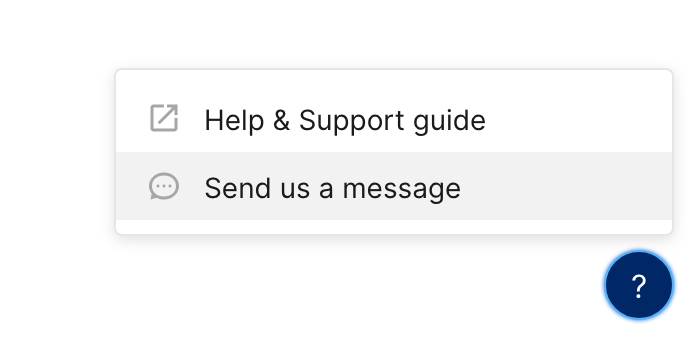
Open a request from the in-app messenger or with your Customer Success contact and ask to enable the Kayzen integration. Clarisights will share a secure channel for transmitting the credentials and advertiser IDs.
Step 3: Clarisights configures the channel
The Clarisights team will:
Create the Kayzen channel for your company
Store the API user credentials encrypted
Create a daily report in your Kayzen account for each advertiser (named "Clarisights integration-v2"), broken down by day, campaign, and creative
Validate the connection by signing in to Kayzen and fetching a sample of the report
⚠ Authentication failure during validation → Most often caused by an incorrect username or password, a disabled API user, or a client ID and secret that do not match the advertiser. Clarisights will reach back out for corrected credentials. Please re-issue the credential rather than reusing one that has been flagged as compromised.
⚠ The report could not be created → The API user does not have access to the advertiser, or is not allowed to create reports. Check the user's permissions in Kayzen and confirm the advertiser ID.
Step 4: Wait for the first data import
Once the channel is configured, Clarisights schedules the first import. Backfill covers the last 30 days. You will be notified when data is available in your workspace.
Verify the connection
Confirm with Clarisights support that the Kayzen channel has been created and the first import has completed.
Open any report or dashboard, add Kayzen as a data source, and pull Account ID, Campaign, Impressions, Clicks, and Spend for the last 7 days. Non-zero rows confirm the connection is healthy.
First data appears within about 24 hours of the credentials being configured (Kayzen data is imported daily).
Data available
Hierarchy
How Kayzen's native levels map to the standard Clarisights levels:
Native level (Kayzen) | Clarisights level |
Advertiser | Account |
Campaign | Campaign (Kayzen has no Ad Group level) |
Creative | Ad |
Dimensions
Dimension | Level | Description |
Account ID | Account | Kayzen advertiser ID |
Campaign / Campaign ID | Campaign | Campaign name and ID |
Campaign Type | Campaign | Type of campaign (for example user acquisition, retargeting, brand) |
Ad / Ad ID | Ad | Creative name and ID |
Asset Type | Ad | Creative type (image, video, playable, etc.) |
Video Duration | Ad | Length of the video creative in seconds |
Video Resume | Ad | Whether the video creative supports resume playback |
Metrics
Metric | Description |
Impressions | Ad impressions served |
Clicks | Ad clicks |
Spend | Advertiser spend, reported in USD |
Wins | Bids that won the auction |
Limitations & known constraints
Set up by Clarisights: there is no self-serve onboarding from the Integrations page. All onboarding and credential changes go through Clarisights support.
No Ad Group level: Kayzen does not expose Ad Groups, so data is available at Advertiser, Campaign, and Creative level.
Per-advertiser configuration: each advertiser must be registered individually with its own client ID and client secret. Clarisights cannot discover advertisers from the API user alone.
Fixed report contents: the data available is set by the report Clarisights creates in Kayzen at setup. Additional Kayzen breakdowns or metrics can be requested at setup; changing them later means recreating the report.
30-day lookback: ongoing imports re-fetch the last 30 days. Older history is available on request.
USD-only spend: spend is imported in USD. Conversion to your reporting currency happens inside Clarisights.
No country or OS breakdowns: country and operating system are not available as dimensions.
Operating notes
Refresh schedule: daily, managed by Clarisights.
Lookback: 30 days.
Multi-account: each Kayzen advertiser is registered as a separate account under the same channel. Multiple advertisers can share one API user (username and password).
Currency handling: spend is imported in USD and converted into your reporting currency by Clarisights.
Credential rotation: when the Kayzen username, password, client ID, or client secret changes, send the new values to Clarisights support via the in-app messenger. Self-serve credential edits are not available for this integration.
Token handling: Clarisights signs in to Kayzen with a fresh token for every import; tokens are not stored long-term.
Need help?
When contacting support from the in-app messenger, please include:
That you are asking about Kayzen
The Kayzen advertiser ID(s) involved
Whether the issue is with onboarding, credential rotation, missing data, or unexpected metrics
The exact error message or screenshot, if any
The date range you expected data for, and what you are seeing instead
When the issue started