
Integrating Moloco Ads on Clarisights
Moloco is a programmatic user-acquisition and re-engagement DSP. Connecting Moloco to Clarisights lets you blend Moloco performance with the rest of your paid stack and analyze spend, installs, and creative-level performance side-by-side with your other channels.
At a glance
| Authentication | Moloco Cloud DSP API key |
| Permissions needed | An API key with read access to the ad accounts and reports you want to bring in |
| Account discovery | Set up by Clarisights: after you submit your API key, the Clarisights team connects the ad accounts linked to it |
| Data freshness | Daily (Moloco makes the previous day's data available the next day) |
| Lookback window | 30 days on the standard daily refresh; older history available on request |
| Backfill on connect | Last 30 days; longer backfills can be requested via support |
| Timezone | Per ad account, taken from Moloco (for example America/Los_Angeles) |
| Currency | Per ad account, taken from Moloco; converted to your reporting currency by Clarisights |
| Levels supported | Account · Campaign · Ad Group · Ad |
| Limited rollout | No |
Prerequisites
An active Moloco DSP advertiser account.
An API key issued from the Moloco Cloud DSP for the workspace you want to connect.
Read access to the ad accounts and reports in that workspace. Ask your Moloco account manager if you're not sure whether your key has this access.
Steps to Connect
Step 1: Generate an API key in Moloco
In your Moloco Cloud DSP workspace, go to Settings → API access and create an API key. Copy the full key value; you'll paste it into Clarisights in Step 3.
If your workspace doesn't expose self-service API keys, ask your Moloco Account Manager to issue one for the workspace you want to connect.
For more on the API Access page in Moloco Ads Manager, see Moloco's guide: Create and manage API key.
Treat your API key like a password. It grants read access to every ad account in the workspace it was issued for.
Step 2: Add Moloco in Clarisights
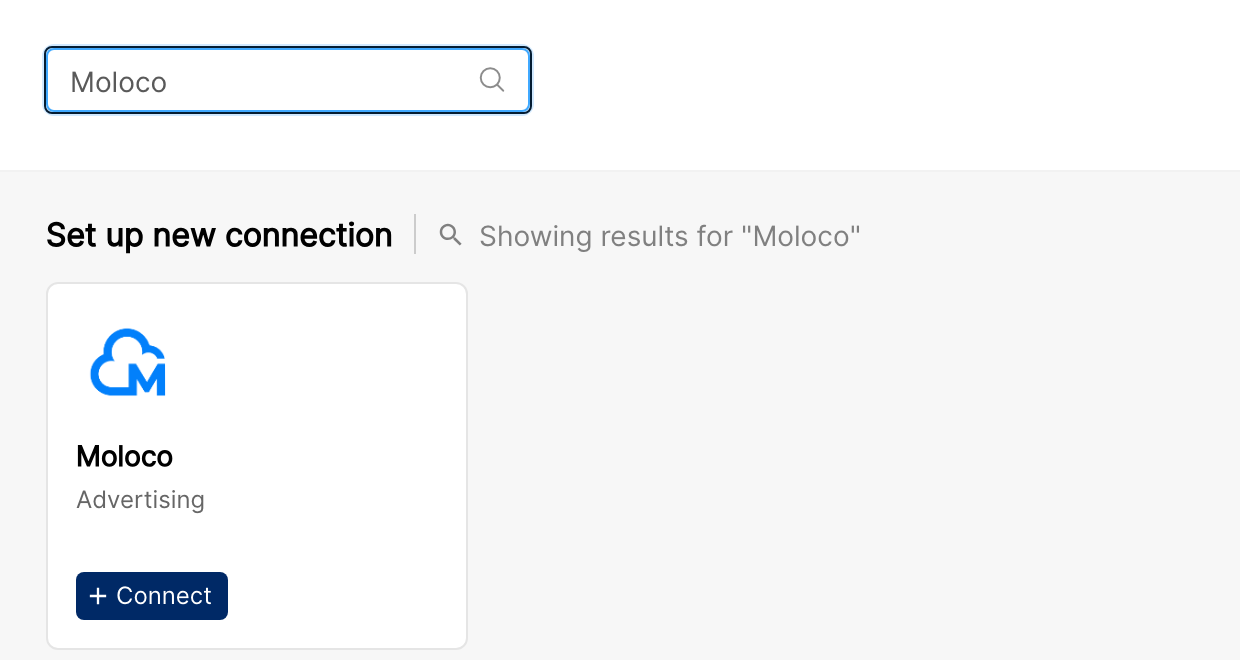
In Clarisights, open Integrations, search for Moloco under Set up new connection and click + Connect. If Moloco is already connected, open it from Manage connected channels and click + Add Account.
Step 3: Enter credentials
Enter a Username (your Moloco login email, or any label that identifies this key) and paste your API Key. Click Submit.
Step 4: Clarisights connects your ad accounts
Once the key is saved, the Clarisights team connects the ad accounts linked to it. Until then, the Moloco page shows "We will reach out to you once accounts are fetched" under your user. Each connected account then appears with its native timezone and currency, and a status switch you can use to pause or resume it.
⚠ Data does not appear or the connection fails with an authentication error → The API key is invalid, revoked, or rotated. Re-issue a key in Moloco, then update it with Edit API Key on the Moloco page.
Verify the connection
Go to Integrations → Moloco. Each connected ad account should be listed with its status switched on.
First data appears within about 24 hours. Moloco returns next-day numbers, and Clarisights pulls them on the daily refresh schedule.
Quick start: create a new report, add Moloco as the data source, and add Account · Campaign · Impressions · Clicks · Spend.
Data available
Hierarchy
How Moloco's native levels map to the standard Clarisights levels:
Native level (Moloco) | Clarisights level |
Ad Account (+ App) | Account. A Moloco ad account that promotes several apps is split into one Clarisights account per app (the account ID combines the ad account ID and the app ID). |
Campaign | Campaign |
Ad Group | Ad Group |
Creative | Ad |
Dimensions
Dimension | Level | Description |
Account / Account ID | Account | Moloco ad-account name and ID (combined with App ID for uniqueness) |
Ad Account ID | Account | Moloco ad-account ID on its own |
App ID / App Title | Account | The promoted app's Moloco ID and display name |
App OS | Account | Operating system of the promoted app (iOS or Android) |
App Store ID | Account | App Store or Play Store identifier |
Campaign / Campaign ID | Campaign | Campaign name and ID |
Campaign Country | Campaign | Campaign target country |
Ad Group / Ad Group ID | Ad Group | Ad group name and ID |
Ad / Ad ID | Ad | Creative name and Moloco creative ID |
Asset | Ad | Same as the Ad name, kept for cross-channel asset reporting |
Asset Type | Ad | Creative type (image, video, native, etc.) |
Ad Preview | Ad | The creative shown as an image in Clarisights reports (called Asset Preview on older connections) |
Metrics
Metric | Description |
Impressions | Total impressions |
Clicks | Total clicks |
Spend | Total spend in account currency |
Installs | App installs attributed by Moloco |
Revenue | Attributed revenue in account currency |
Limitations & known constraints
App-scoped accounts: a single Moloco ad account that promotes multiple apps appears as one Clarisights account per app. Roll-ups across apps are done via Clarisights groupings.
Date-range rate limits: Moloco allows fewer report requests for longer date ranges (30 per day for 1-day ranges, 10 per day for 2 to 7 days, 5 per day for 8 to 31 days). Clarisights splits ranges automatically when a limit is hit, so very large historical backfills are paced over multiple runs.
Report generation time: Moloco generates each report asynchronously; large reports can take up to about 45 minutes.
No segment breakdowns: breakdowns by geography, demographic, device, or audience are not available. Campaign Country reflects the campaign's target country.
Operating notes
Refresh schedule: daily. Tell us if you need the daily pull to run at a specific time.
Lookback: the last 30 days are re-fetched on each refresh.
Multi-account: a single API key can connect every ad account in a Moloco workspace. Use separate keys to onboard workspaces managed by different Moloco account managers.
Currency conversion: each ad account's local currency is preserved and converted to your reporting currency by Clarisights.
Historical backfill: if you need data older than 30 days, let support know the range and we'll re-run the pull for it.
Credential rotation: update the API key any time from Integrations → Moloco → Edit API Key.
Need help?
When contacting support from the in-app messenger, please include:
The integration name and account ID (Integrations → Moloco)
The exact error message or screenshot
The step where the issue occurred
When the issue started