
Integrating Liftoff on Clarisights
Liftoff is a mobile growth platform for programmatic user acquisition and re-engagement. Connecting Liftoff to Clarisights lets you blend mobile install performance into your cross-channel reporting and analyse spend, installs, and cost per install alongside your other paid channels.
At a glance
| Authentication | Liftoff API key + API secret |
| Permissions needed | API credentials with read access to apps, campaigns, creatives, and reports |
| Account discovery | Automatic: every app linked to the credentials is offered for selection |
| Data freshness | Daily |
| Lookback window | 7 days (rolling) |
| Backfill on connect | The recent rolling window. Longer history can be requested via support |
| Timezone | Your company timezone |
| Currency | USD (converted to your reporting currency by Clarisights) |
| Levels supported | Account (App) · Campaign · Ad (Creative) · Publisher |
| Limited rollout | No |
Prerequisites
An active Liftoff advertiser account
An API key and API secret with the required permissions (request these from your Liftoff Account Manager)
The credentials must have access to all the apps you want to connect
Steps to Connect
Step 1: Request API credentials from Liftoff
Contact your Liftoff Account Manager to issue an API key and secret with read access on the following Liftoff API endpoints:
https://data.liftoff.io/api/v1/apps
https://data.liftoff.io/api/v1/campaigns
https://data.liftoff.io/api/v1/creatives
https://data.liftoff.io/api/v1/reports
For background, see Liftoff's Reporting API documentation.
Treat the API secret like a password. It grants read access on every app linked to it.
Step 2: Add Liftoff in Clarisights
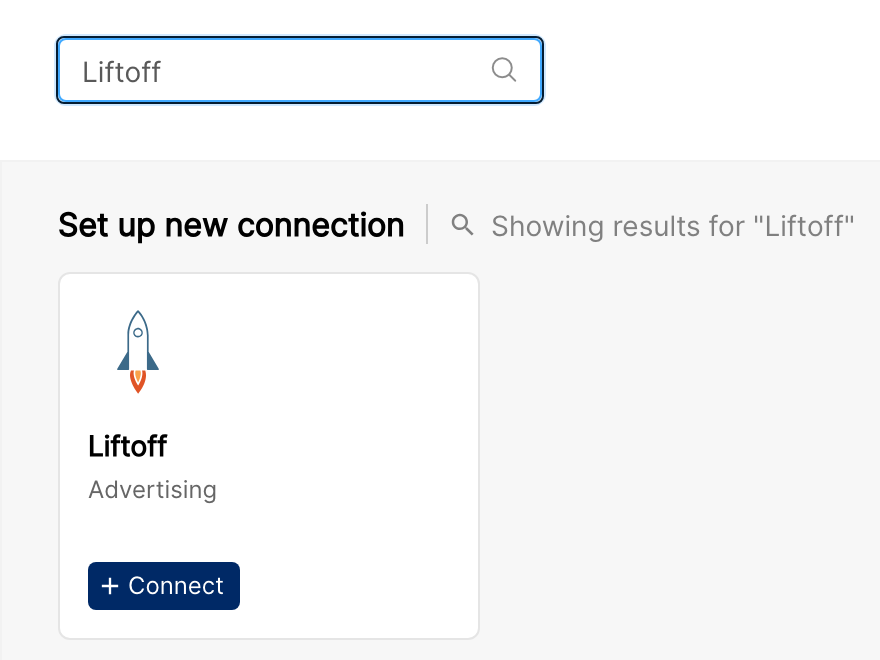
In Clarisights, open Integrations, find Liftoff under Set up new connection and click + Connect. If you already have Liftoff connected, open it from Manage connected channels and click + User.
Step 3: Enter credentials
In the Connect a Liftoff Source dialog, paste the API Key and API Secret, then click Connect Source.
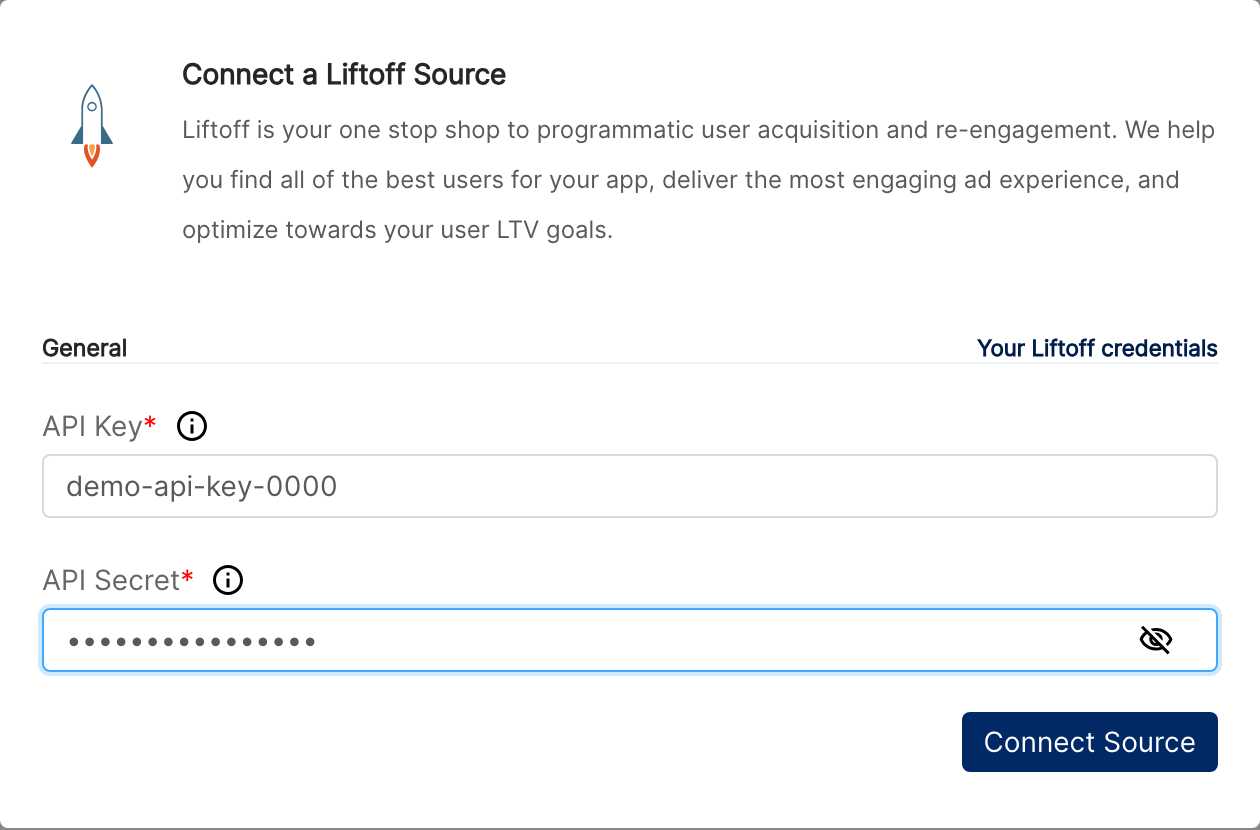
Clarisights checks the credentials by requesting a small test report from Liftoff. If the check passes, the list of your apps is loaded.
⚠ "Liftoff API Access Denied" → Confirm the API key and secret are correct and have not been rotated. If they are correct, ask your Liftoff Account Manager to check the permissions on the key.
⚠ "Liftoff API Rate Limit" → Liftoff limits how many reports a key can create per hour. Wait an hour and retry.
⚠ "We have already integrated this Key-Secret Pair" → These credentials are already connected in your workspace. Close the dialog and check that the apps are listed on the Liftoff page.
Step 4: Select apps to connect
Pick the apps you want to connect from the New Accounts list and click Connect Accounts.
Verify the connection
Go to Integrations → Liftoff. Each connected app should be listed with its status switched on.
First data appears within 24 hours of the next scheduled sync.
Quick start: create a new report, add Liftoff as the data source, and add Account · Campaign · Impressions · Clicks · Spend · Installs.
Data available
Hierarchy
How Liftoff's native levels map to the standard Clarisights levels:
Native level (Liftoff) | Clarisights level |
App | Account |
Campaign | Campaign (Liftoff has no Ad Group level) |
Creative | Ad |
Publisher | Publisher, under each campaign |
Dimensions
Dimension | Level | Description |
App Name / App ID | Account | Liftoff app name and ID |
App Title | Account | App marketing title |
Platform | Account | iOS or Android |
Bundle ID / App Store ID | Account | Native app identifier and store ID |
Optimization Event | Account | Configured optimisation event for the app |
Campaign / Campaign ID | Campaign | Campaign name and ID |
Campaign Type | Campaign | For example, user acquisition or re-engagement |
Tracker Type | Campaign | The measurement partner used by the campaign |
Min OS Version / Max OS Version | Campaign | OS targeting bounds |
Ad / Ad ID | Ad | Creative name and ID |
Width / Height | Ad | Creative dimensions in pixels |
Creative Type | Ad | For example, image, video, or playable |
Images / Preview URL | Ad | Creative thumbnail shown in reports, and a link to the full creative preview |
Publisher | Publisher | Publisher (app) where the ads ran |
Metrics
Core metrics
Metric | Description |
Impressions | Ad impressions shown |
Clicks | Number of clicks on the ads |
Spend | Amount of budget spent in the period |
Installs | App installs attributed to the ads |
Skan Installs With Conversion Value | SKAdNetwork installs reported with a conversion value |
Skan Installs With No Conversion Value | SKAdNetwork installs reported without a conversion value |
Derived rates & costs
Metric | Description |
CPM | Cost per thousand impressions |
CPC | Cost per click |
CTR | Click-through rate |
CPI | Cost per install |
Limitations & known constraints
No Ad Group level: Liftoff's API does not expose Ad Groups, so data is available at App, Campaign, Creative, and Publisher level.
USD spend: Liftoff reports spend in USD. If your reporting currency is different, Clarisights converts it.
Per-key rate limits: Liftoff limits API usage per key (for example, 30 report creations per hour). Very large advertisers may see slower backfills; contact support to plan them.
Report generation time: Liftoff generates reports asynchronously, so very large reports can take a while to complete.
Country breakdown on request: a campaign-level country breakdown is available but not enabled by default. Contact support if you need it.
Operating notes
Refresh schedule: data is pulled daily.
Lookback: the last 7 days are re-fetched on each run to capture late-arriving installs.
Adding new apps: if automatic account sync is turned on for the connected user, new Liftoff apps with spend in the last month are added automatically once a day. Otherwise, add them from Integrations → Liftoff.
Currency conversion: USD spend is preserved and converted to your reporting currency by Clarisights.
Credential rotation: update the API secret any time from Integrations → Liftoff by editing the connected user.
Need help?
When contacting support from the in-app messenger, please include:
The integration name and account ID (Integrations → Liftoff)
The Liftoff app ID (visible in the Liftoff dashboard URL)
The exact error message or screenshot
The step where the issue occurred
When the issue started