
Connecting LiveIntent on Clarisights
LiveIntent is a people-based marketing platform that helps advertisers reach authenticated audiences across email and the open web. Connecting LiveIntent to Clarisights lets you blend authenticated-audience campaign performance into your cross-channel reporting and analyze spend, impressions, clicks, and post-click / post-view conversions side-by-side with your other paid channels.
At a glance
| Authentication | Username and password (exchanged for a bearer token by Clarisights) |
| Permissions needed | A LiveIntent login with read access to the Reporting API for every advertiser you want to ingest |
| Account discovery | Automatic: every advertiser visible to your login is discovered, then you choose which to onboard |
| Data freshness | Daily (once per day) |
| Lookback window | 30 days on each scheduled run |
| Backfill on connect | Last 30 days; account discovery uses a 365-day window so brand-new advertisers also appear |
| Timezone | Inherited from the LiveIntent account |
| Currency | Per-advertiser currency from the LiveIntent API; defaults to USD if missing |
| Levels supported | Account (Advertiser) · Campaign · Ad Group (Line Item) · Ad (Creative) |
| Limited rollout | No |
Prerequisites
An active LiveIntent account with at least one advertiser
A LiveIntent username (email) and password with access to the Reporting API. If you do not have Reporting API access, contact your LiveIntent account manager
Access to the Clarisights Integrations page
Steps to Connect
Step 1: Confirm Reporting API access
Sign in to LiveIntent and confirm that your login can run reports across the advertisers you want in Clarisights. If you cannot pull a basic report in LiveIntent's UI, your login is missing Reporting API access and the Clarisights connection will fail.
Step 2: Add LiveIntent in Clarisights
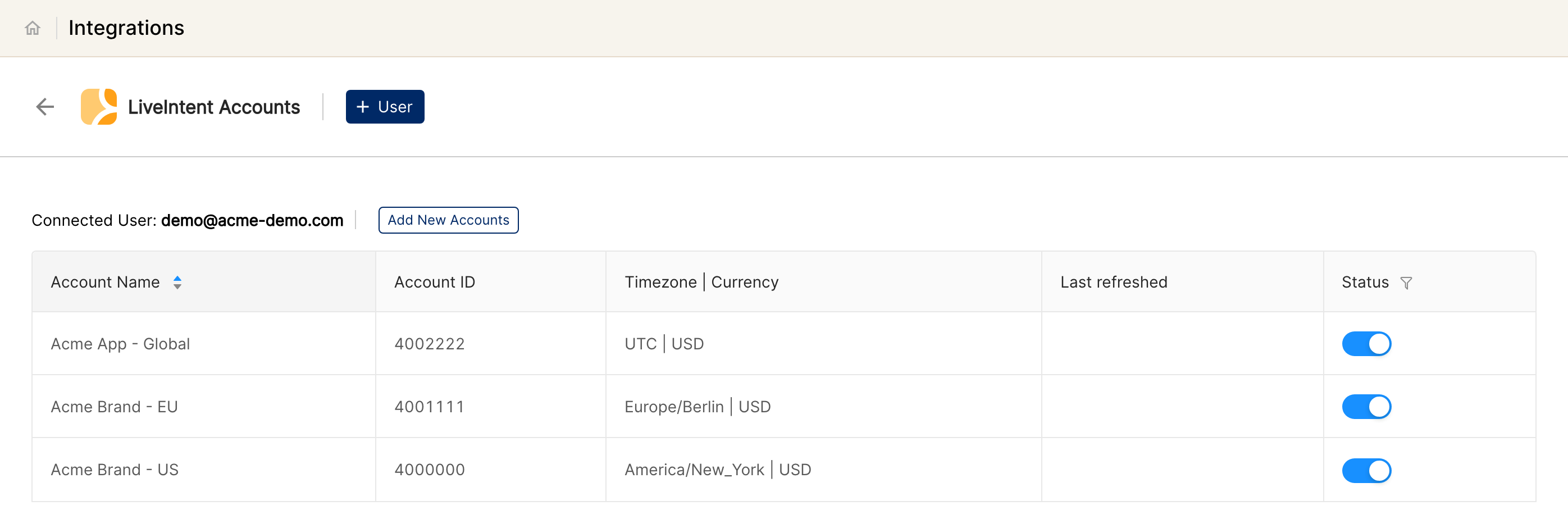
In Clarisights, open Integrations from the left sidebar, search for LiveIntent under Set up new connection, and click + Connect. To add another login later, open LiveIntent Accounts and click + User.
Step 3: Enter credentials
Enter the LiveIntent Username (email) and Password, then submit. Clarisights exchanges the credentials for a bearer token (valid for 7 days; auto-refreshed) and queries every advertiser visible to that login.
⚠ “Invalid credentials” on submit → The username/password pair was rejected by LiveIntent (HTTP 401 / 403). Sign in to LiveIntent in a fresh browser session to confirm the credentials, then retry. If the password was rotated recently, update it in Clarisights via Edit Credentials.
⚠ “Auth service unavailable” or timeouts → LiveIntent's auth endpoint is temporarily failing. Clarisights retries automatically; if the error persists for more than a few minutes, retry later or contact support.
Step 4: Select advertisers
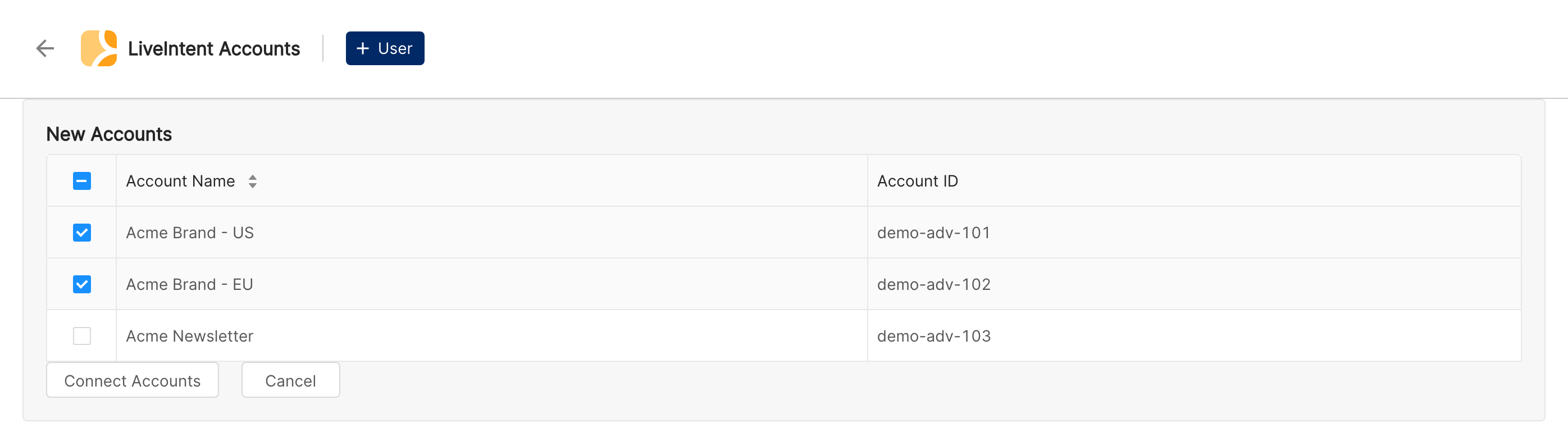
Pick the advertisers you want to connect from the New Accounts list and click Connect Accounts. Each selected advertiser becomes its own account in Clarisights and starts ingesting on the next scheduled run.
Verify the connection
Go to Integrations → LiveIntent. Each connected advertiser should show as connected with the user that authorised it.
First data appears within ~24 hours (LiveIntent data syncs once per day on a 30-day lookback).
Quick start: create a new report, add LiveIntent as the data source, and add Account · Campaign · Impressions · Clicks · Spend · Conversions.
Data available
Hierarchy
How LiveIntent's native levels map to the standard Clarisights levels:
Native level (LiveIntent) | Clarisights level |
Advertiser | Account |
Campaign | Campaign |
Line Item | Ad Group |
Creative | Ad |
Dimensions
Dimension | Level | Description |
Account / Account ID | Account | Advertiser name and ID |
Campaign / Campaign ID | Campaign | Campaign name and ID |
Campaign Status | Campaign | Active, paused, etc. |
Campaign Start Date / End Date | Campaign | Flight dates |
Campaign Budget | Campaign | Configured campaign budget |
Campaign Label | Campaign | Operator-defined label |
Adgroup / Adgroup ID | Ad Group | Line Item name and ID |
Line Item Start Date / End Date | Ad Group | Line item flight dates |
Line Item Budget | Ad Group | Line item budget |
Line Item Label | Ad Group | Operator-defined label |
Pacing | Ad Group | Pacing strategy for the line item |
Ad / Ad ID | Ad | Creative name and ID |
Creative Size | Ad | Creative dimensions |
Creative URL | Ad | URL to the creative asset |
ClickThrough URL | Ad | Landing page URL |
Creative Label | Ad | Operator-defined label |
Additional dimensions can be added per channel through the channel configuration; only the configured dimensions are requested from LiveIntent.
Metrics
Metric | Description |
Impressions | Total ad impressions |
First Impressions | Unique first-time impressions |
Clicks | Total clicks |
Spend | Advertiser spend in account currency |
Conversions | Total conversions reported by LiveIntent |
Total Conversions | Combined total of post-click and post-view conversions |
Post-Click Conversions (PCC) | Conversions attributed to a click (auto-returned by the API) |
Post-View Conversions (PVC) | Conversions attributed to a view (auto-returned by the API) |
User Purchase Amount | Revenue attributed to purchases |
Limitations & known constraints
Per-advertiser API calls: LiveIntent's reporting API requires a per-advertiser filter, so each connected advertiser is one request per scheduled run.
30-day lookback per run: each daily run pulls the last 30 days; longer historical backfills require a manual one-off pull from support.
Account discovery is activity-based: only advertisers with activity in the discovery window (default 365 days) appear in the selection list. Brand-new advertisers without any activity yet won’t show up.
Token expiry: bearer tokens expire after 7 days; Clarisights auto-refreshes them. If the underlying password is rotated in LiveIntent, refreshes will fail until you update credentials.
One credential per advertiser group: a single Clarisights connection covers every advertiser visible to one LiveIntent login. To onboard advertisers across multiple LiveIntent accounts, add separate users.
Operating notes
Refresh schedule: daily.
Lookback: 30 days per run.
Multi-account: multiple advertisers under one LiveIntent login are connected together; data is keyed per Advertiser ID.
Currency conversion: each advertiser’s reporting currency is preserved on ingest and converted to your reporting currency by Clarisights.
Credential rotation: update the username or password from Integrations → LiveIntent → Edit Credentials. Tokens refresh automatically on the next sync.
Need help?
When contacting support from the in-app messenger, please include:
The integration name and Advertiser ID (Integrations → LiveIntent)
The exact error message or screenshot
The step where the issue occurred
When the issue started