
How to Collaborate in Clarisights?
Clarisights lets different teams collaborate on building reports.
To get started, share your report using the Share Report icon next to the report name.
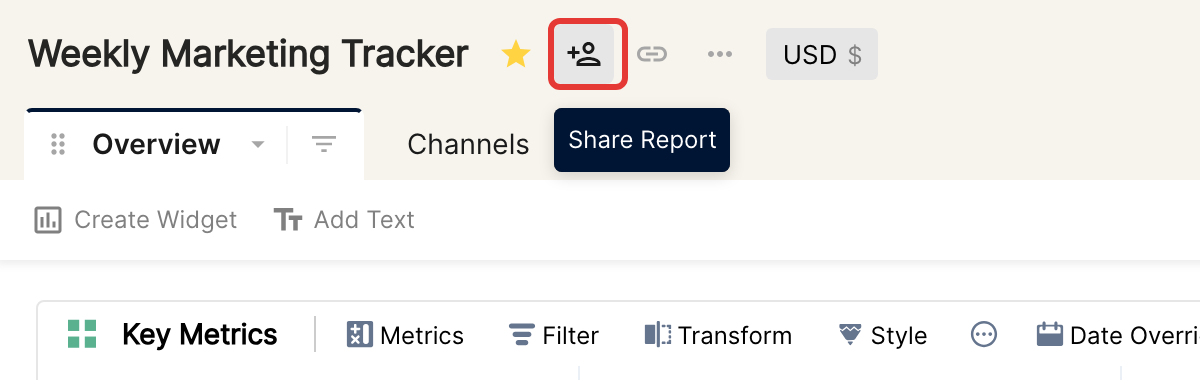
You can invite others in any of the four roles (Creator, Editor, Explorer or Viewer), which determine what they can and cannot edit. See How to Share Reports.
Collaborate in real time
When you build a report with your team, you can all edit widgets in the same report at the same time.
The widget is the building block of every report in Clarisights. Edits to a widget are saved for that widget only, so you can collaborate on a report in real time as long as no more than one person edits the same widget. If more than one person edits a widget, the most recent edit is saved.
Collaborating on a text widget
The same collaboration rules apply to the Text widget. The difference is how it is saved: a text widget is not saved with each character you type, only when you leave its edit mode. To leave edit mode, click outside the widget.
When are other widgets saved?
Any change on a table widget or a chart widget is saved in real time. This includes:
adding/removing metrics and dimensions
adding/removing filters
changing styling options
changing sorting
transforming the widget
date override
more options, such as trends and conditional formatting
Sharing a snapshot
Snapshots share view-only access to a report without the viewers having to log in to Clarisights. See Sharing a Snapshot of a report.
Learn how to share a report or share a snapshot in Clarisights.