
Marginal comparison in tables
What is marginal comparison?
Marginal comparison shows the incremental value of a ratio metric between the current date range and the comparison date range. Instead of comparing the two ratios, it divides the change in the numerator by the change in the denominator:
Marginal = (numerator now - numerator before) / (denominator now - denominator before)
It answers questions like "What did each extra dollar of spend bring in?" and works well with metrics such as ROAS or Cost per Sale.
Worked example
A custom metric ROAS is defined as Revenue / Spend.
Revenue | Spend | ROAS | |
Last week | $10,000 | $2,000 | 5.0 |
This week | $13,000 | $3,000 | 4.33 |
ROAS dropped from 5.0 to 4.33, but the marginal ROAS is (13,000 - 10,000) / (3,000 - 2,000) = 3.0: the extra $1,000 of spend returned $3 per dollar. If the denominator did not change, the marginal value can't be calculated and the cell shows "-".
Enabling marginal comparison for a custom metric
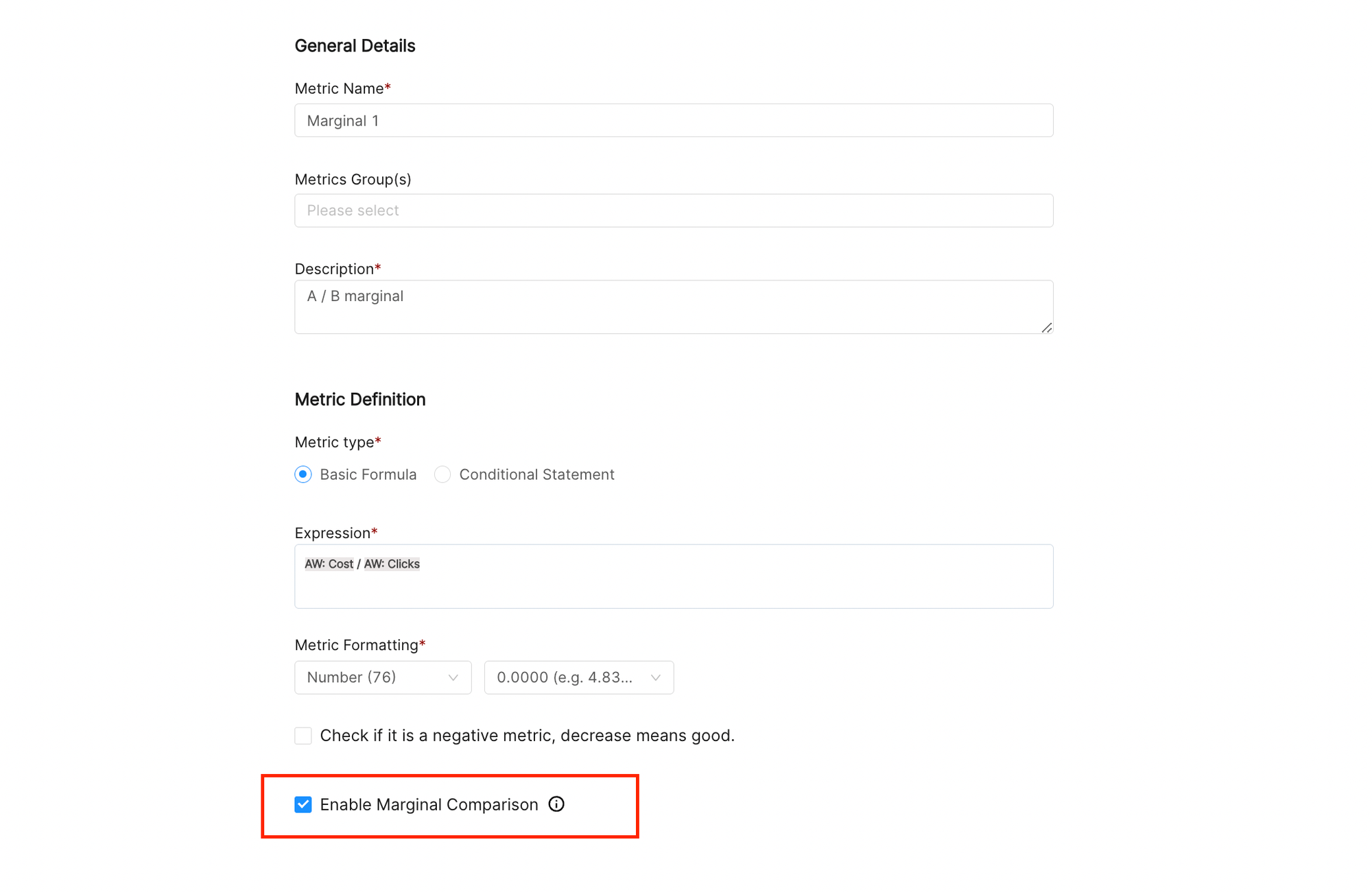
Marginal comparison is available for custom metrics written as one metric divided by another, in the format [numerator metric] / [denominator metric]. For these metrics, the custom metric editor shows an Enable Marginal Comparison checkbox. Check it and save the metric.
Showing marginal comparison in a table
Make sure the report or widget has a comparison date range (Compare With in the date selector).
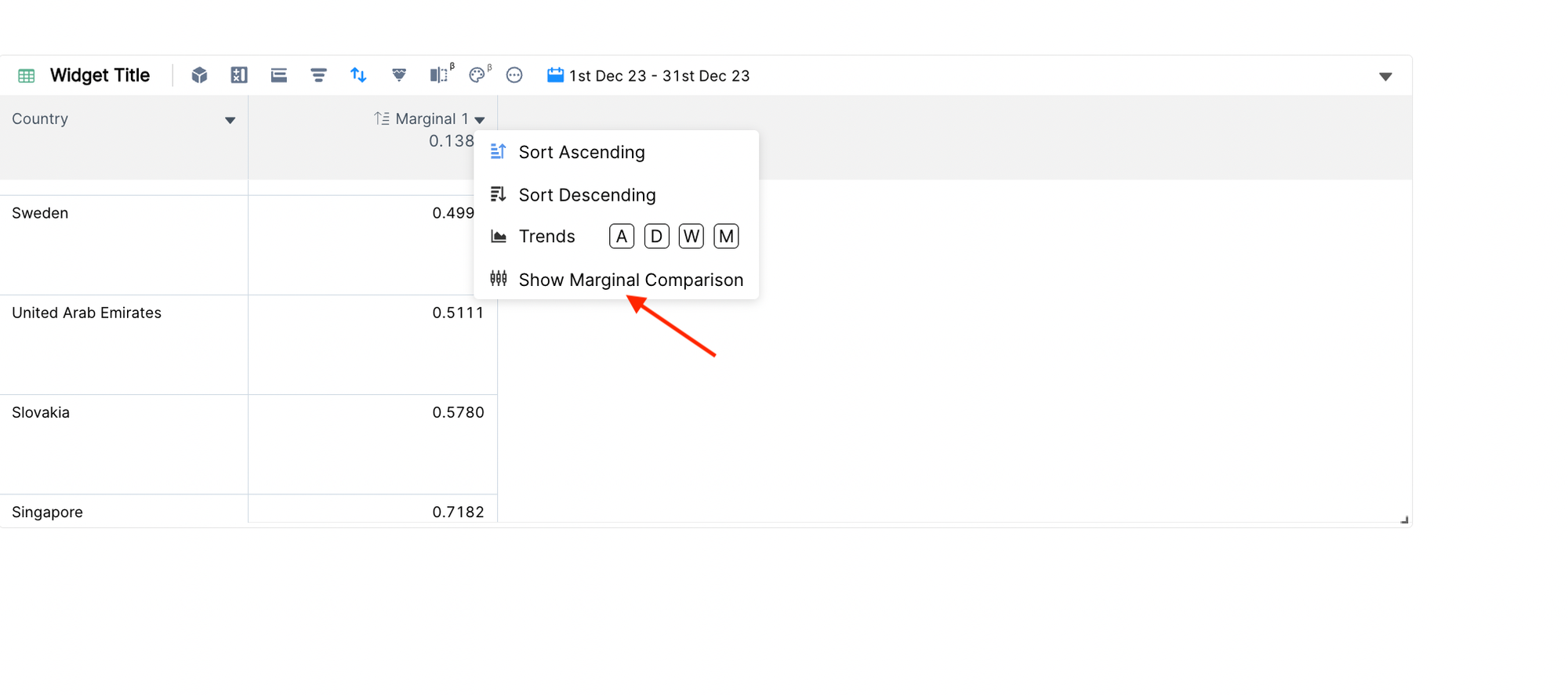
Click the arrow on the column header of the custom metric.
Choose Show Marginal Comparison.
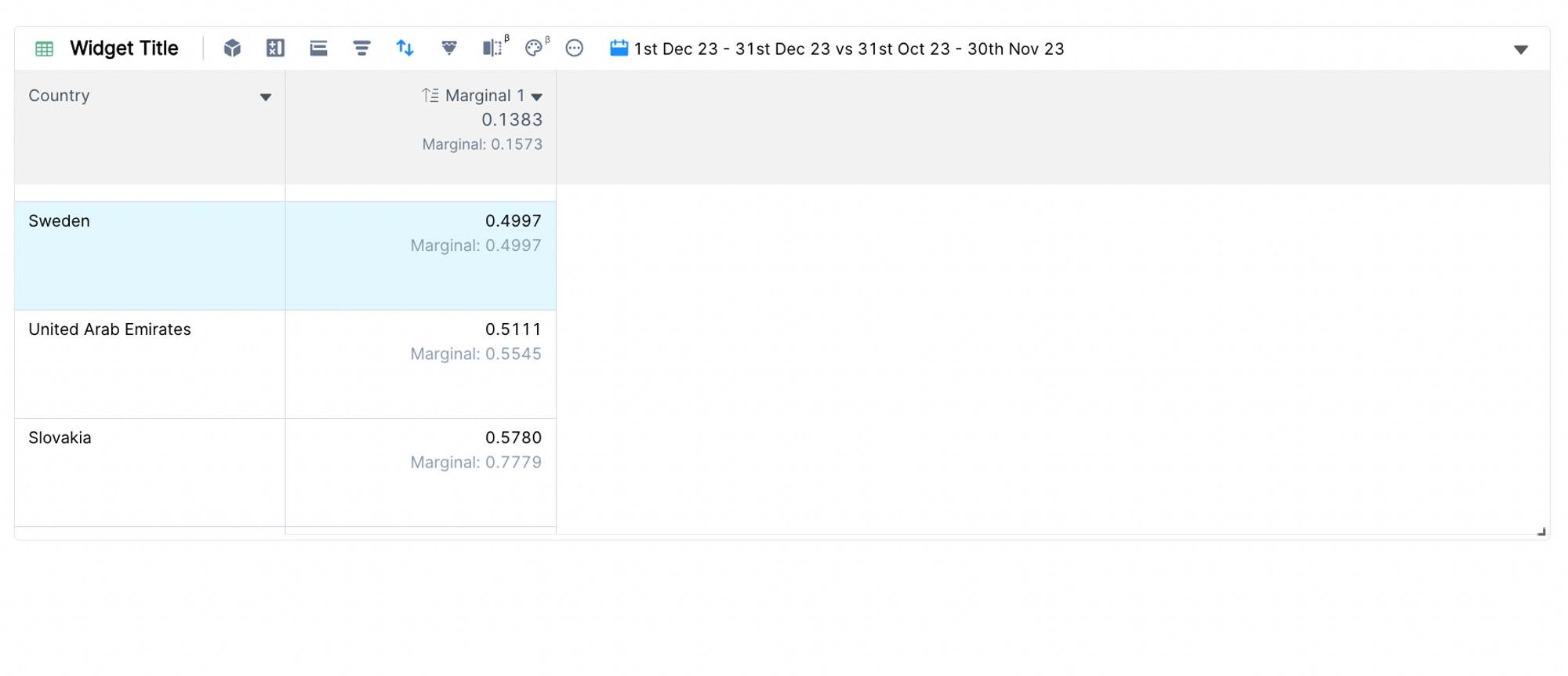
Each cell, and the column aggregate in the header, now shows a Marginal: line under the value. To remove it, open the column menu and choose the option again.
Note: a column shows either trends or marginal comparison. Turning on marginal comparison turns off the trend for that column, and adding a trend turns off marginal comparison.
Marginal comparison is available in the table widget only. For the regular comparison, see Displaying additional data: aggregate, share and comparison.