
What to Do When an Account Owner Leaves Your Organization
When an employee who connected a channel integration leaves your organization (or their access to the ad platform is revoked), data will stop flowing for the accounts connected with their login. This is because Clarisights uses the connecting user's credentials to authenticate with the source platform's API.
Symptoms
Data stops appearing after a specific date.
Only one channel is affected (the one connected by the departed employee).
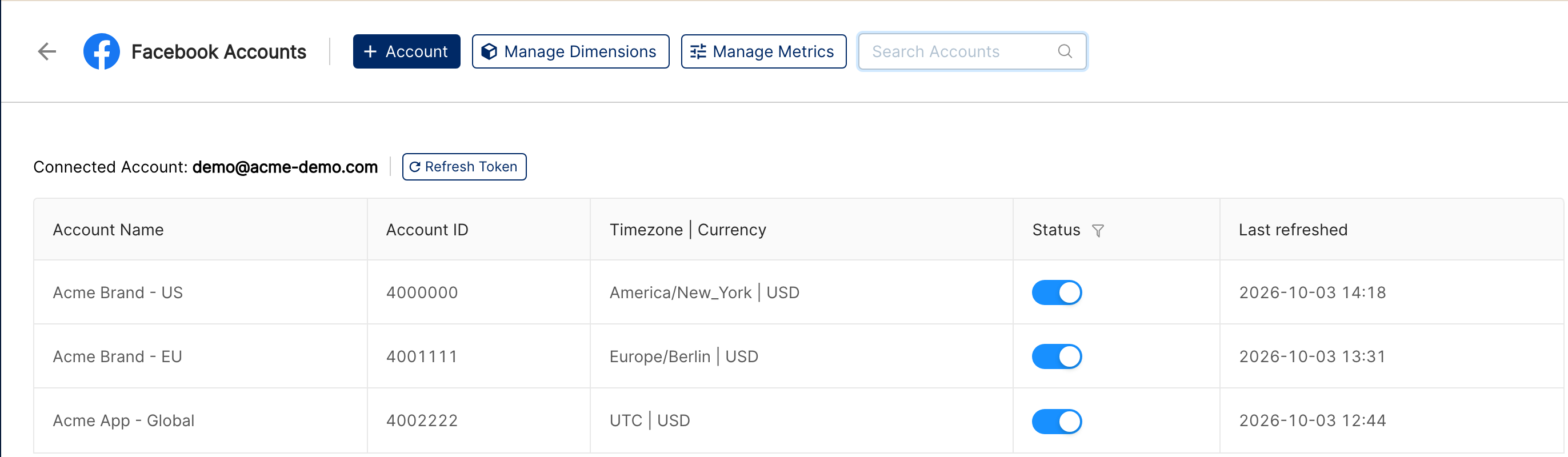
On the Integrations page, the "Last refreshed" time of the affected accounts stops moving forward.
For many channels, Clarisights checks connections twice a day. When authentication fails, an email titled "Clarisights Alert - Authentication failed for your <channel> accounts" is sent to our team (and, depending on your workspace's settings, to the connecting user and your admins).
How to Fix It
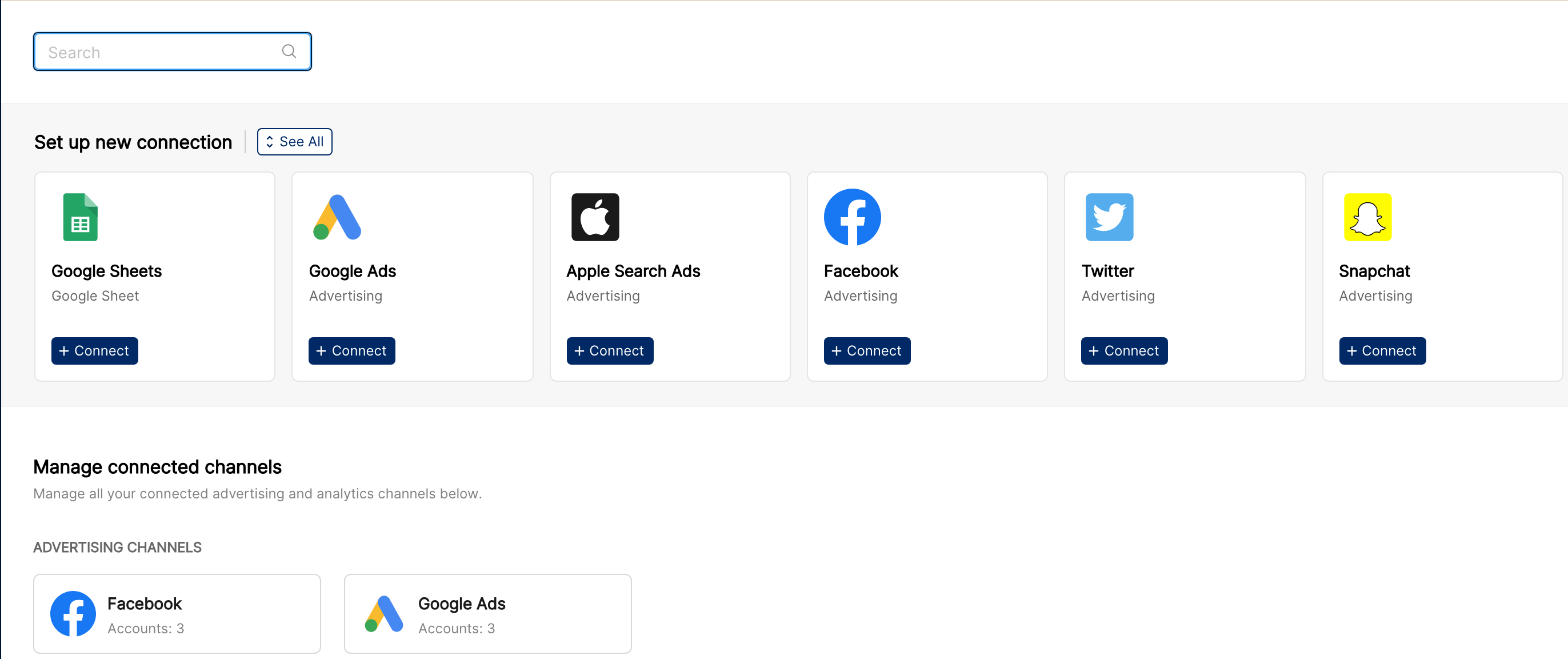
Go to Integrations in Clarisights (the database-stack icon in the left sidebar) and click the affected channel under "Manage connected channels". Accounts are grouped by the login that connected them ("Connected Account: …").
Connect a new login using the + Account button, signing in as a current team member who has API access to the same advertising accounts. If the original person still has access and only their authorization expired, they can use Refresh Token instead.
Verify the accounts are selected. After connecting, select the same ad accounts, click Connect Accounts, and check that their "Status" switch is on.
Check for gaps. On the next refresh, Clarisights automatically re-pulls the days inside the channel's lookback window. If data has been missing for longer than that, contact the Clarisights team to request a backfill. Let us know:
Which channel was affected
The date data stopped (this is usually the day the old employee lost access)
The date range you need backfilled
How to Prevent This
Use a shared service account for OAuth integrations where possible, for example a team-owned Google account like
ads-api@yourcompany.com.Know whose login each account uses. The "Connected Account" heading on each channel page shows which login every group of accounts depends on. Reconnect those accounts before that person leaves.
Review connected accounts regularly on the Integrations page. If an owner leaves, reconnect promptly to minimize data gaps.