
Why Do I See 'No Data Available' on My Dashboards?
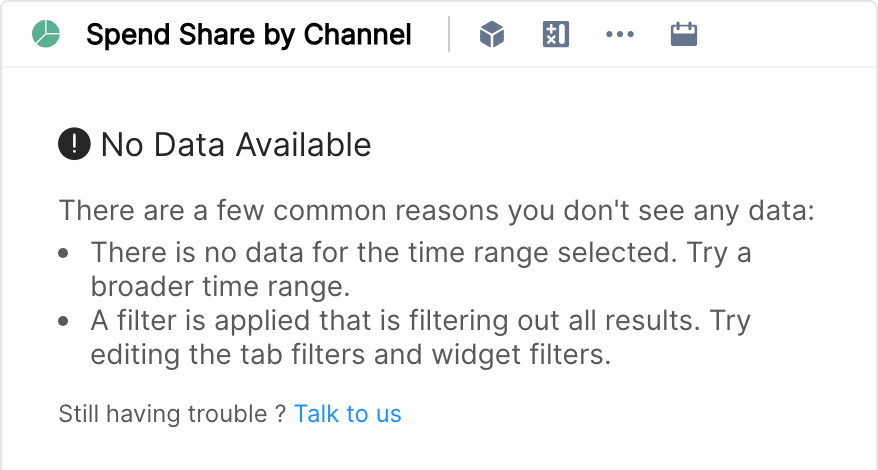
If every widget on your dashboard shows "No Data Available", the most common cause is that your account does not have access to any data in Clarisights. This happens to users with the "Team Member" or "Viewer" role who are not part of a team (or whose teams have no data groups). You can still log in and open reports, but there is no data for you to see in them.
Symptoms
All widgets show "No Data Available"
You can log in and see reports, but every report is empty
Other team members can see data on the same reports
Common Cause: Not Assigned to a Team
Clarisights uses teams and data groups to control which data users with the "Team Member" or "Viewer" role can see. If your account was recently created or your team membership was changed, you may not be part of any team yet. Users with any other role (Admin, Data Manager, User Manager, Editor or User) can see all the data in the company and are not affected by teams.
How to Fix It
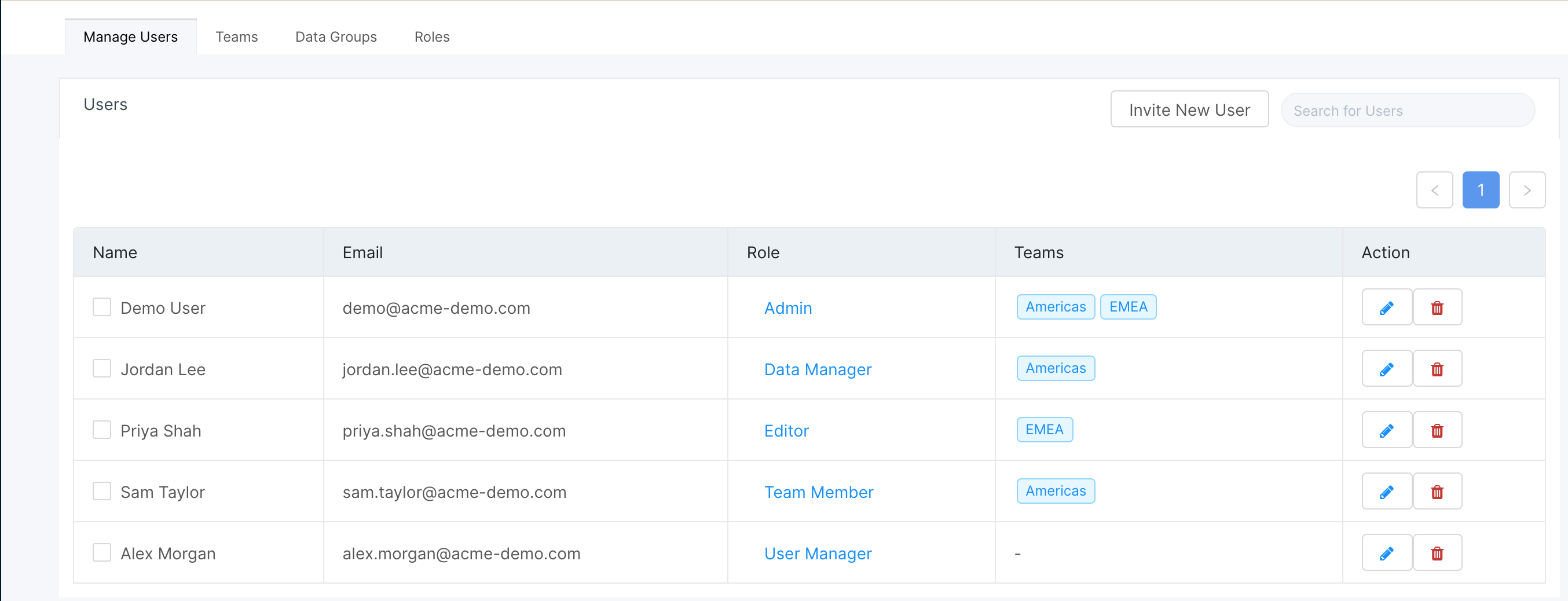
Ask your Clarisights admin (or a User Manager) to check your team membership. They can do this from the Manage Users page in Preferences (the people icon in the left sidebar), where the "Teams" column shows each user's teams.
The admin should add you to the appropriate team (click the pencil icon next to your name and pick the team under Teams) and make sure the team has the correct data group attached, in the Teams tab.
Once assigned, refresh the page. Changes to team access usually show up right away, but can take up to an hour.
For a full guide on teams and roles, see Creating and Managing Teams and Overview of User Access Control.
Other Possible Causes
If you are on a team (or have a role that sees all data) and still see no data, check these:
Date range: The selected date range may have no data. Try a broader range like "Last 28 Days" or "Last 12 Weeks".
Tab or widget filters: A filter on the tab or widget may be excluding all results. Check the tab filter (the funnel icon next to the tab name) and each widget's Filter option. See How Custom Dimensions and Filters Affect Data Visibility.
Data source not integrated yet: If a channel was recently connected, its data may not have been pulled yet. Check the "Last refreshed" time of its accounts on the Integrations page. See Data Import Schedules and Freshness.
If none of the above applies, click Talk to us in the widget (or use the chat widget) and share the report URL, and we'll investigate.