
Sharing and collaboration in Clarisights
This is one of the last articles in our series on getting started with Clarisights. It covers how to share reports and collaborate with your team members.
Here are some common use cases.
Sharing within the company
The creator of a report can share it with everyone in the organization on Clarisights. By default, everybody gets Explorer access and can't make changes that get saved.
To do this, click the share icon next to the report name and switch on Share within the company.
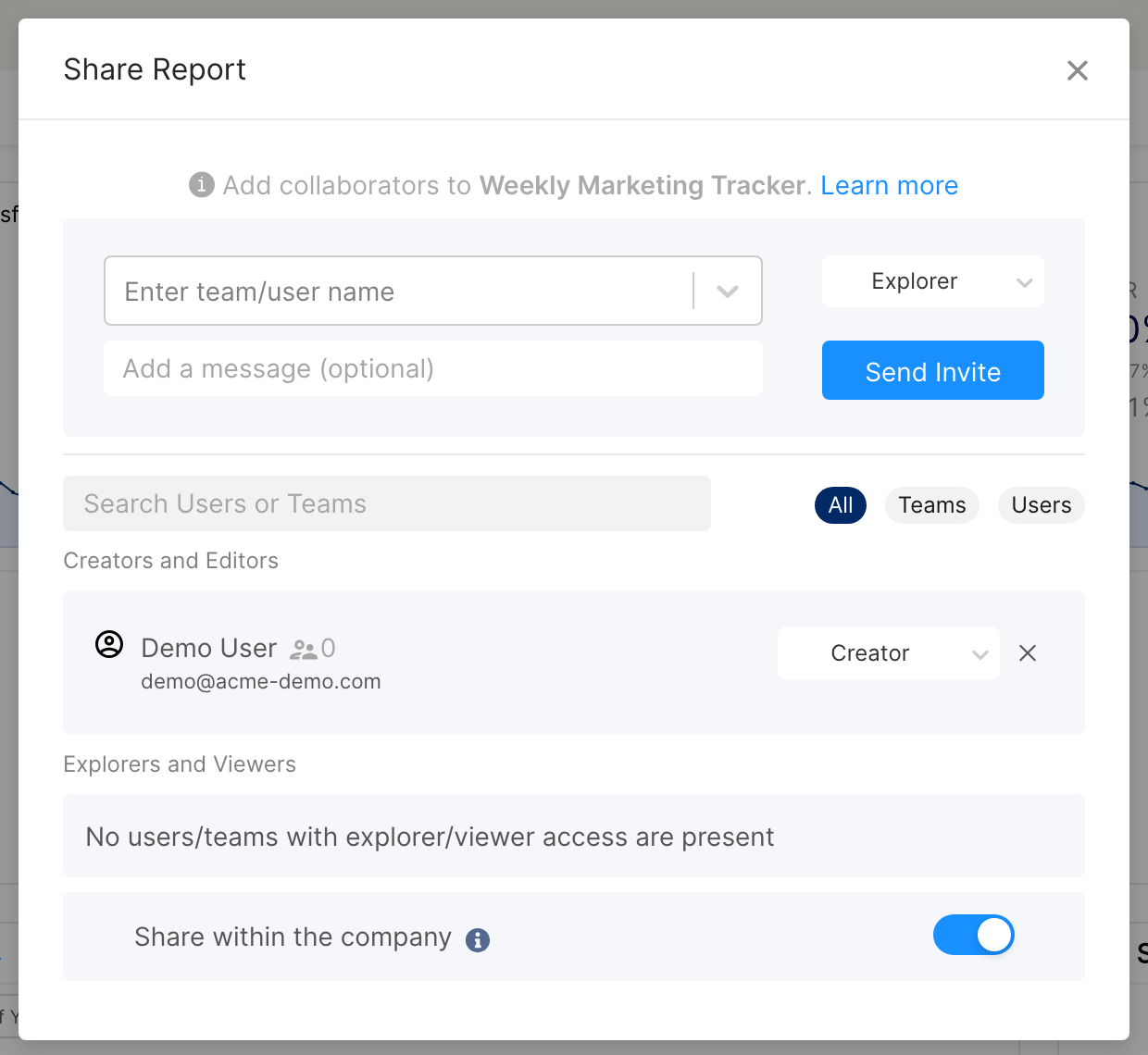
Add users manually if they need a higher access level than Explorer.
Sharing a one-time snapshot
Use a snapshot when, for example, a stakeholder without Clarisights access asks for a performance report, or you need to share a one-time view with an external partner.
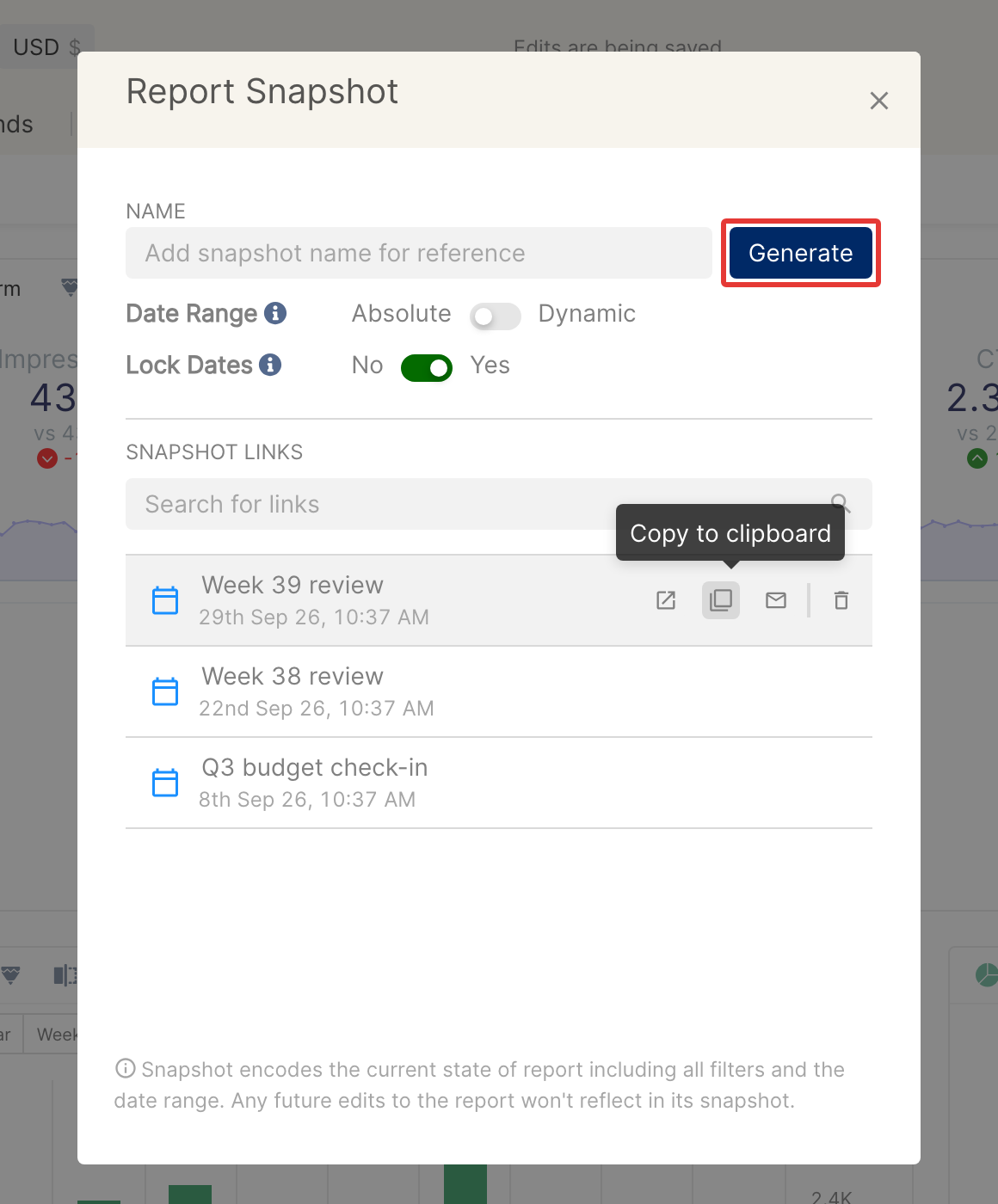
Click the link icon (tooltip Generate Snapshots) next to the share icon.
In the snapshot window, set Date Range to Absolute or Dynamic.
Use Lock Dates to choose whether viewers can change the snapshot's dates.
Anyone with the snapshot URL can open it, even without a Clarisights login.
For more on snapshots, see Sharing a Snapshot of a report. For more on sharing and collaboration, see How to share a report with a team?
Did you find this series of articles on using Clarisights helpful? Share your thoughts with us so we can continue improving the experience.
Share Feedback