
Building your weekly performance report on Clarisights
A good report, especially an important one like a weekly or monthly marketing report used by a larger team, has two prerequisites:
A clear understanding of overall business goals: so you use the right dimensions and metrics in the report.
Data completeness: all your data sources are integrated into Clarisights.
Once you have these, building your report on Clarisights is easy. Some general principles of a good report:
Use charts and widgets to draw the viewer's attention to the most important metrics.
Show only enough information, without overwhelming the viewer with too many data points.
Note: the following are recommendations we have learned from working with some of the most sophisticated performance marketing teams. Use them as a reference to build your own version.
Report structure: which tabs to create
Deciding how to split the report into tabs is the critical step. The most common ways to structure the tabs are:
By geo. Marketing teams are often split by geo, and this structure helps each team focus on the region it manages.
By advertising channel.
By product category or line of business.


If you're not sure how to structure the report yet, don't worry. You can come back to this step after you have created the first few widgets.
Adding your first widget
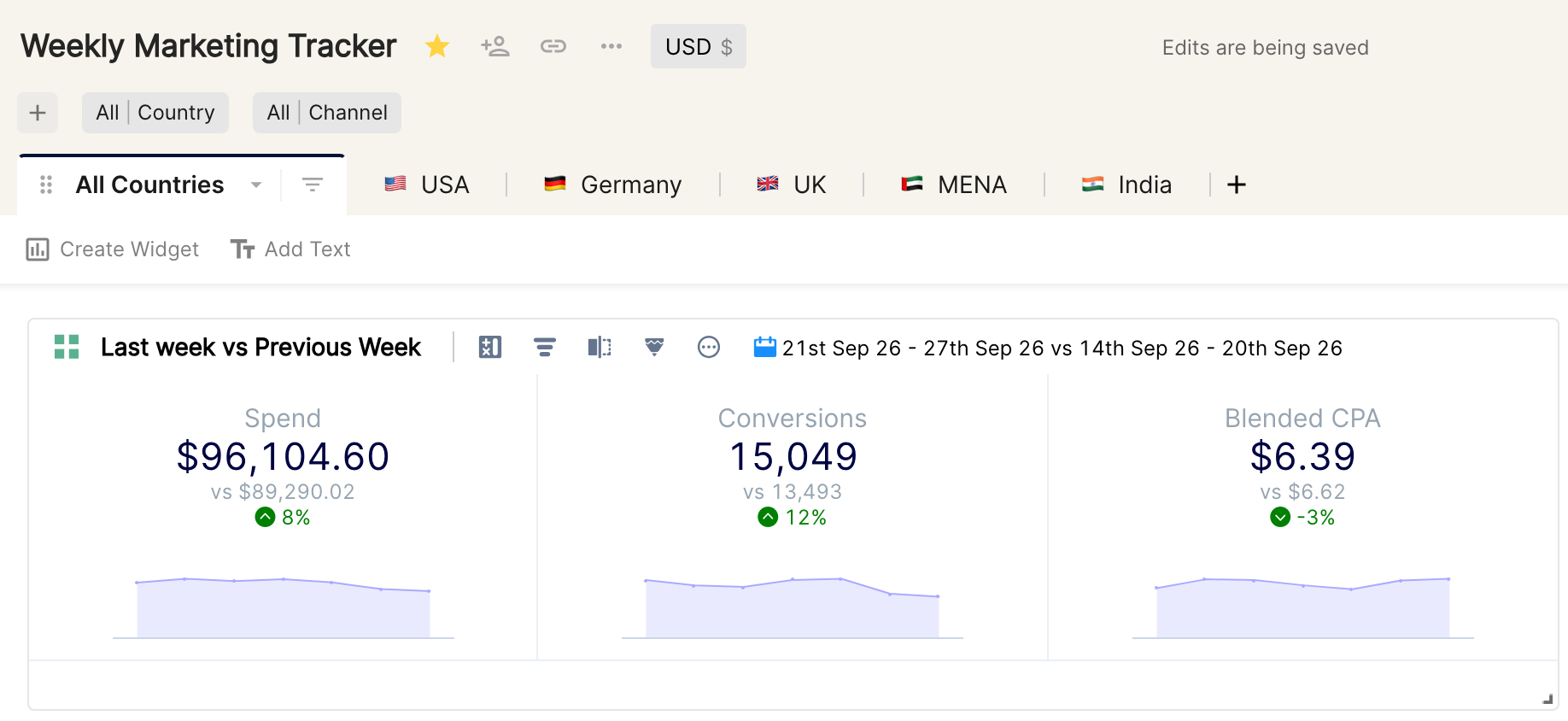
The first widget a viewer looks at should contain the most important metrics, shown visually to catch their attention. The Tile widget in Clarisights serves this purpose, as shown below.
Pro tip 💡 Use emoji in the names of report tabs to mark recently updated ones or to help with navigation.
Date Override
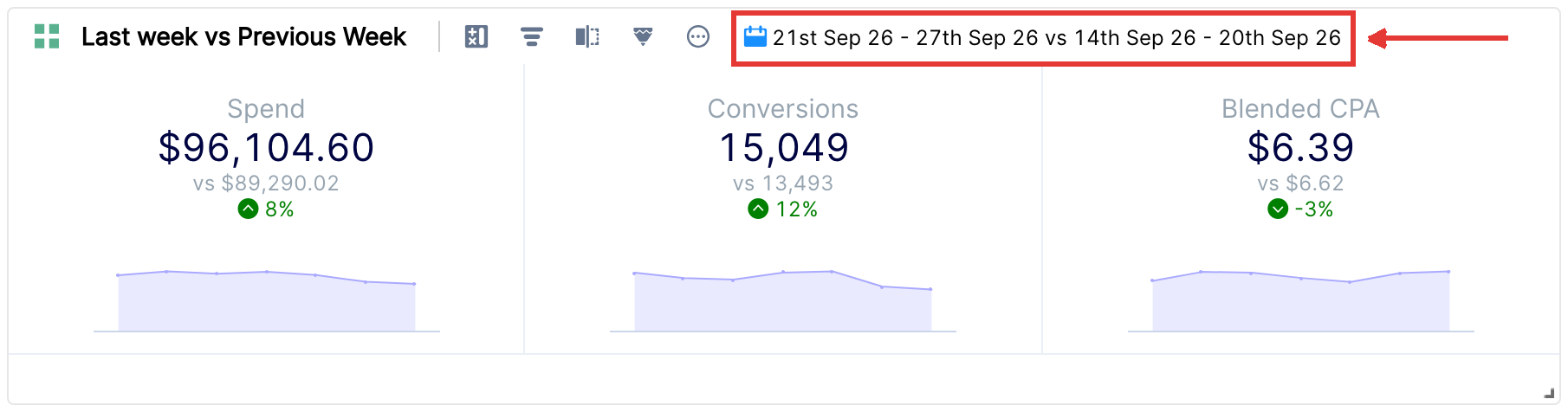
One of the most common mistakes when reading a report is looking at the wrong date range. To avoid it, add a date override to the widget. The widget then shows data for a specific date range, whatever date is chosen in the date picker at the top right.
Once an override is set, the widget header shows a calendar icon followed by the overridden date range, so viewers can always see which dates the widget is showing.
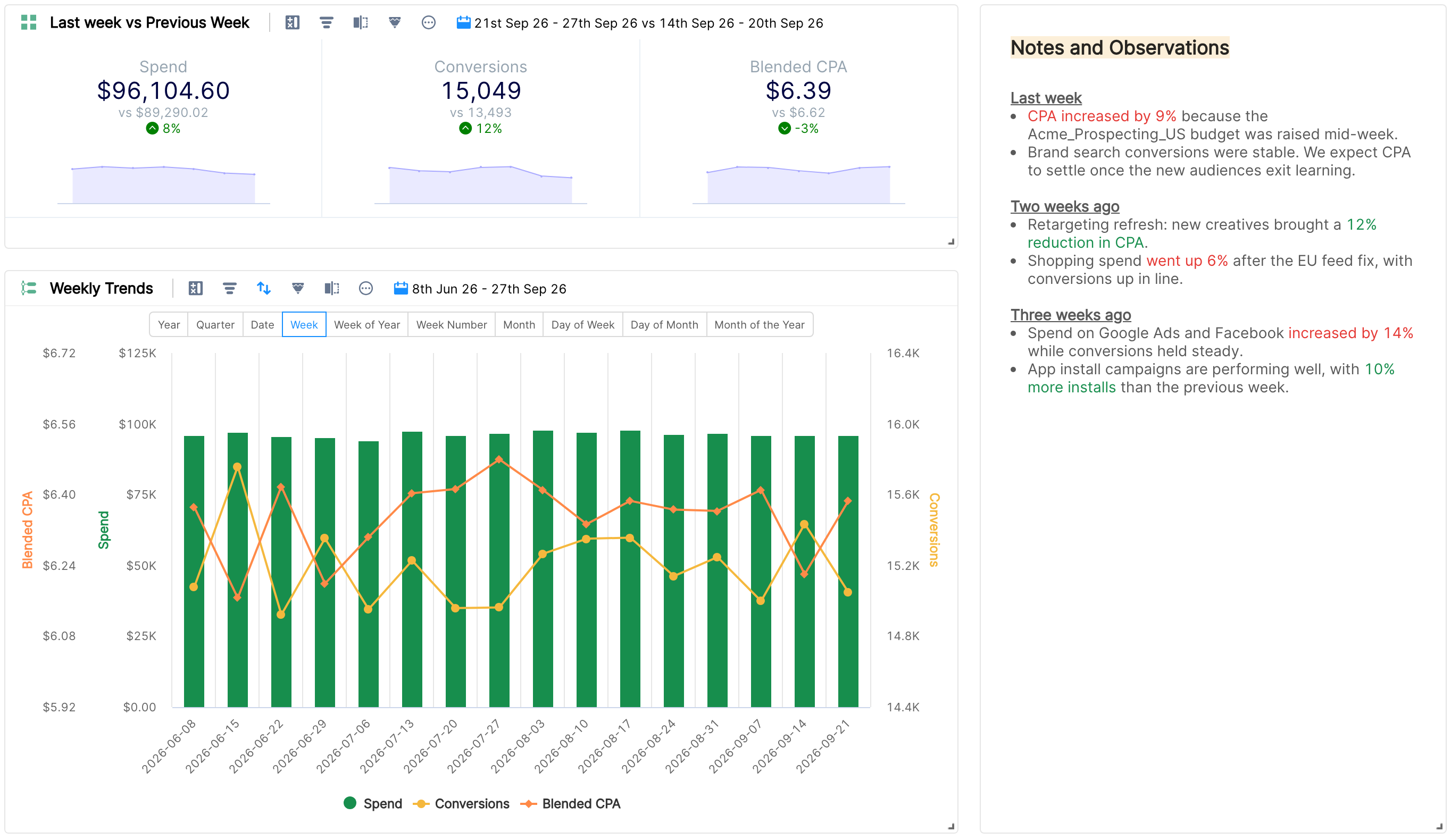
For the weekly report we are building, it makes sense to always see last week's performance. In the screenshot below, last week's performance is compared with the previous week.
For more on the date picker, see How do I choose/change dates for my data?
Choosing the right widget type for your data
There is no single right answer to which visualizations to add. It depends on your personal taste and on how your company likes to consume data. Some companies prefer all their data in simple tables, but most companies using Clarisights explore different charts to show their data in the best way.
We like to see charts used instead of tables (although the table widget will always be the most used widget type), because charts make a report more lively and insightful.
Here are a few charts you could add to your weekly marketing report.
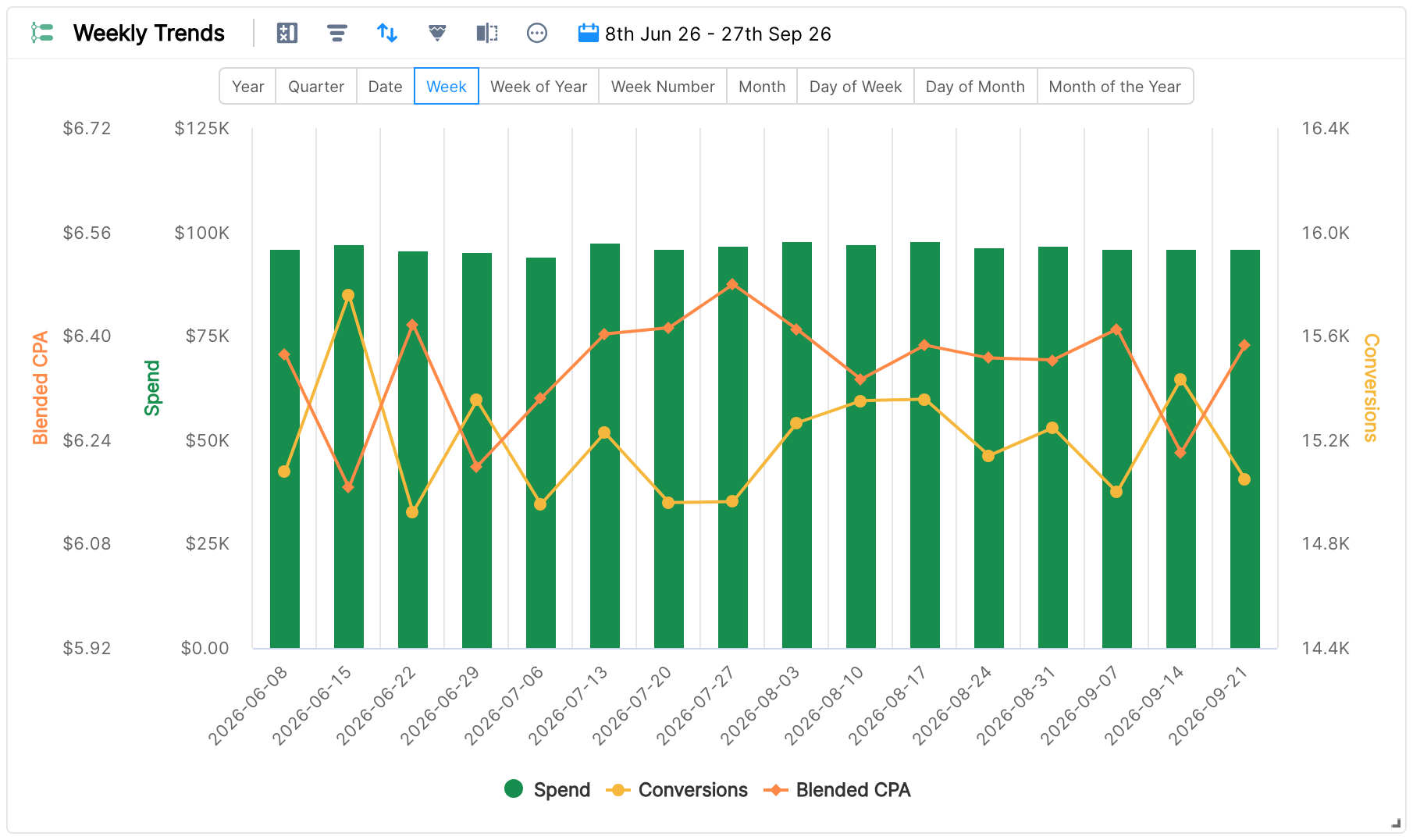
Timeline chart to show weekly trends
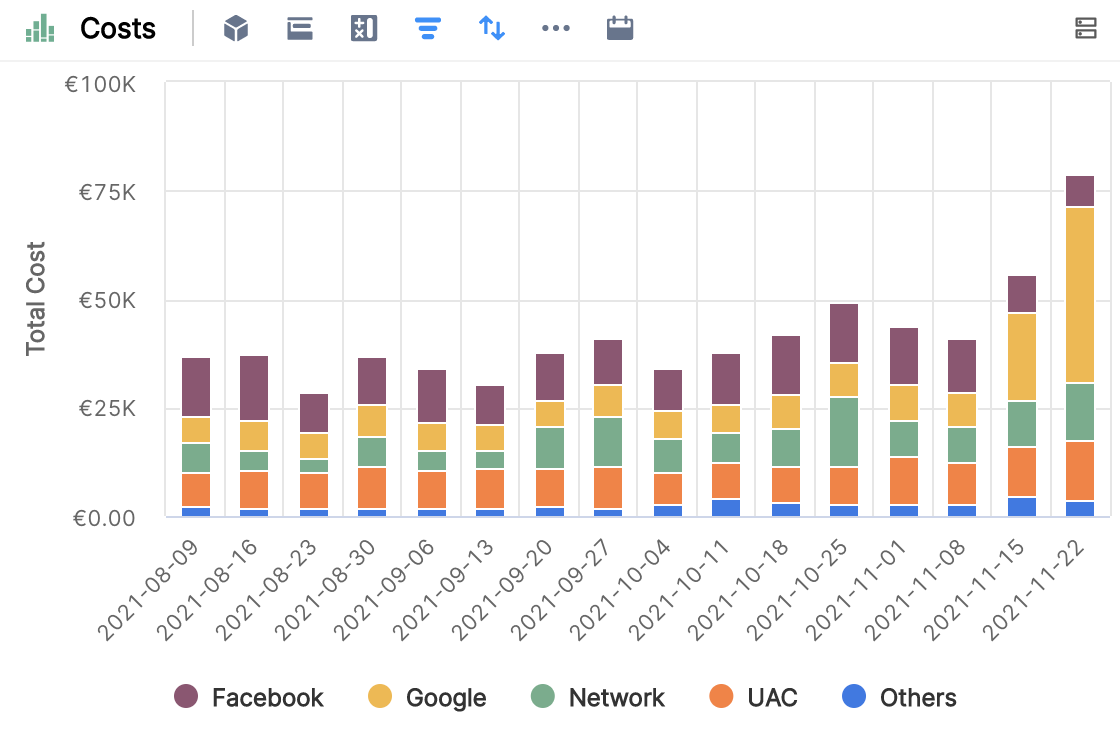
Stacked chart with stacks for Channel, Country or Product Category
Documenting notes and observations on Clarisights
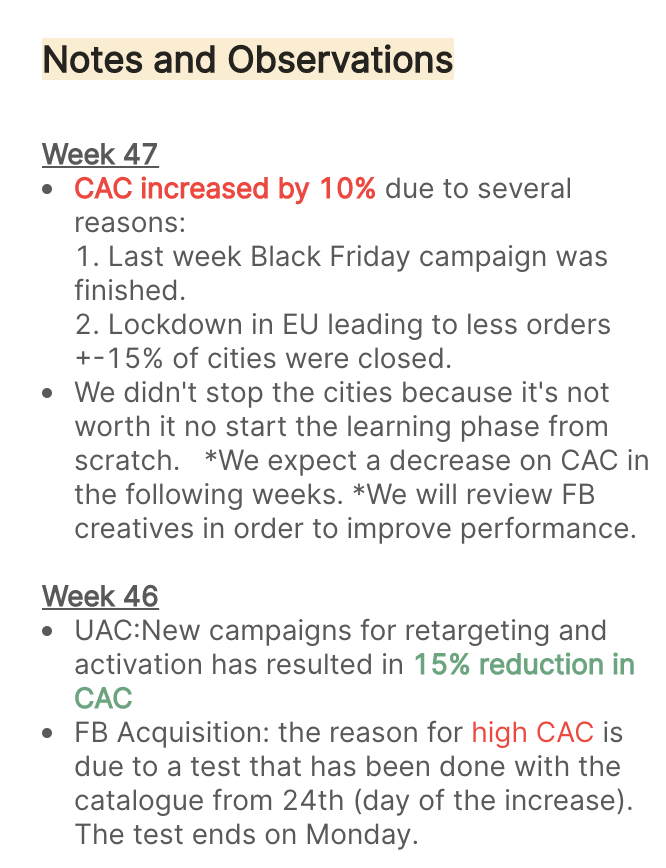
You no longer need to take screenshots from different reports and share your observations in an email or slides. In Clarisights, you can document your notes and observations right next to the data.
Structuring your notes into sections for the week makes it easy for anyone to refer to them and make informed decisions.
The report so far
Creating sections within a Tab
You can structure a report with tabs, as described in the first section of this article. You can also create sections within a tab, using a text widget as a separator, as shown below.
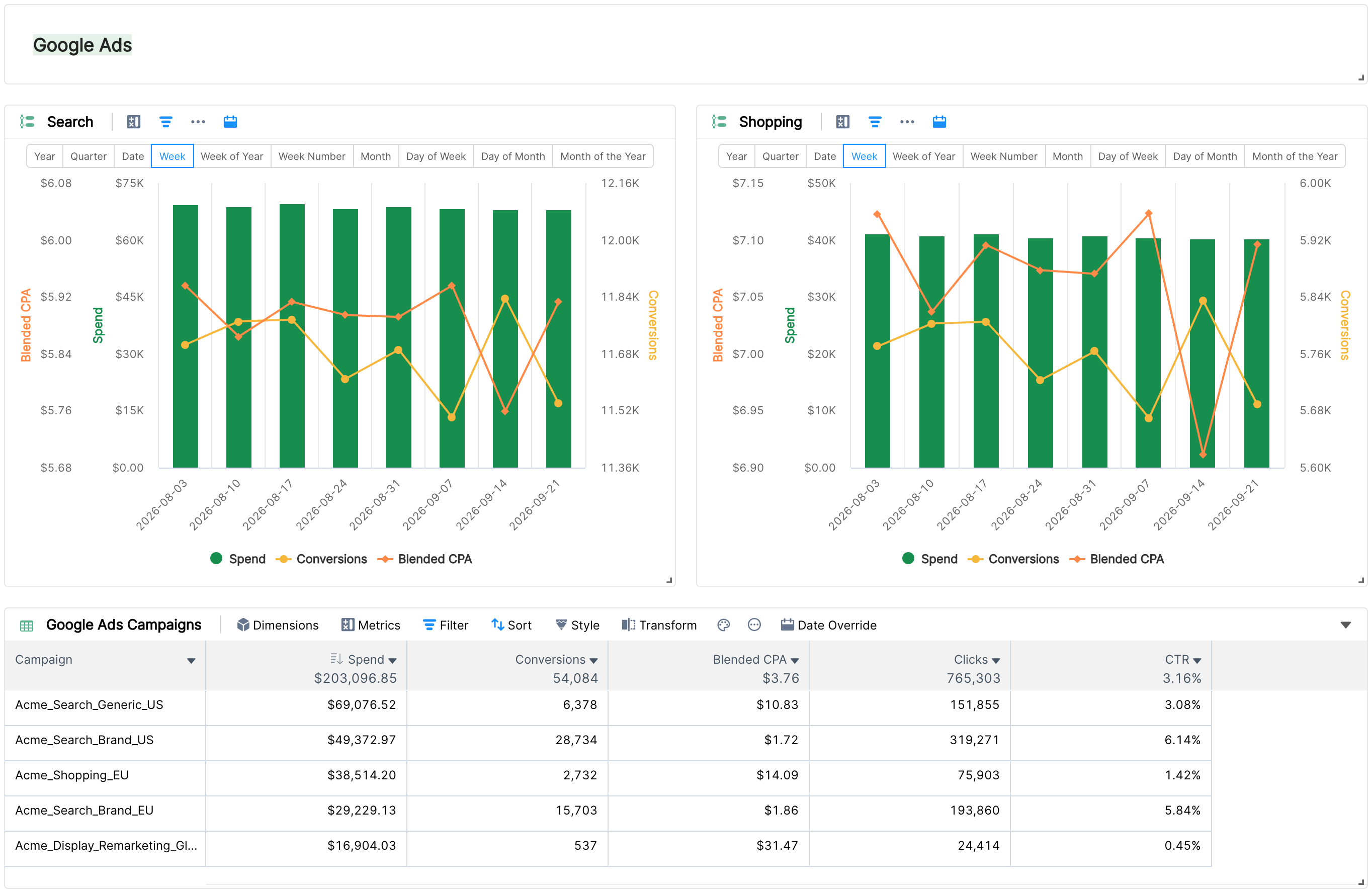
If you have a separate tab for each country, you could have a section for each marketing channel within each tab.
The complete tab
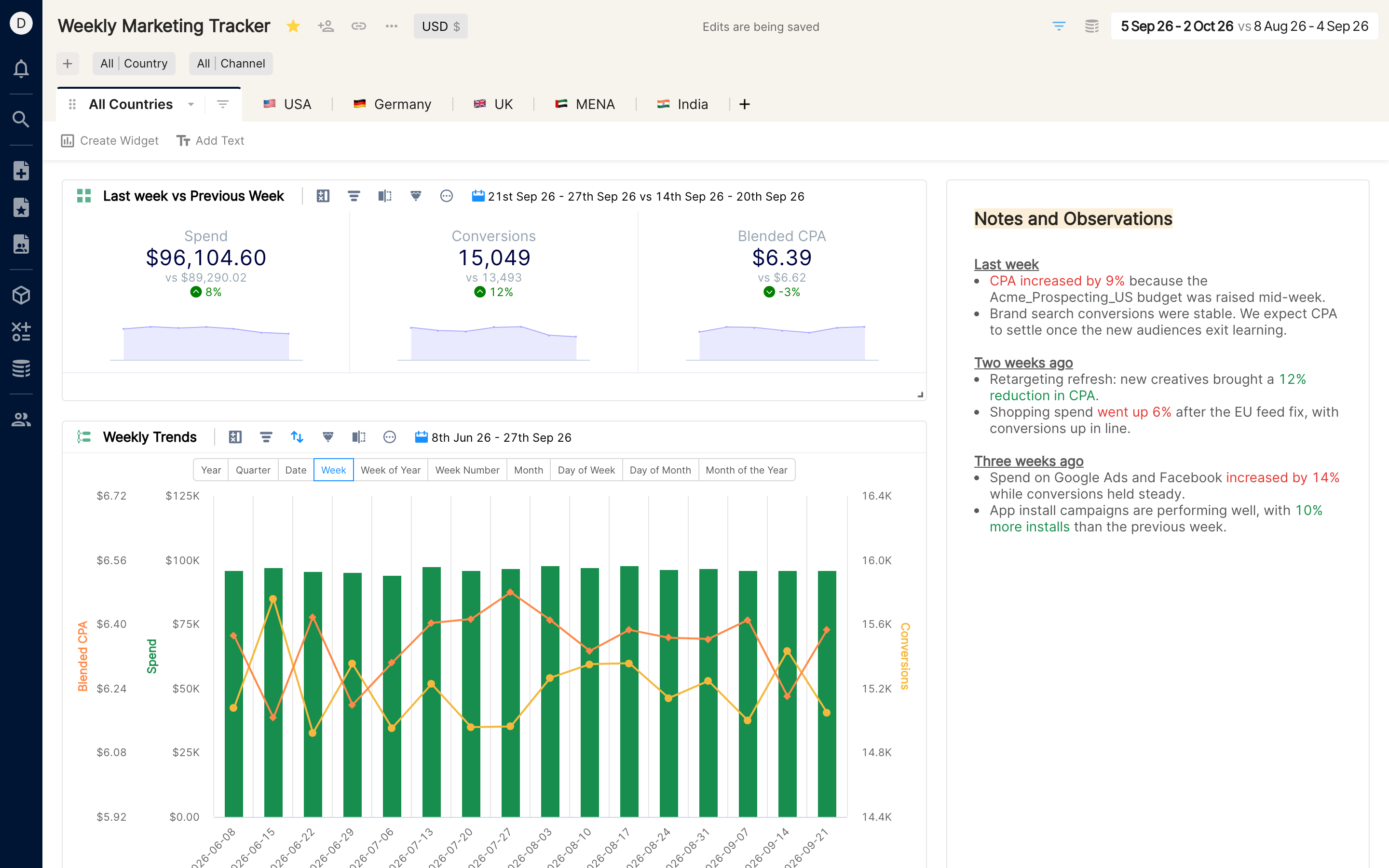
Create tabs for each country
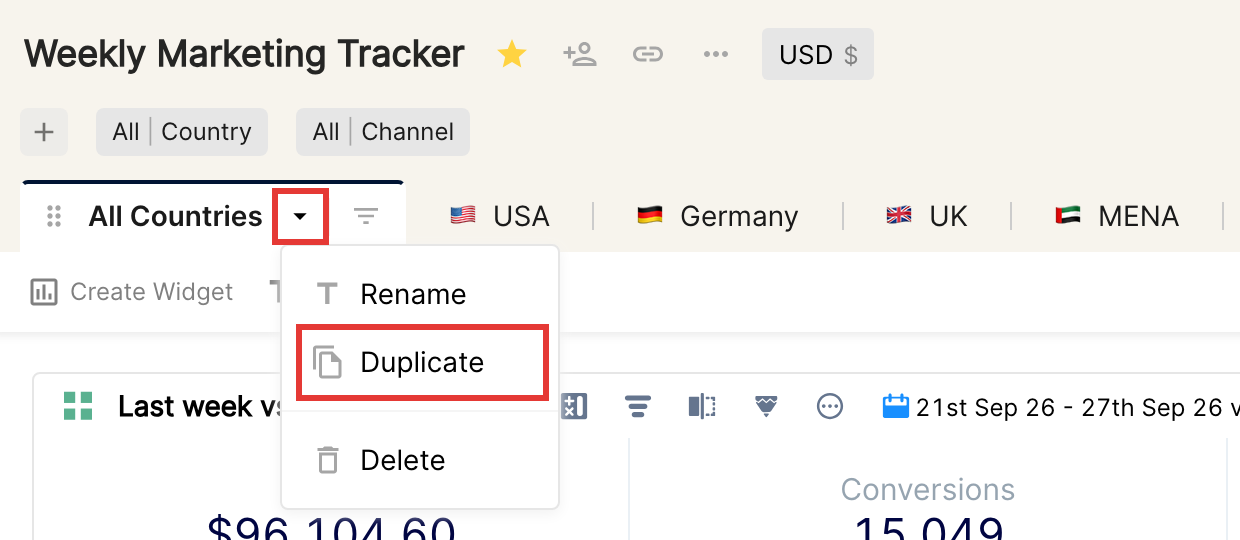
Duplicate the tab to create one tab per country (see Report structure above).
Choose Duplicate in the tab settings.
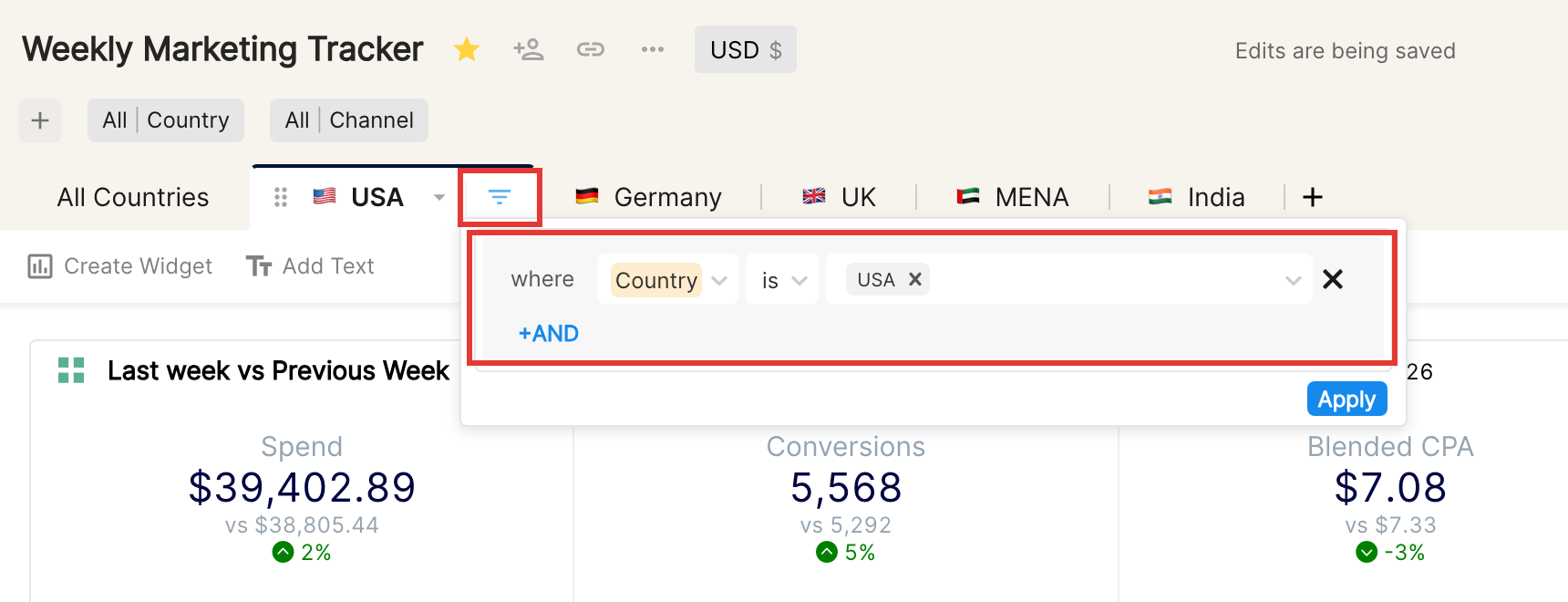
Add a tab filter for the specific country.
Pro tip 💡 Remember to lock the report to avoid unintentional changes.
Your report is now ready to be shared with your teammates or with the larger team. The next article covers the basics of sharing your report with your organization and peers.
Go to next articleTo become a Clarisights power user, we recommend these articles on more advanced topics: