
Connecting Search Ads 360 on Clarisights
Search Ads 360 (formerly DoubleClick Search) is Google's cross-engine search management platform. Connecting Search Ads 360 to Clarisights brings your manager-account, sub-manager, and client customer hierarchy (along with campaigns, ad groups, ads, and keywords across Google Ads, Microsoft Advertising, Yahoo, and Baidu) into one unified reporting layer with the rest of your paid media.
At a glance
| Authentication | Google OAuth 2.0 (Google sign-in with Search Ads 360 access) |
| Permissions needed | Read access on the Search Ads 360 manager and/or client accounts you want to connect (Standard or higher role) |
| Account discovery | Automatic: Clarisights walks the full manager / sub-manager / client tree the signed-in user can access and offers every client account |
| Data freshness | Daily, with a 3-day rolling refresh and an extended 7-day backfill |
| Lookback window | 3 days on the regular refresh; 7 days on the backfill |
| Backfill on connect | Last 7 days by default; contact support for a deeper historical backfill |
| Timezone | Account-level timezone (inherited from the Search Ads 360 customer) |
| Currency | Account-native currency, auto-converted to your reporting currency |
| Levels supported | Account · Campaign · Ad Group · Ad · Keyword (Device breakdown available on request) |
| Limited rollout | No |
Prerequisites
An active Search Ads 360 account in Search Ads 360
A Google account with at least Standard access on every manager / client account you want to connect (Read-only is also sufficient for reporting)
Permission on your Google account to authorize third-party apps (some Google Workspace policies block this)
Steps to Connect
Step 1: Sign in with Google from Clarisights
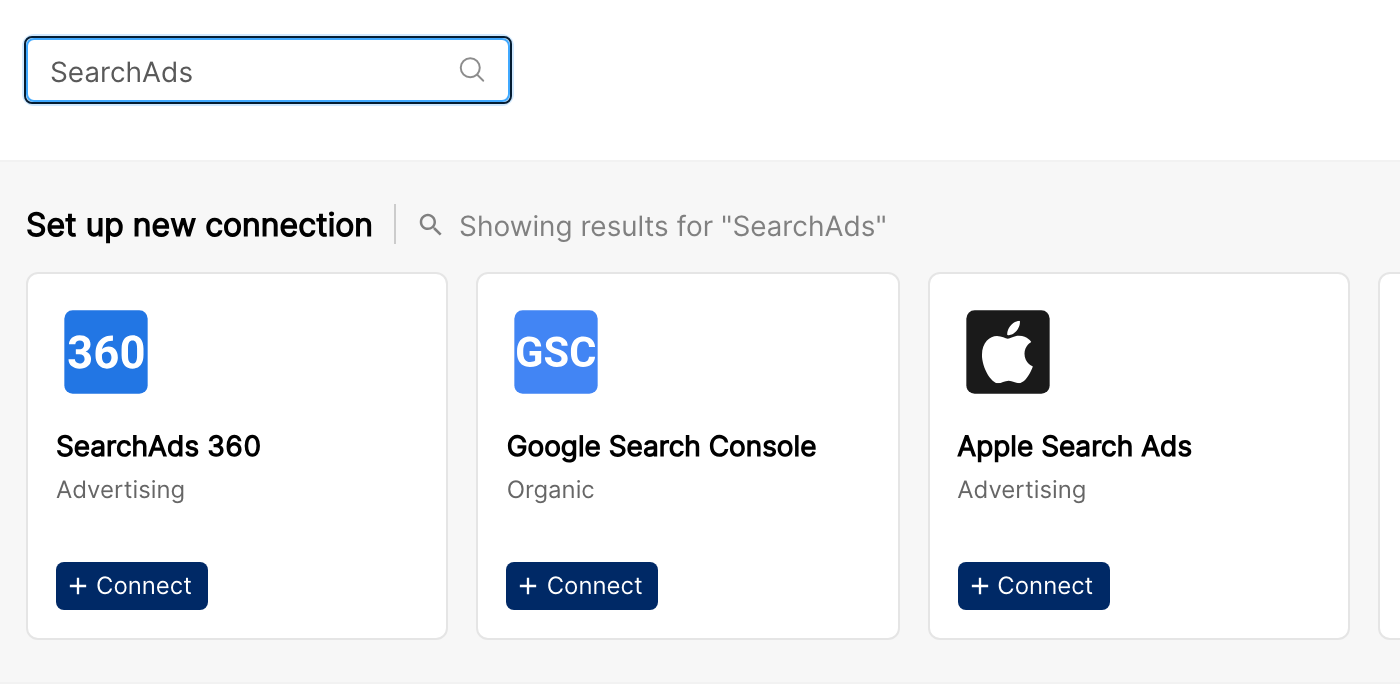
In Clarisights, go to Integrations, find the SearchAds 360 tile, and click + Connect. You'll be redirected to Google to authenticate. Sign in with the Google account that has access to your Search Ads 360 manager and/or client accounts.
Step 2: Authorize Clarisights
Google will display a permission screen asking for access to your Search Ads 360 data. Click Allow.
⚠ "This app is blocked" / "Access blocked" → Your Google Workspace admin restricts third-party apps. Ask the admin to allowlist Clarisights, or sign in with a Google account whose organisation permits OAuth to external apps.
Step 3: Select accounts
After authorization, Clarisights walks your Search Ads 360 customer tree, through every manager and sub-manager, to discover every client account you can report on. The client accounts appear under New Accounts. Tick the accounts you want to connect and click Connect Accounts.
⚠ "Forbidden" / 403 errors during account discovery → The Google user is missing access on one or more manager accounts in the chain. Ask your Search Ads 360 admin to grant Standard or Read-only access on the missing managers and retry.
Verify the connection
Go to Integrations → SearchAds 360. Each connected client account should show a "Connected" status with its account ID.
First data appears within ~24 hours of the next scheduled sync.
Quick start: create a new report, add SearchAds 360 as the data source, and add Account · Campaign · Ad Group · Impressions · Clicks · Cost.
Data available
Hierarchy
How Search Ads 360's native levels map to the standard Clarisights levels:
Native level (Search Ads 360) | Clarisights level |
Customer (client account) | Account |
Campaign | Campaign |
Ad Group | Ad Group |
Ad | Ad |
Keyword | Keyword (additional level under Ad Group) |
Device segment | Device breakdown on Campaign (available on request) |
Manager and sub-manager customers are used to discover the hierarchy and to access their client accounts; only client accounts surface as Clarisights accounts. The manager and sub-manager that own each account are available as dimensions.
Dimensions
Dimension | Level | Description |
Account / Account ID | Account | Client account name and ID |
Account Type | Account | The engine the account runs on (for example Google Ads or Microsoft Advertising) |
Manager Id / Manager Name / Sub-Manager Id / Sub-Manager Name | Account | The manager and sub-manager accounts that own the client account |
Campaign Status / Campaign Type | Campaign | Standard campaign attributes |
Network Target | Campaign | Networks the campaign targets |
Campaign Start Date / Campaign End Date | Campaign | Campaign schedule |
Ad Group Status / Ad Group Type | Ad Group | Standard ad group attributes |
Ad Status / Ad Type / Landing Pages | Ad | Standard ad attributes and the ad's final URL |
Keyword Status / Keyword Match Type / Quality Score | Keyword | Keyword-level attributes |
Campaign Labels / Ad Group Labels / Ad Labels | Campaign / Ad Group / Ad | Search Ads 360 labels are pulled per level |
Device (Breakdown) | Campaign | Device the ad served on. Available on request: contact your Clarisights CSM to enable it. |
Metrics
Metrics are pulled at every level (campaign, ad group, ad, keyword) and for the Device breakdown when enabled. Rows without any impressions on a given day are not included.
Core performance
Metric | Description |
Impressions | Total ad displays |
Clicks | Total clicks |
Cost | Spend, converted to your reporting currency |
Visits | Visits recorded by Search Ads 360 |
CTR / Avg. CPC / Avg. CPM | Standard rate metrics |
Conversions
Metric | Description |
Conversions / Conversion value | Conversions and their value, in the SA360 - Google Ads Conv. metric group |
Custom columns | Each custom column defined in Search Ads 360 (for example Floodlight-based conversion columns) is discovered automatically and appears as its own metric, named SA360 Custom Col followed by the column name. Reported at the ad level, and at the campaign level for Performance Max campaigns, which have no ads. |
Limitations & known constraints
Standard SA360 API quotas: Google's Search Ads 360 API limits apply. Very large customer trees may take longer to ingest end-to-end on the first sync.
Zero-impression rows are skipped: performance reports only return rows with at least one impression. Zero-impression campaigns, ad groups, ads, and keywords are still available as dimensions, but won't appear in performance metric tables.
Manager-only customers don't surface as accounts: managers and sub-managers are used to traverse the tree, not as reportable accounts. Only client customers (i.e., non-manager) appear in Clarisights.
Device is the only breakdown: other Search Ads 360 segments are not available.
Custom columns must exist in SA360: only custom columns defined in Search Ads 360 are pulled. Add them in Search Ads 360 first, and they'll appear on the next refresh.
Token revocation: revoking the Clarisights connection in your Google account stops all syncing until you re-authenticate.
Operating notes
Refresh schedule: a daily refresh pulls today + 3 days. A separate 7-day backfill runs to catch later attribution.
Lookback: 3 days on every regular run; 7 days on the backfill run.
Adding new accounts: when a new client customer is added under a manager, return to Integrations → SearchAds 360 and re-discover. Already-connected accounts are not re-prompted.
Currency conversion: native amounts are pulled in the account's currency and converted to your Clarisights reporting currency.
Credential rotation: OAuth tokens auto-refresh. You only need to re-authenticate if you change your Google password or revoke the Clarisights connection.
Need help?
When contacting support from the in-app messenger, please include:
The integration name and account ID + manager ID (Integrations → SearchAds 360)
The exact error message or screenshot
The step where the issue occurred
When the issue started