
Currency Conversion
Teams around the world report in different currencies. For example, a regional office may want to see its reports in its local currency but present numbers in USD in global reviews. Clarisights lets each user set a default reporting currency and switch the currency of any report on the fly.
Convert the currency of a report
The reporting currency is shown next to the report name (for example USD $). Click it (or open the report's ... menu and choose Convert Currency), search or scroll to find the currency you want to view your data in, and click Done.
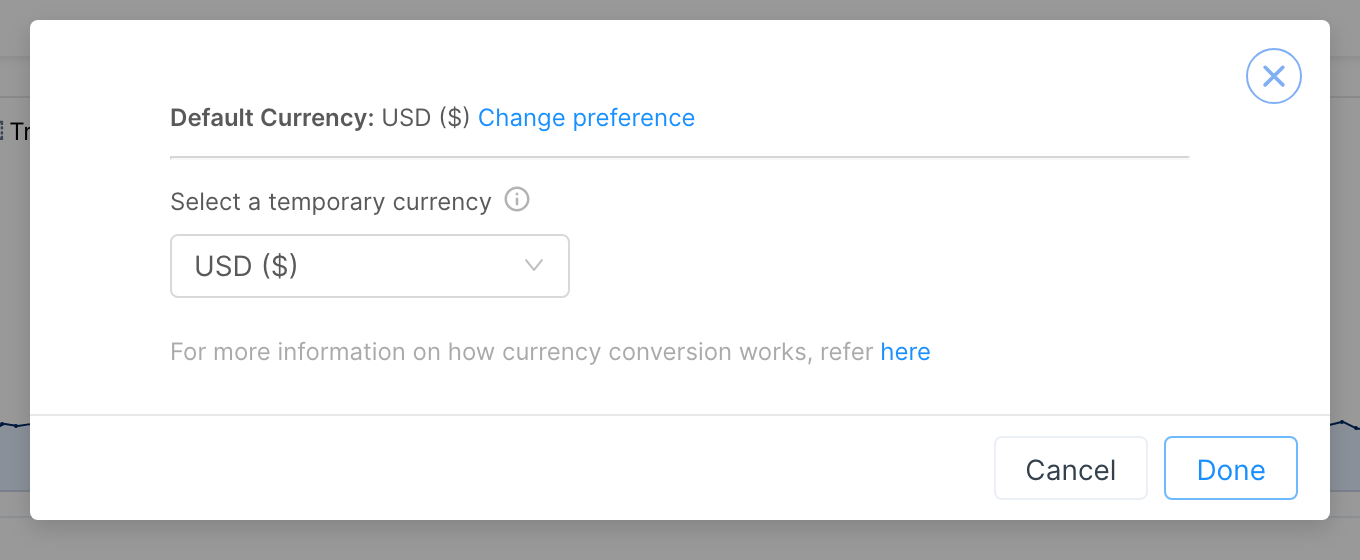
This is a temporary, view-only setting. It resets to your default currency when you reload the page.
Your default is your own currency preference if you have set one (see Changing Your Default Currency), otherwise the workspace currency configured during setup.
To go back to the default straight away, unselect the temporary currency.
The Change preference link in this window takes you to your profile, where you can set your default currency.
Conversion rates are applied retroactively for each date of data. For example, when converting from USD to EUR, each day's USD-EUR rate is used to calculate the value for that day. This keeps figures consistent and accurate even when you use historical timeframes in reports.
Clarisights uses the daily exchange rates from Open Exchange Rates.
High-Value Currency Support
Clarisights supports high-value currencies (such as VND, IDR and KRW) without rounding errors, so figures stay precise regardless of the size of the currency unit.
Deprecated Currencies
The following currencies have been removed from Clarisights as they are no longer in active circulation:
VEF (Venezuelan Bolívar Fuerte), replaced by VES
If you were previously using a deprecated currency as your reporting currency, update your preference to the replacement currency.
Changing Your Default Currency
If you often use a specific currency, consider making it your default currency in your profile settings.
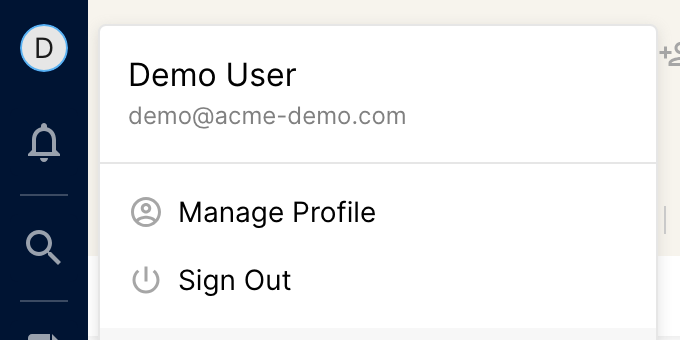
Click your profile icon at the top of the left sidebar and choose Manage Profile.
Click the edit icon next to Currency, select the currency you want and click Update Currency.
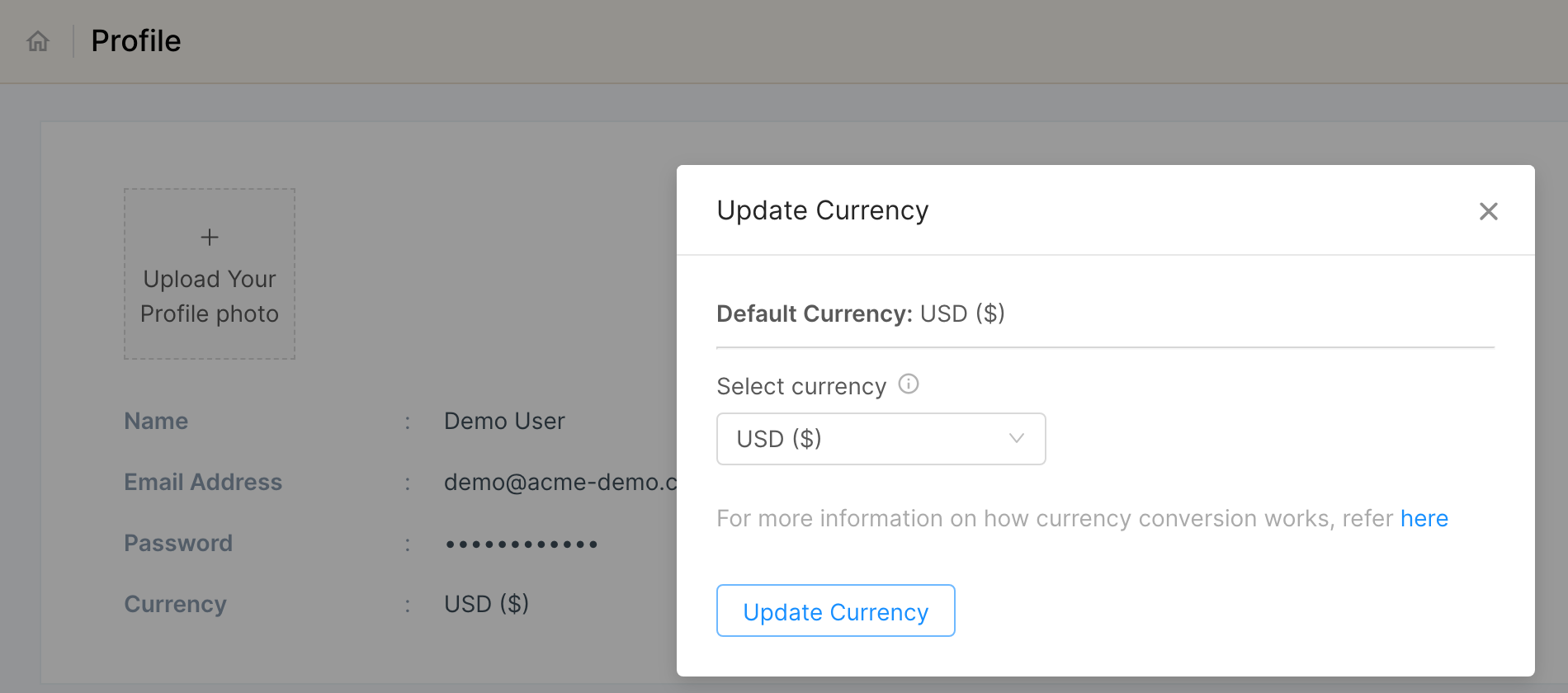
Your default currency is saved for all reports you use in that workspace. You can still temporarily change the currency on any individual report.
Note: your company's data is always stored in the default currency set when the Clarisights account was created, and is not affected by this change.