Starring Reports To Bookmark Them
Starring reports is a great way to group the reports you use most often.
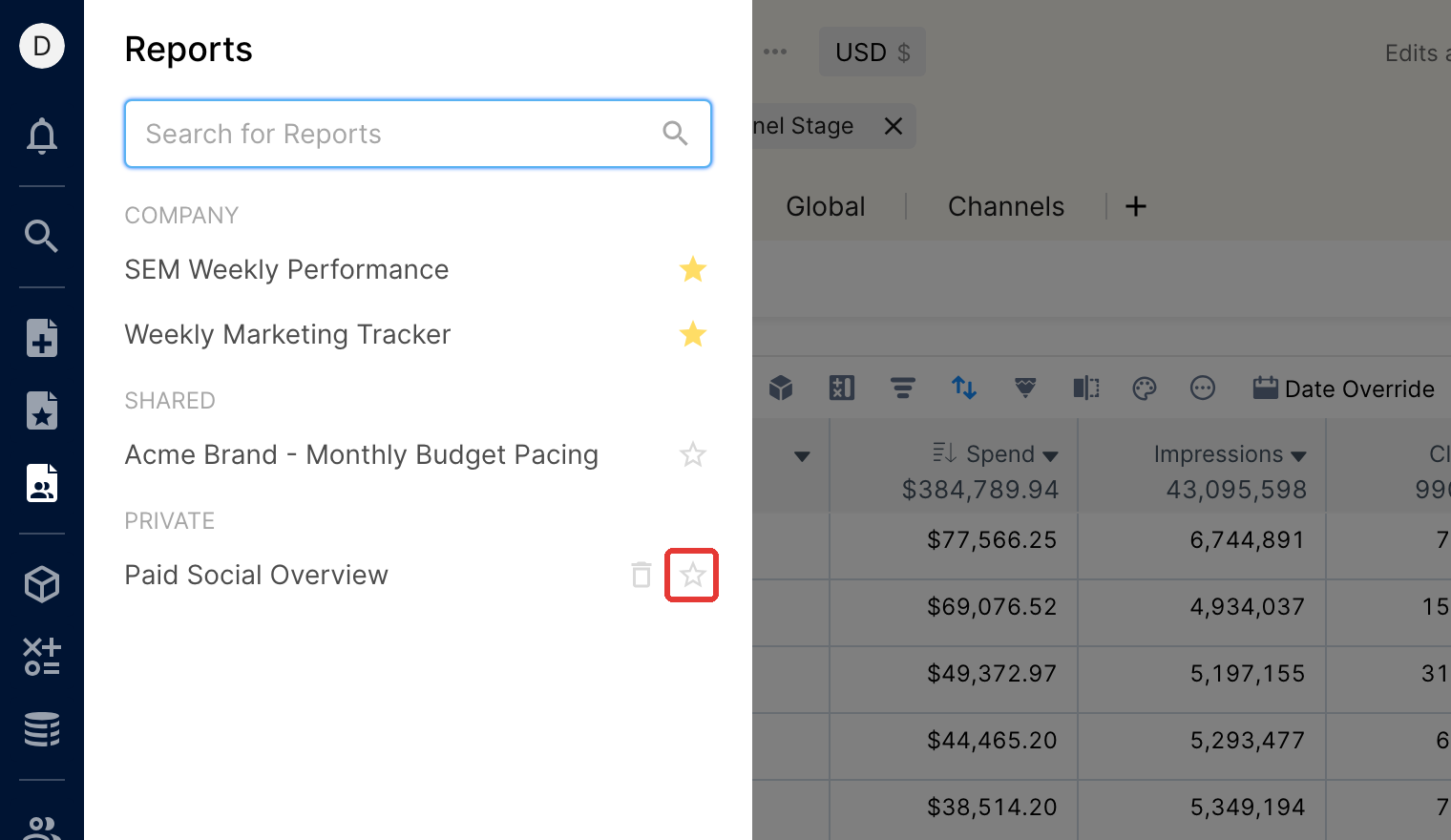
To star a report, click the Star icon next to the report title.
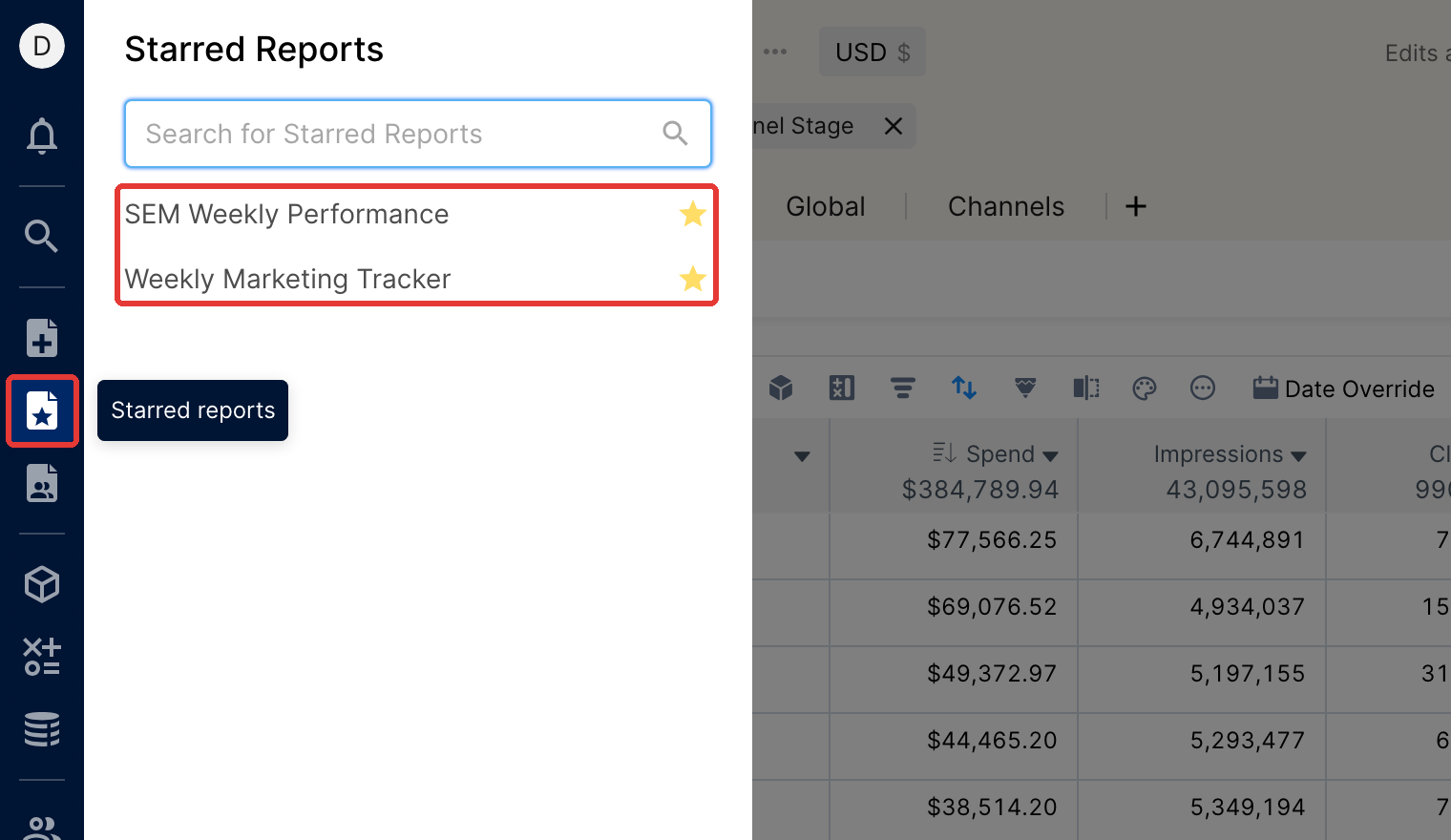
All starred reports are saved under the Starred Reports section in your side menu for easy access. To remove a star, click the star icon again (Unstar Report).
You can also star a report by clicking the star icon next to the report name in the Reports pane of the side menu.