
Tab-level Filters
When you need a set of common filters applied to all the widgets in a tab, use tab-level filters. They are most often used when the report contains all ad channels or products/brands, but a tab should contain only specific ones.
To add a tab-level filter:
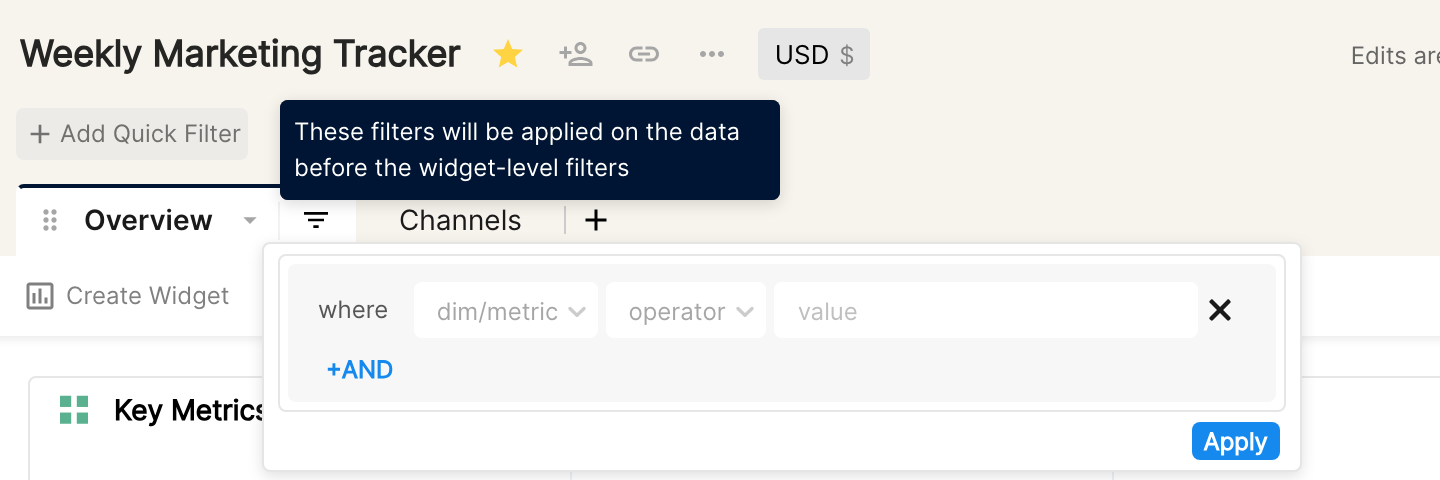
Click the filter icon next to the tab name.
Choose the dimension or metric to filter on and choose the relevant operator.
Enter the value(s) and click Apply to add the filter to all the widgets in the tab.
Tab and widget filters work together: tab filters are applied to the data first, and then each widget's own filters.
Currently, tab filters support only AND conditions.
Note: filters added this way can only be edited at tab level, not on individual widgets.
To filter individual widgets, see Adding filters to your widget.