
Choosing how many rows a table shows
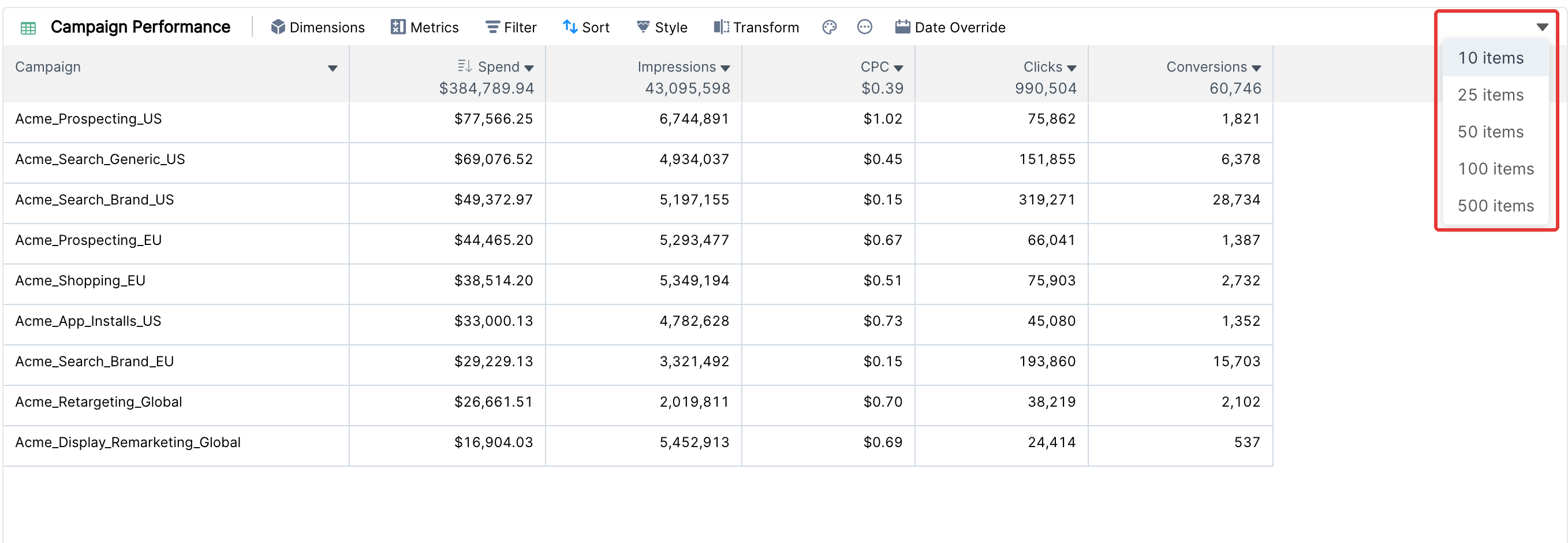
The item count of a table decides how many rows it loads. Click the arrow at the top right of the table and pick 10, 25, 50, 100 or 500 items.
How it works
The table loads the first rows according to its sort. With 25 items and a sort by Spend 9→1, you see the 25 rows with the highest spend.
The table has no pages. All loaded rows are in one list that you scroll through.
The column aggregate in the header is the total for all data, not only the visible rows.
For a breakdown, the number of sub-rows is set in the breakdown itself (Presets or Manual), not by the item count.
Other widgets
Most charts have the same drop-down to limit the number of values they show. A widget transformed into a table starts with 100 items, and a pivot table starts with 500.
Tip: keep the item count as low as you need. Smaller tables load faster, especially in reports with many widgets.