
Combo chart widget
The Combo chart combines the features of the column chart and the area chart. It displays the data as bars, lines and areas, each representing a particular category.
Combining bars and lines in one visualization is useful for comparing values across categories, since it shows clearly which category is higher or lower.
Here is a combo chart with Campaign as the dimension and Spend (columns), Conversions (area) and CPC (line) as the metrics, each on its own axis.
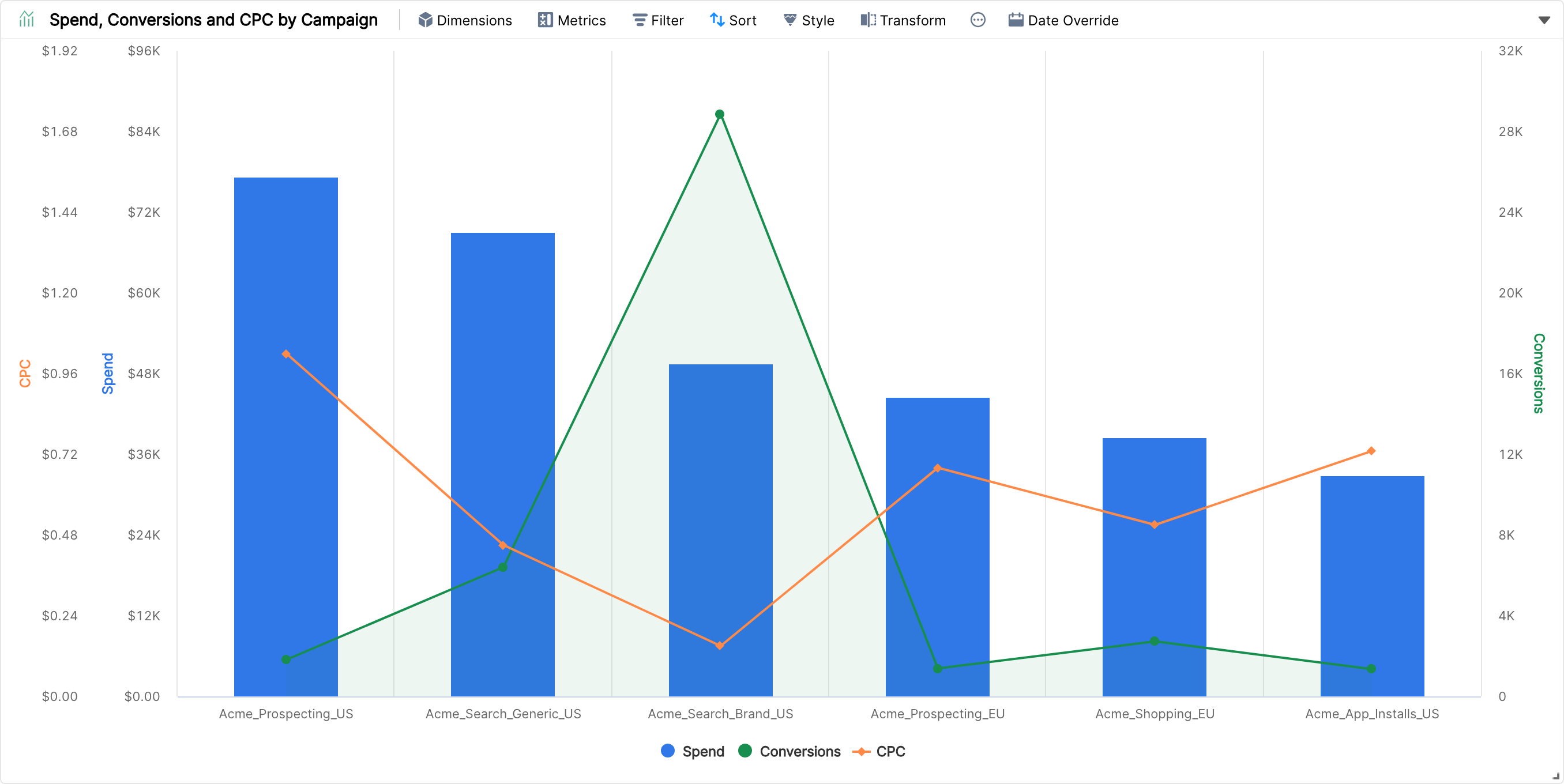
By default, all the metrics share one axis and are shown as columns. To change how a metric is drawn, go to Style, hover on the metric under Metric Styles and pick Spline, Line, Column or Area.

With a style chosen for each metric, the chart looks like this:

Like the Area and Column charts, the Combo chart supports labels, axes, multiple metrics and multiple dimensions.